


MOZILLA is such a MAJOR pain!!!!

hello
I have DISABLED popup blocking in the main options.
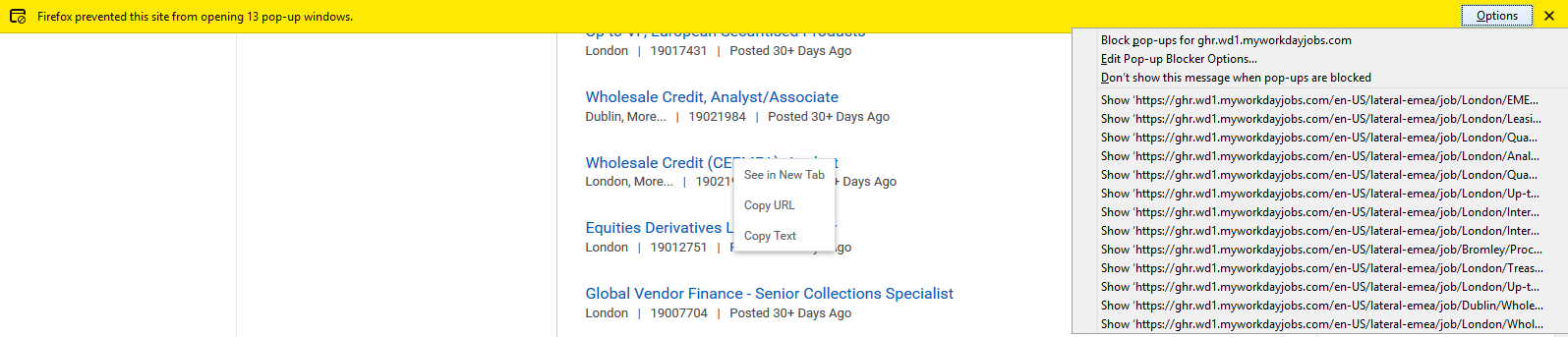
Yet, trying to open links from the website in the attached photo, it results in the attached message.
It blocks the opening of new tabs and it offers me the option, instead of NOT blocking up popups from that website, to BLOCK (!!!!!) them which it already does it!!!!!
Can you fix this extremely frustrating behaviour? I can't believe a whole organisation like Mozilla releases products like this!!
Alle Antworten (2)
The idea is to give users a chance to open a bona fide pop-up even though pop-ups are "blocked" and are less of an annoyance (since they won't pop up fully but are collected like in your screenshot).
If all pop-ups were silently 100% suppressed, some sites might essentially break.
Geändert am von fffknol
Hello Firefoxor,
Would you try this please :
When you're on that site, click on the 'i' in a circle, next to the padlock at the left side of the address bar.
Then click on the little black arrow on the dropdown (next to 'Connection') and then on "More Information", which will take you to "Page Info".
Click on the 'Permissions" tab and scroll down to "Open Pop-up Windows". Uncheck "Use Default" and check "Allow".
Then close and restart Firefox.
Also : In Options => Privacy & Security => under "Permissions": add the site to "Exceptions".
'Hope that helps .....