


How to unlink windows action buttons (minimise, reduce and close) from tabs toolbar

I like to save maximum vertical space in my firefox due to 16/9 screens, to maximise content space. Most of the time, I use left-hand containers (in 16/9 horizontal space is rarely completely occupied) like the Tree-style tabs add-on (very good one, saved me from abandonning firefox when XUL was dropped) to manage my tabs and bookmarks.
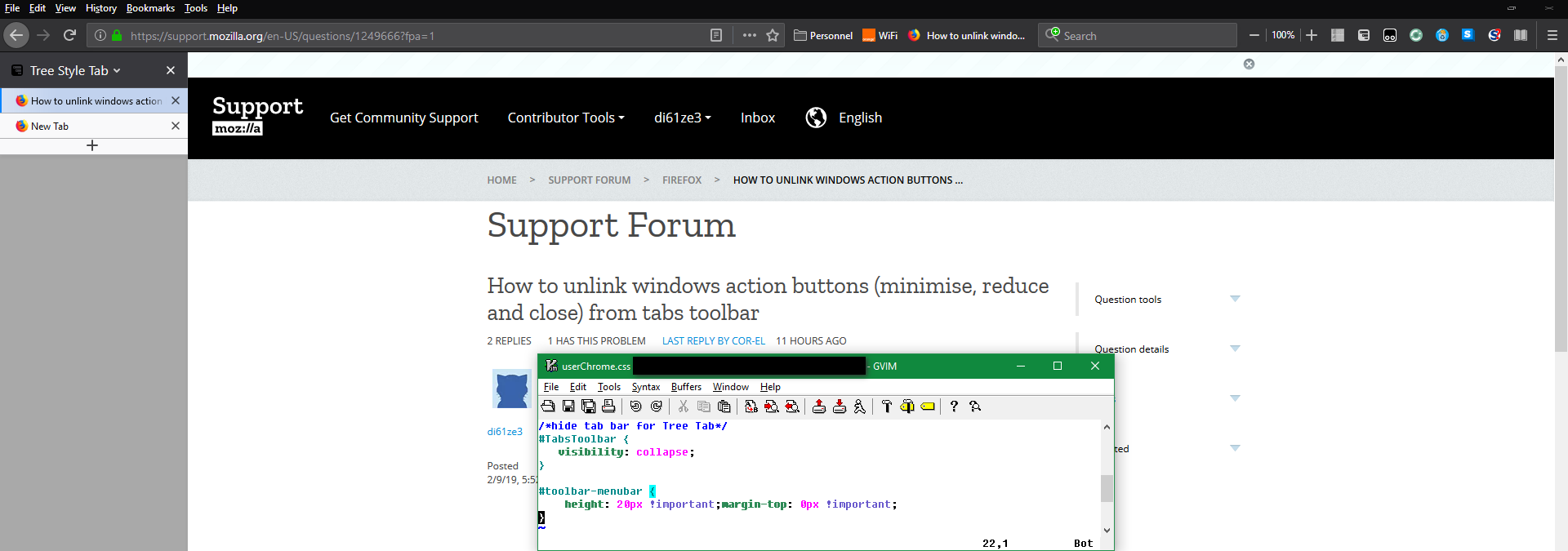
In Firefox <65.0, a good trick was to use userChrome.css with a #TabsToolbar {visibility: collapse;} instruction. In Firefox 65.0, this still works but it makes the windows action buttons (minimise, reduce and close) disappear (not the case before).
How do you propose to unlink these button from the vertical-default tabs bar ? NB: they are still displayed when pressing the Alt key, but I'd like to have them permanently. NB: did try safe mode but it seems it doesn't take the userChrome.css as input, rendering the test inneficient
Configuration: firefox 65 on windows 10 / have yet to have a look on my Mint 19.1
Thank you
Ausgewählte Lösung
You need to have the Title bar or the Menu bar visible to see the control buttons when the Tab bar is hidden.
Diese Antwort im Kontext lesen 👍 1Alle Antworten (3)
I don't think that can be changed unless your using "userChrome.css" to make those changes.
Ausgewählte Lösung
You need to have the Title bar or the Menu bar visible to see the control buttons when the Tab bar is hidden.
Thank you very much Cor-el
I was so focused on the way it worked before with tabs bar that I didn't consider this (and yet evident) solution.
I'm currently looking to improve the render and fiddling around (icons are a bit squished right now), digging into #toolbar-menubar ; but for all purpose I consider the question as answered :)
edit: bad english, but we learn every day.
Geändert am von di61ze3