


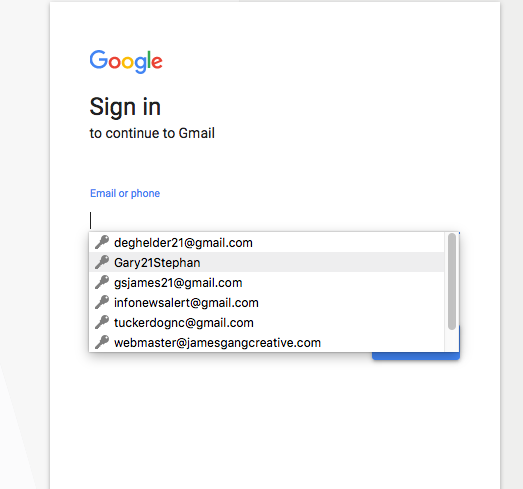
Where does Firefox get the usernames to populate the drop down menus to sign in
Where does Firefox pull the usernames from when you get the drop down menu to sign into GMAIL? I have three old usernames I have attempted to delete. I'm on a Mac. I have deleted the usernames under the Keychain for accounts; I have deleted the accounts in Gmail; I have removed the user names from smtp; I have removed the user names from Apple Mail; I have removed the names from addresses; I have turned off Auto complete; I have deleted the names from saved/privacy/security everywhere I can find them. I have attempted to find them in the iCloud. And I have rebooted the computer. And all of this has done nothing. The three usernames are still there with the four others that are actually live.
So, I would like to know where Firefox is grabbing those usernames (they are all email addresses, naturally). And I would like to remove them. And please don't answer with, "click on the username and hit delete" as that does nothing but cause the drop down to disappear, then I start to type again and they all reappear.
Geändert am von Tucker Daugh
Alle Antworten (3)
Here's the screen capture. Worked this time.
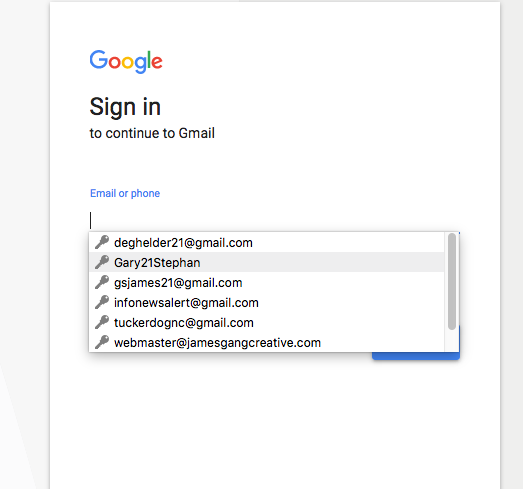

Its possible this is coming from the built-in form filler.
Click in the field and enter a character or two and STOP ! Using the arrow keys, highlight an unwanted entry. Then press Delete (Mac=Shift Delete). Repeat as needed.
You can check the Password Manager.
- Options/Preferences -> Privacy & Security: Logins: "Saved Logins" -> "Show Passwords"