


errors when reinstalling firefox

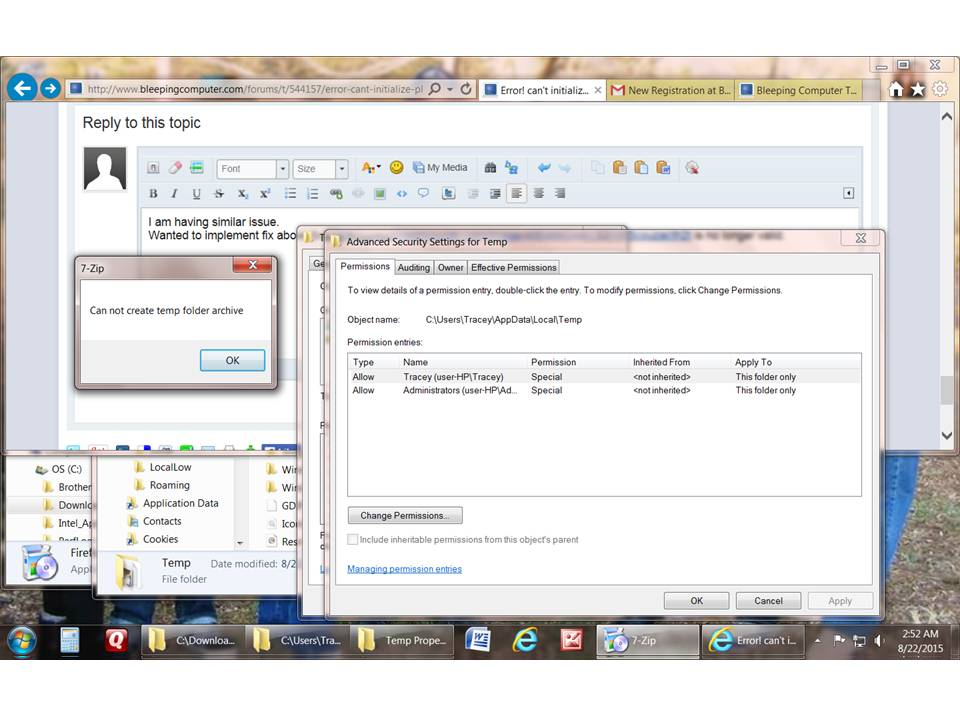
In an effort to reinstall Firefox I deleted both folders in program files. I had already downloaded the Firefox program installer. Each time I run the installer I get this error. Each time I try to run it I get 7-Zip error "can not create temp folder archive"
I'm lost. From what I read it may have something to do with temp folder permissions but I don't know how to change them. a screenshot of the folder is attached
Please answer in layman terms.
Windows 7 32 bit 4 gig RAM Quad core 2.66 Ghz
Thank you!
Alle Antworten (4)
Sorry Here is the attachment
It is possible that security (anti-virus) software is interfering. Try to disable your anti-virus software temporarily to see if that makes a difference.
Try this:
- Download the Firefox installer and save the file to the desktop
https://www.mozilla.org/en-US/firefox/all/ - Start the installation with a double-click on the desktop icon
You can try to clear the temp folder.
Try to boot the computer in Windows Safe Mode with network support (press F8 on the boot screen).
Installing From desktop same result get 7-Zip error "can not create temp folder archive". I deleted the Temp folder in the c:\ root. Not sure this is the correct Temp folder?
Starting in safe mode. I know what this is but could not get to it during boot up. must have tried a dozen times. Tried different F keys. Got boot sequence, Recovery screens but never boot into different modes "safe mode" . Yes I was pressing F8 during boot up.
Oh yes and I did disable anti virus while trying the first thing.
Still really lost with this. Really want my Firefox back
You can find the location of the temp folder as the value of the %TMP% and %TEMP% environment variables if you aren't sure.
- Control Panel > System > Advanced > Environment variables