


Can't reconnect to sync from work - firefox login fails with "Incorrect password" when I know it is correct

I can happily connect my home computers and phone to sync and I have confirmed they sync between themselves. However, my work computer has recently stopped being able to sync where it has previously been fine for well over a year. I am on the latest version of sync and Firefox 35.0.1 (both at home and work).
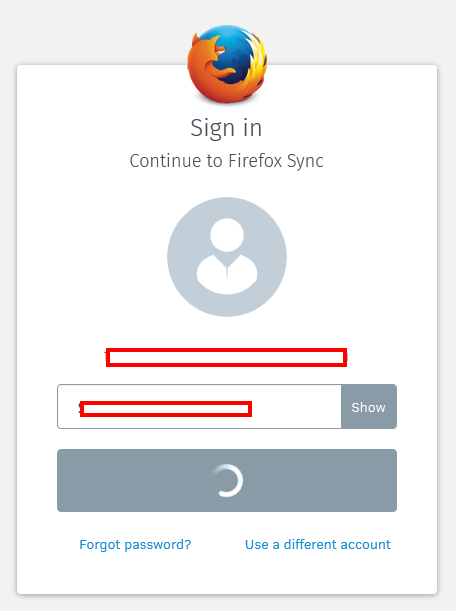
When I try to reconnect to sync I am directed to the "Sign in to continue" page. It has my correct email address/account name. I enter my password (clicking "Show" to make sure it's correct) but then it always fails with "Incorrect password" in a red banner at the top. I have checked the password is correct and logged out and back in from home using the same password so I know that is correct. I have tried this logged in to work via remote desktop so I could do both at the same time to make sure there isn't just a prevailing sync server problem.
Obviously my work computer is behind a proxy/firewall. I have recently had to add a new certificate as a result of proxy changes to get internet connectivity working. Anecdotally, I think sync stopped working at a similar time - but it's always easy to remember these things differently when you're looking for a solution. So this could be a red herring.
Your help in getting this fixed would be much appreciated!
Alle Antworten (5)
I understand that you have connected and disconnected sync at home with a working password. However does the proxy at work allow connections to accounts.firefox.com?
See if you can remove the saved data from the sync site by deleting cookies from this site. Clear cookies and site data in Firefox
Disconnect the account they try to reconnect. Also talk with your proxy admin to see if there is a block on this site.
Thanks for your reply.
i've deleted all cookies, although I don't really understand how that relates. I have also spoken to our sysadmin who says we don't block access to firefox accounts per se, we do block all file-esque uploads. However, I am not sure this would make any difference to the exact problem I am seeing which is that I can't sign in to my firefox sync account. But maybe signing in to this account is different to a "normal" account - maybe there is more of a two way handshake which relies on sending some encrypted data which appears to our proxy like a file being uploaded out of the company.
I got a slightly different error on my latest clear down and retry, in that the sign in just waited forever (overnight) without success.
Any further help gratefully received...
You can check the sync log(s) on the about:sync-log page and possibly upload the latest log to a website like this:
Latest log is at http://pastebin.mozilla.org/8671915
A few things that you can try: Disconnect Sync and reconnect to Sync. Delete the signedInUser.json file in the profile folder with Firefox closed and possibly delete the Weave folder as well. Delete and re-create the FxA account.
You can use this button to go to the currently used Firefox profile folder:
- Help > Troubleshooting Information > Profile Directory: Show Folder (Linux: Open Directory; Mac: Show in Finder)
- http://kb.mozillazine.org/Profile_folder_-_Firefox