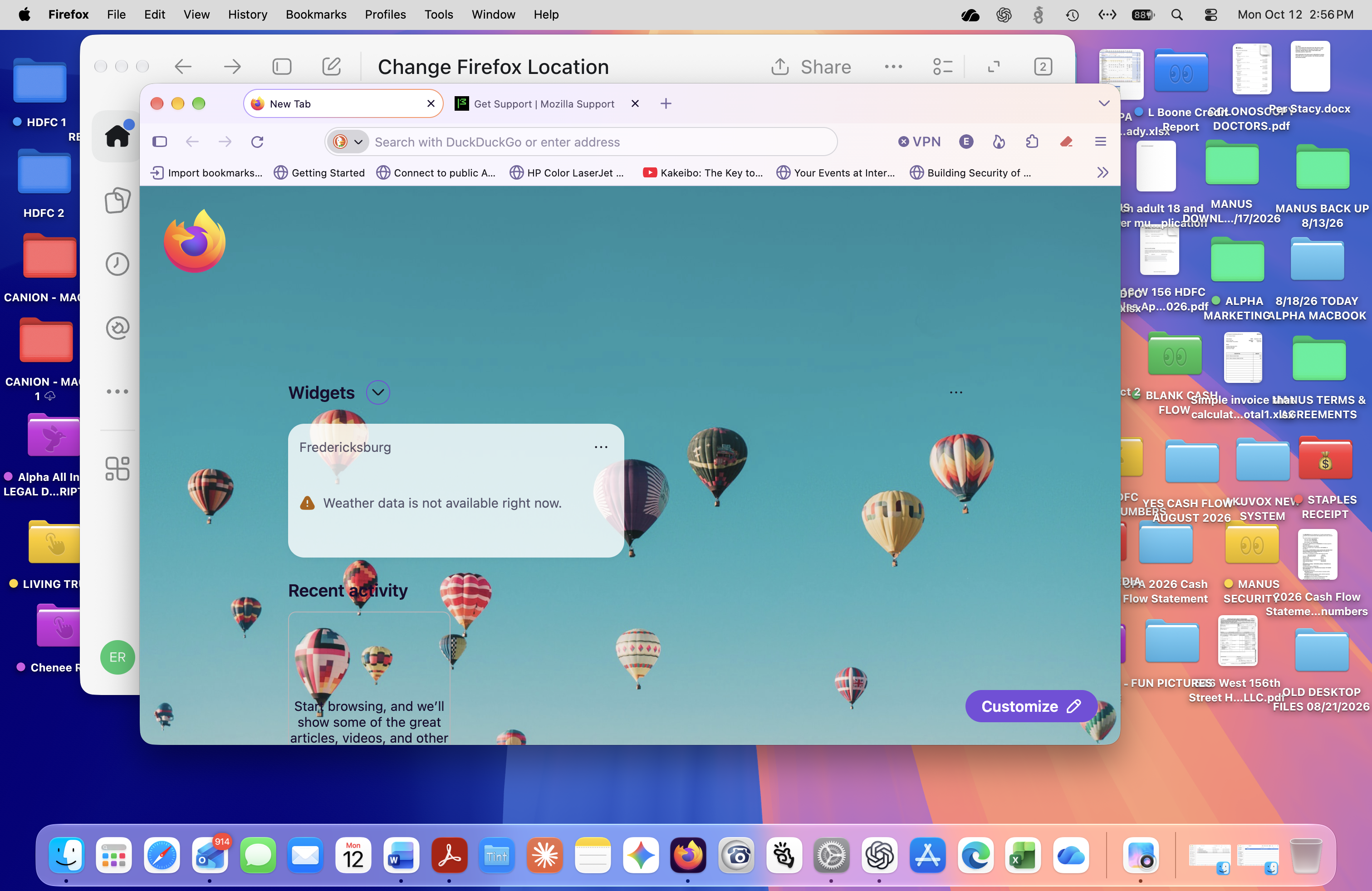
Firefox Weather Widget Displays Incorrect Location — Cannot Change to New York

Dear Mozilla Firefox Support Team, I am experiencing an ongoing issue with Firefox's weather widget on my Mac. The widget continues to display Fredericksburg instead of New York City, where I am located. When I attempt to change the location by entering "New York," "New York, NY," or ZIP code "10032," Firefox does not display any matching locations. The only available option is "Use current location." I am using Firefox version 157.0.1 (64-bit), and the browser is up to date. Troubleshooting steps already completed: 1. Restarted Firefox several times. 2. Disabled and re-enabled the weather widget. 3. Enabled macOS Location Services specifically for Firefox. 4. Verified that browser.newtabpage.activity-stream.weather.locationSearchEnabled is set to true. 5. Confirmed that Firefox's built-in VPN is disabled. 6. Successfully changed AccuWeather's location to New York. 7. Confirmed that Safari and Microsoft Edge recognize New York. Despite these steps, Firefox continues to display Fredericksburg. More recently, the widget has also displayed the error message: "Weather data is not available right now." My network uses Firewalla with ProtonVPN. I would prefer to maintain my current security configuration. Could you please explain how to reset or manually change Firefox's weather widget location to New York City and restore accurate weather information? Thank you for your assistance.