Windows 10 reached EOS (end of support) on October 14, 2025. For more information, see this article.

Prohledat stránky podpory

Vyhněte se podvodům. Za účelem poskytnutí podpory vás nikdy nežádáme, abyste zavolali nebo poslali SMS na nějaké telefonní číslo nebo abyste sdělili své osobní údaje. Jakékoliv podezřelé chování nám prosím nahlaste pomocí odkazu „Nahlásit zneužití“.

Zjistit více

Screenshot tool adds extra transparent space to the image

  • 4 odpovědi
  • 0 má tento problém
  • 38 zobrazení
  • Poslední odpověď od cor-el

více možností

When taking a screenshot with the built in screenshot tool, Firefox adds extra transparent space to the images on the right and bottom. I have tried in troubleshoot mode and the same thing happens.

I have attached the dialogue screen that pops up when I take a screenshot and here you can see the extra space added. I am very confused why this happens and it is really annoying as it makes this tool effectively useless.
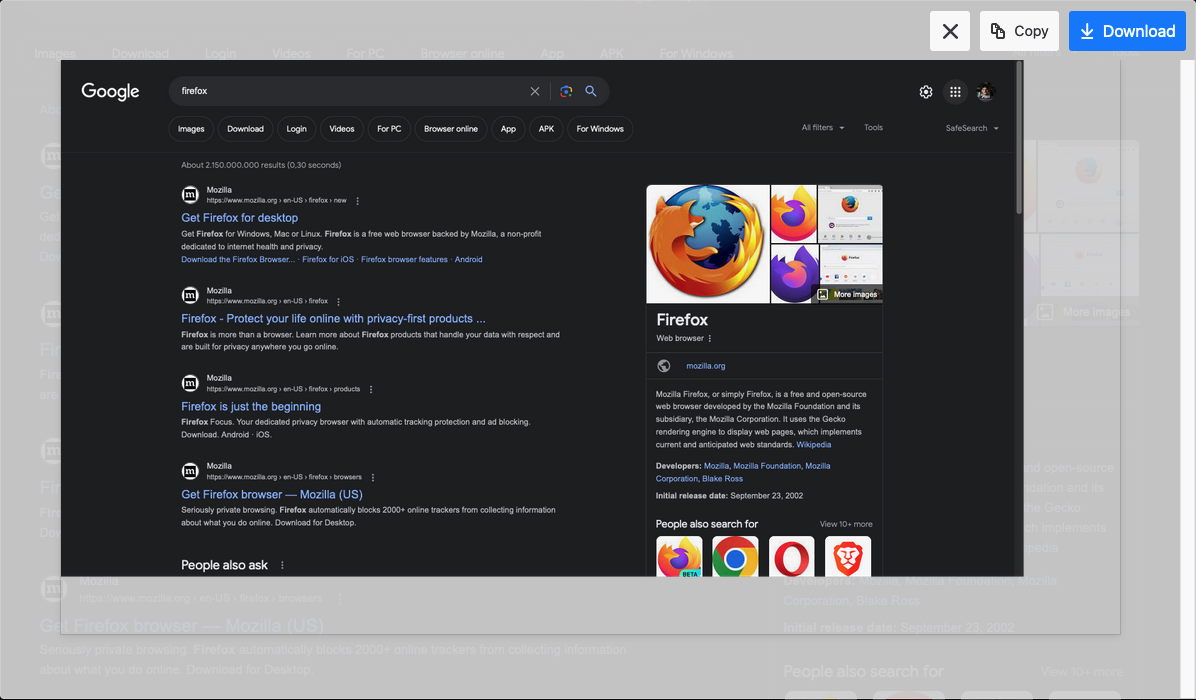
When taking a screenshot with the built in screenshot tool, Firefox adds extra transparent space to the images on the right and bottom. I have tried in troubleshoot mode and the same thing happens. I have attached the dialogue screen that pops up when I take a screenshot and here you can see the extra space added. I am very confused why this happens and it is really annoying as it makes this tool effectively useless.
Přiložené obrázky

Všechny odpovědi (4)

více možností

Your screenshot is showing what you see before downloading. Download it and then look at it.
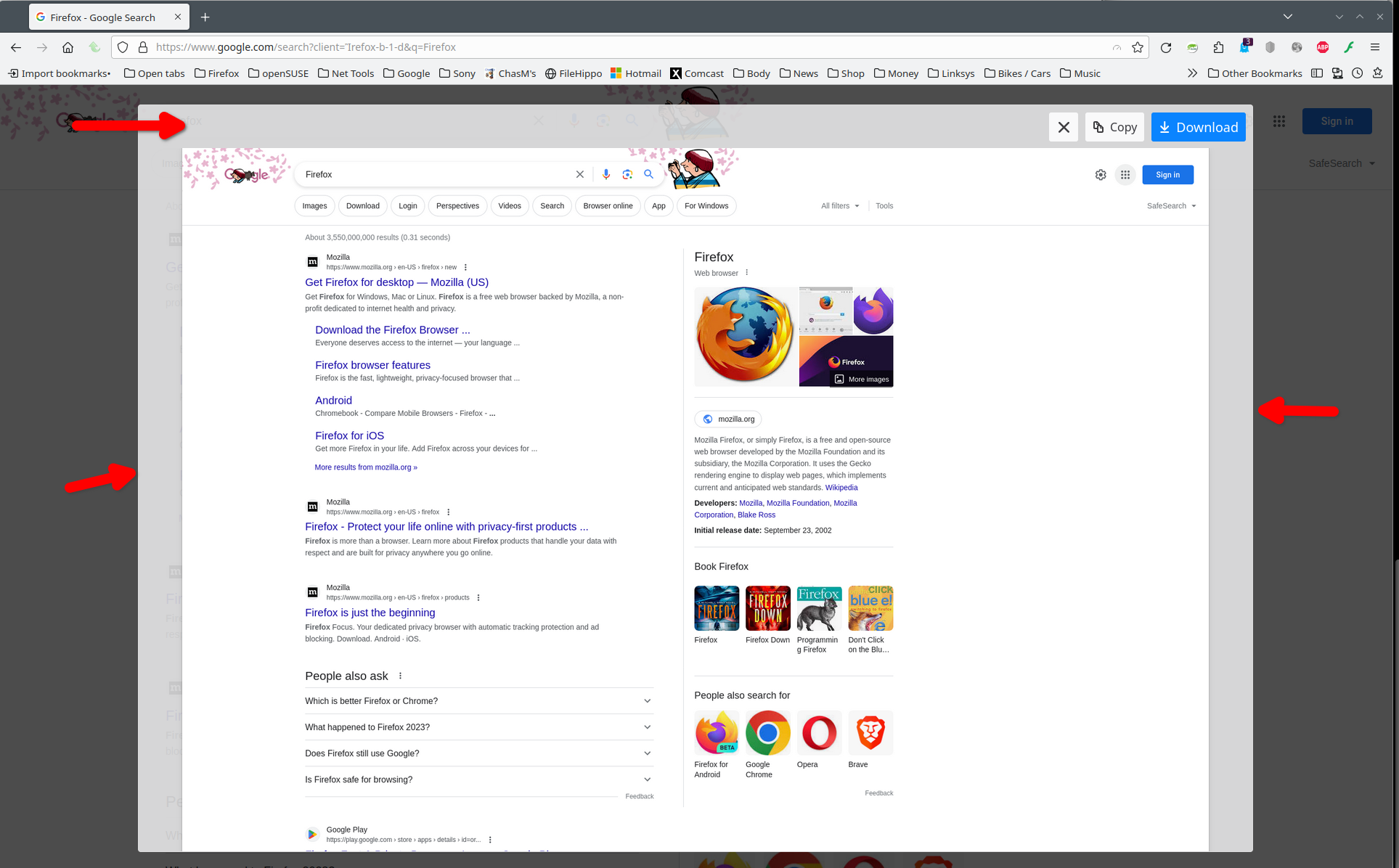
Upravil uživatel jonzn4SUSE dne

více možností

I see no extra space. I picked the option Save Visible area. see screenshot
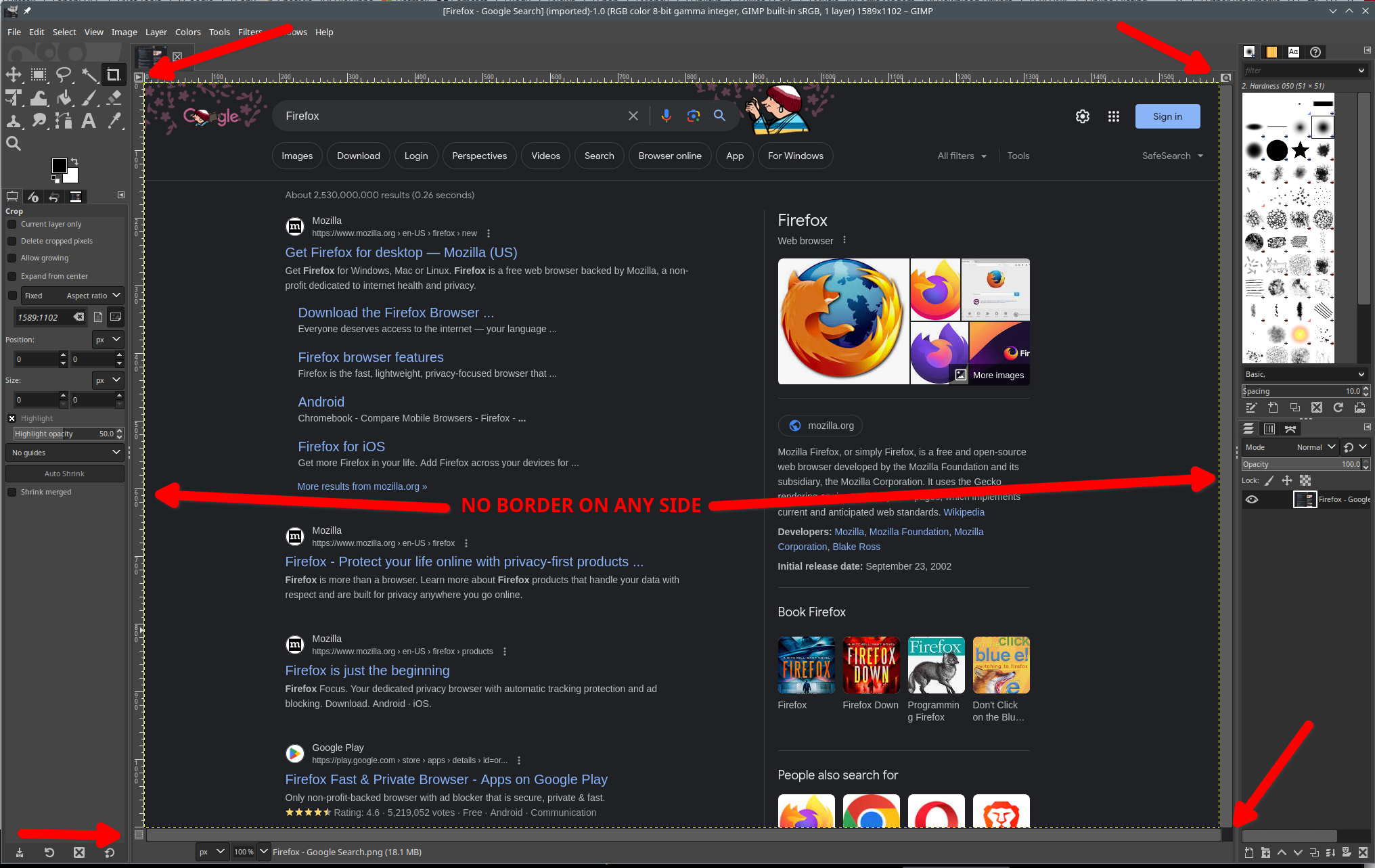
více možností

Does it still happen in a new profile without signing into sync? An easy way to test a new profile is to install Developer Edition and see if it happens there or refresh your existing profile.

více možností

Are you using special display settings that affect DPI and other CSS pixel conversions ?