


Installation of Thunderbird

Keen to escape the Microsoft hegemony and enjoying the use of Firefox, I thought that Thunderbird miight suit me well. I am running WIN 10 on my desktop and downloaded the version 160 (64bit). My Telco in Australia is TELSTRA which recommends the use of the IMAP settings. When Thunderbird is installed its opening screen asks for an email address. There are no other apparent choices on that screen. My email address ( [redacted from public] @bigpond.com ) hurtles one into a screen which sets up a POP account and there does not appear to be any way of changing that !!!!! Nothing in the settings menu seems to be of any help. Is there some easy way of getting around this problem as I am at the end of my tether with this and after having made a $30 payment at the time of download it's all been a bit of a disappointment. I can be contacted on this matter at the email address given herein as I have access to Webmail. Helmuth Pari
Izmjenjeno od strane On Break --- Veteran Moderator
All Replies (1)
Yeah, Telstra are special. It said so on my front door when they came to visit to install a product they did not offer in my location. Excellent customer service. They have been experiencing higher than anticipate calls for 30 years I can remember ringing them and no one ever got fired.
I checked the setup database. It shows an IMAP option. It uses the same settings for bigpond.com, bigpond.net.au, telstra.com, bigpond.net, and Telstra,net
See https://autoconfig.thunderbird.net/v1.1/bigpond.net
As Thunderbird always defaults to IMAP in the first instance we have an issue as to why you are not being offered to set it up. The only thing I can think of is you already have that account in Thunderbird (perhaps a failed attempt.) but I was wrong.
To try and understand I tried adding a fictitious email address at Bigpond. It would appear in their haste to get rid of the bigpond brand, they left the server settings on the web. Thunderbird is getting those POP settings directly from Telstra.
I assume the page you get looks like this
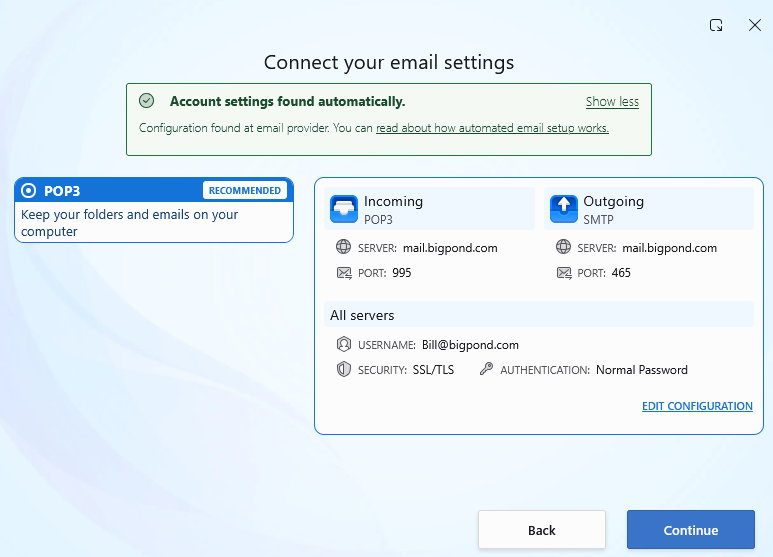
So I think the best way to fix this for now is create a broken account and then fix it after it is created.
So I tried creating bill@bigplod.com and I was offered IMAP.
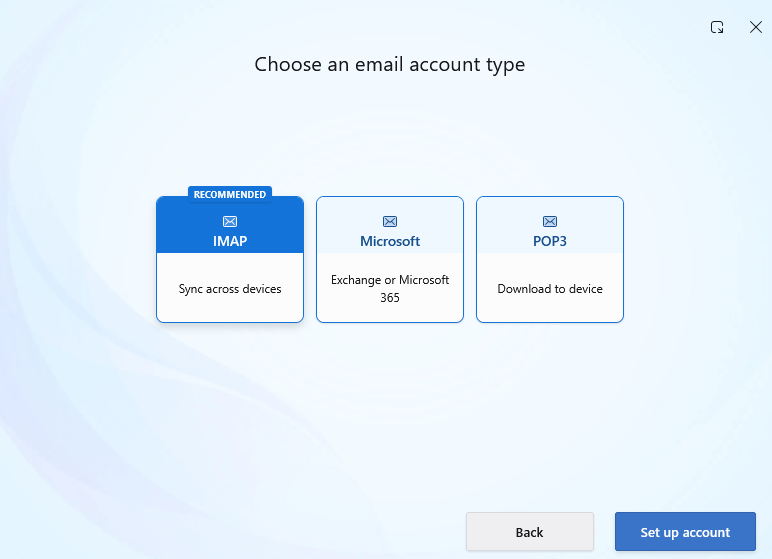
On next I got
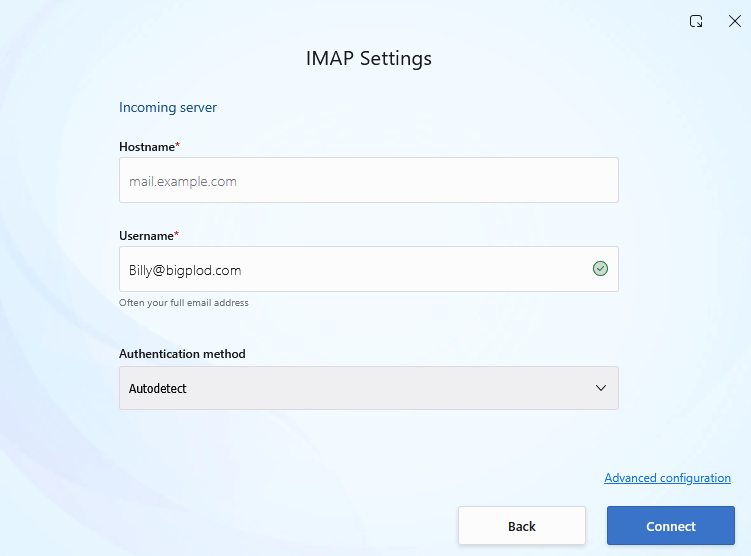
then I corrected the stuff I messed up as Thunderbird has done trying to get settings from telstra.
When I clicked on connect I was asked to correct the hostname. by clicking on the request I got this
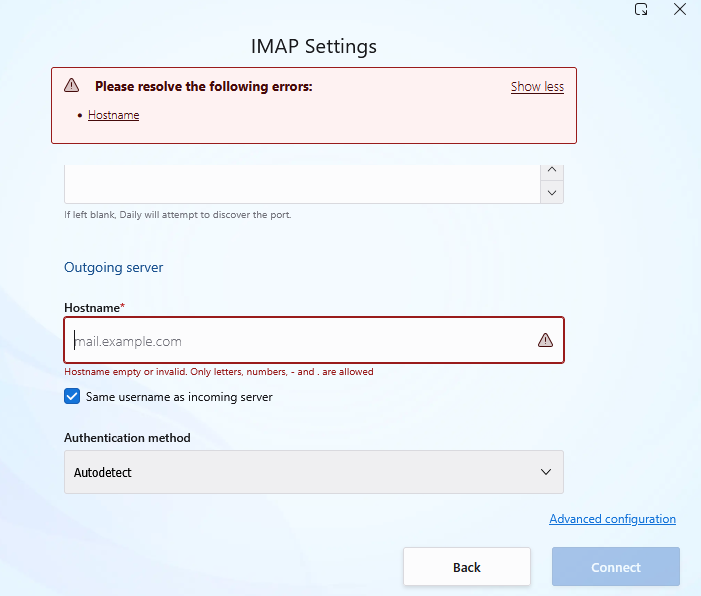 so I put in SMTP.telstra.com and told it to connect again.
Now my account simply does not exist so it had no hope of working out and I stopped there. But if you get that far and it is still complaining press the manual configuration and it will create the account and we can work on the why for the rest.
But I do have to ask you if you are sure you want to use IMAP and not POP. They are very different and you can not leave mails in your account long term as they consume space allocated for your account by telstra. POP only exist locally after it is downloads and the only space limitation is the size of your local hard disk. Having said that Telstra do allow you to store 10gb of email so you probably will not run out of space soon.