


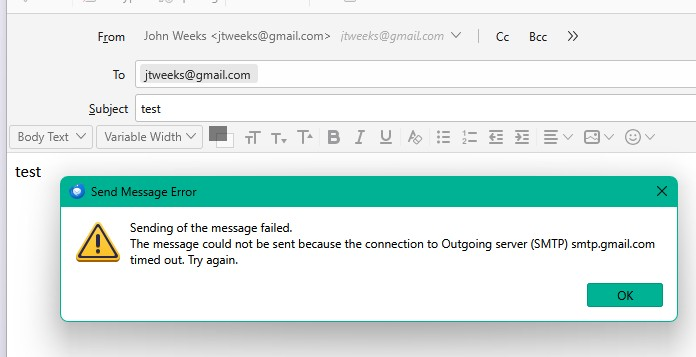
I am getting the following error message when I try to send an email: Sending of the message failed. The message could not be sent because the connection to Outgoing server (SMTP) smtp.gmail.com timed out. Try again.

Only a recent problem. I can receive emails just fine; only the sending of emails is affected. On the same computer, I open the Gmail website in my browser, and I am able to send emails just fine.
I checked my security program, Bitdefender, and there are no notifications relating to this issue.
Any help on what to check next?
All Replies (1)

The first thing to do is to verify that you're using the correct server settings. Here are my working Gmail settings for comparison (the SMTP settings are most relevant in this case):
Incoming Server Type: IMAP Mail Server Incoming Server Name: imap.gmail.com Port: 993 User Name: <my email address> Connection Security: SSL/TLS Authentication method: OAuth2
SMTP Server Name: smtp.gmail.com Port: 465 Connection Security: SSL/TLS Authentication method: OAuth2 User Name: <my email address>
(if you're set up as a POP account, use these settings:)
Incoming Server Type: POP Mail Server Incoming Server Name: pop.gmail.com Port: 995 User Name: <my email address> Connection Security: SSL/TLS Authentication method: OAuth2
If these are correct, you may need to re-authenticate, which Google forces us all to do every once in a while. To do that,
- Make sure cookies are allowed (see <settings | privacy & security web content accept cookies from sites) - delete existing gmail (see <settings sites show cookies) any stored password entries <settings saved passwords>. < p></settings>
(the first step is the most important one - the others may not be necessary.)
Don't discount that Bitdefender isn't the problem. You should test it by creating an exception for Thunderbird, or, better yet, by temporarily disabling Bitdefender while you try to send a message. If you're using Windows, you can re-start in Safe Mode with Networking to do this.