


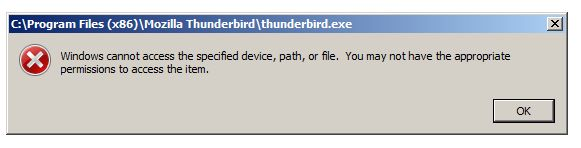
Windows cannot access the specified device, path or file. You may not have the appropriate permissions to access the item.

My computer suddenly started the above error message for multiple programs. The local computer shop was able to sort out what appeared to be the root cause and that recovered some things but I still needed to reinstall a number of programs.
The program I am terrified of reinstalling is Thunderbird. All my emails on five email accounts since 2011 are stored in TB and I naturally do not want to lose any of them.
The major problems are the computer is running Win7 Enterprise and I am 82 years old so I am prone to needing things spelt out in greater detail than many others.
Can anyone provide a way to reset the program permissions (preferable) or identify the best way to reinstall and still access all my historic emails?
Thank you
All Replies (4)
Odabrano rješenje
I am no guru on such problems, but I do offer this suggestion to do full backup whenever you anticipate a change may corrupt your accounts.
BACKUP
The following steps will ensure that your accounts, settings, addressbook, and messages are saved
- ensure thunderbird is not running
- enter %appdata% in search window on task bar and press Enter key
- this should open windows file explorer in Appdata\roaming folder
- highlight the Thunderbird folder and copy to external media
RESTORE These steps are normally NOT needed if you reinstall thunderbird. if a reinstall does NOT show the accounts, then follow these steps to restore the accounts:
- ensure thunderbird is installed and NOT running
- enter %appdata% in search window on task bar and press Enter key
- you should be in Appdata\roaming folder , copy&paste the exported Thunderbird folder there. This will prompt to overwrite an existing folder of same name. allow it
- start thunderbird and all should be there
As far as the windows problem, I defer to others. I do hope you are able to do a full backup with no problems. Good luck. :)
Thank you David
I normally have both full backups and multiple restore points but both have "evaporated" about the same time that one of my very young offspring hacked my wife's Iphone. My problems may be coincidental but .....
As always I am doing a restore point after every program I restore by deleting the old and reinstalling from the CD or internet and then doing all the updates. Using repair on both MS Office and Adobe Acrobat Pro failed so I am now just doing an uninstall and reinstall on every other program to save time. Living 450km from the state capital and using Australia's infamous nightmare bloody network which is often slower than the old 56k modems of 30 years ago this is not a fast process.
I am having to backup everything again (#$%^) and then I will follow your advice. Given the backup disc was not only empty but massively slowing down the computer this may take some time. The "local" computer tech 100km away removed the disc, ran it through a checking program from its manufacturer and refitted it and that fixed the slow problem but I am still wary of it so will backup material to it in multiple slow stages.
I may need to get a new backup disc in the near future but this one is only two years old so hopefully still ok.
Cheers
JM
Thank you so much David sir.
I got the courage at last to try your suggestion and it worked absolutely perfectly.
Thank you, thank you, thank you.
Cheers
JM
You are very welcome. I was glad to assist. :)