


Address Book empty

I recently re-installed Win 11 with the help of a Dell tool. During the re-install all of my data files were kept, but not the applications. I've re-installed Thunderbird and it works fine. However, I've noticed that my address book is empty. I've found abook.sqlite through the Profile Folder, so I know the file exists, but how do I connect it to the Address Book link in Tools? Thanks Sam
Izabrano rješenje
Here are the steps:
- install thunderbird if not already installed, downloaded from thunderbird.net
- open the backup profile that you posted in Windows File explorer, highlight all and COPY all to clipboard
- in thunderbird, click help>troubleshootinginformation
- scroll to 'profile folder' and click 'open folder'
- now, paste contents of exported profile, overlaying contents of profile.
- if there is a compatibilitie.ini file, delete it
- restart thunderbird
All Replies (8)
Please provide info on how you reinstalled and maybe we can assist. The profile will have have addresssbook, accounts, and messages. That is, my recommendation is to reinstall the profile. If you are able to do a screenshot of the profile, that would be a big help.
I used the Dell OS Recovery tool. See https://www.dell.com/support/kbdoc/en-us/000123667/how-to-download-and-use-the-dell-os-recovery-image-in-microsoft-windows?lang=en
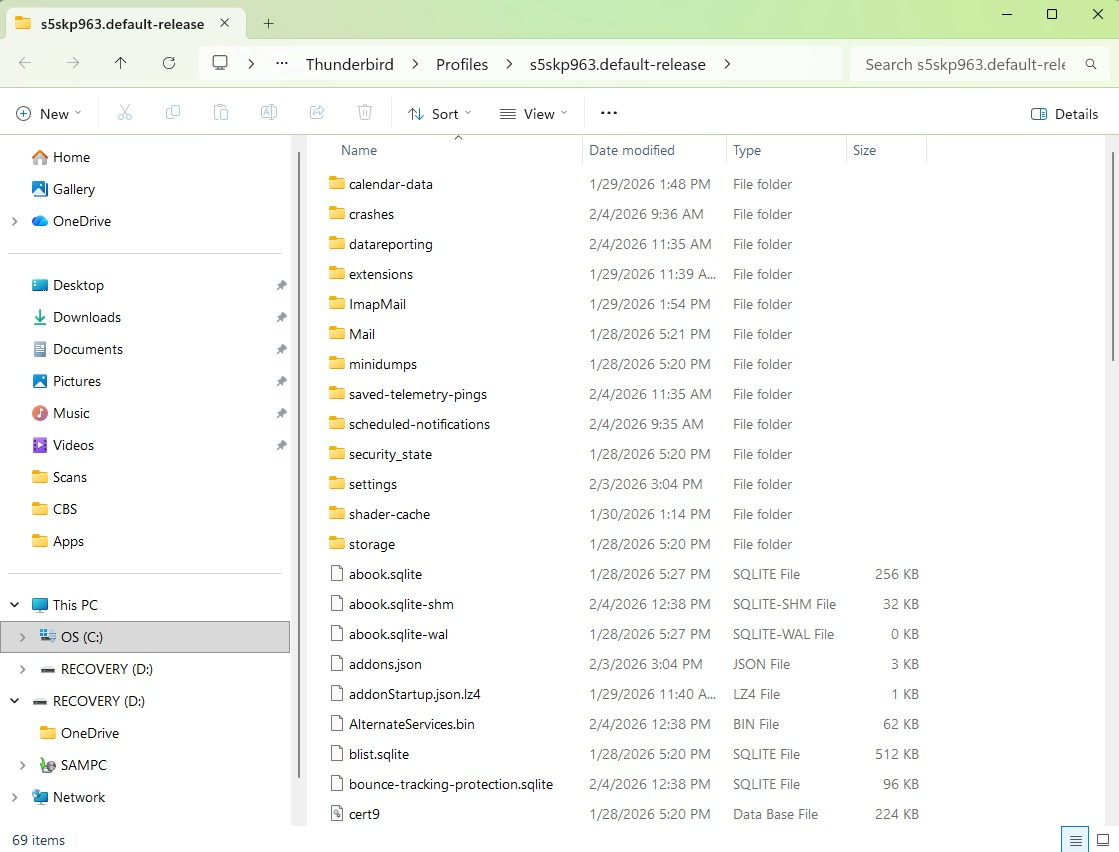
I exported my contacts from GMail, then imported them. All is good. Thanks for your efforts.
Sam
Odabrano rješenje
Here are the steps:
- install thunderbird if not already installed, downloaded from thunderbird.net
- open the backup profile that you posted in Windows File explorer, highlight all and COPY all to clipboard
- in thunderbird, click help>troubleshootinginformation
- scroll to 'profile folder' and click 'open folder'
- now, paste contents of exported profile, overlaying contents of profile.
- if there is a compatibilitie.ini file, delete it
- restart thunderbird
If you imported the Gmail contact prior to redoing the profile, you may need to do it again. I hope all went ok.