


Thunderbird 140.0.1esr freezes during typing text of new messages

Thunderbird pushed out an automatic update last night (July 13 2025) to version 140.0.1esr. Since then I cannot complete creating and typing a new message without Thunderbird freezing completely during entry of the text of a new message. I am running Windows-11 home, version 24h2. I have rebooted, etc. multiple times. I also ran thunderbird in troubleshooting mode and the problem still exists.
Please help - as of today Thunderbird is completely useless to me.
Odabrano rješenje
Good call Rick. I sometimes forget about that choice, which isn't tested in Thunderbird's Troubleshoot Mode.
All Replies (6)
Sorry you are having trouble.
Please see https://wiki.mozilla.org/Thunderbird:Testing:Memory_Usage_Problems especially #6 (but don't skip the previous steps).
What are your results?
Turning off the status bar as outlined in #6 did not solve the problem.
Image of Task Manager showing memory usage is attached.
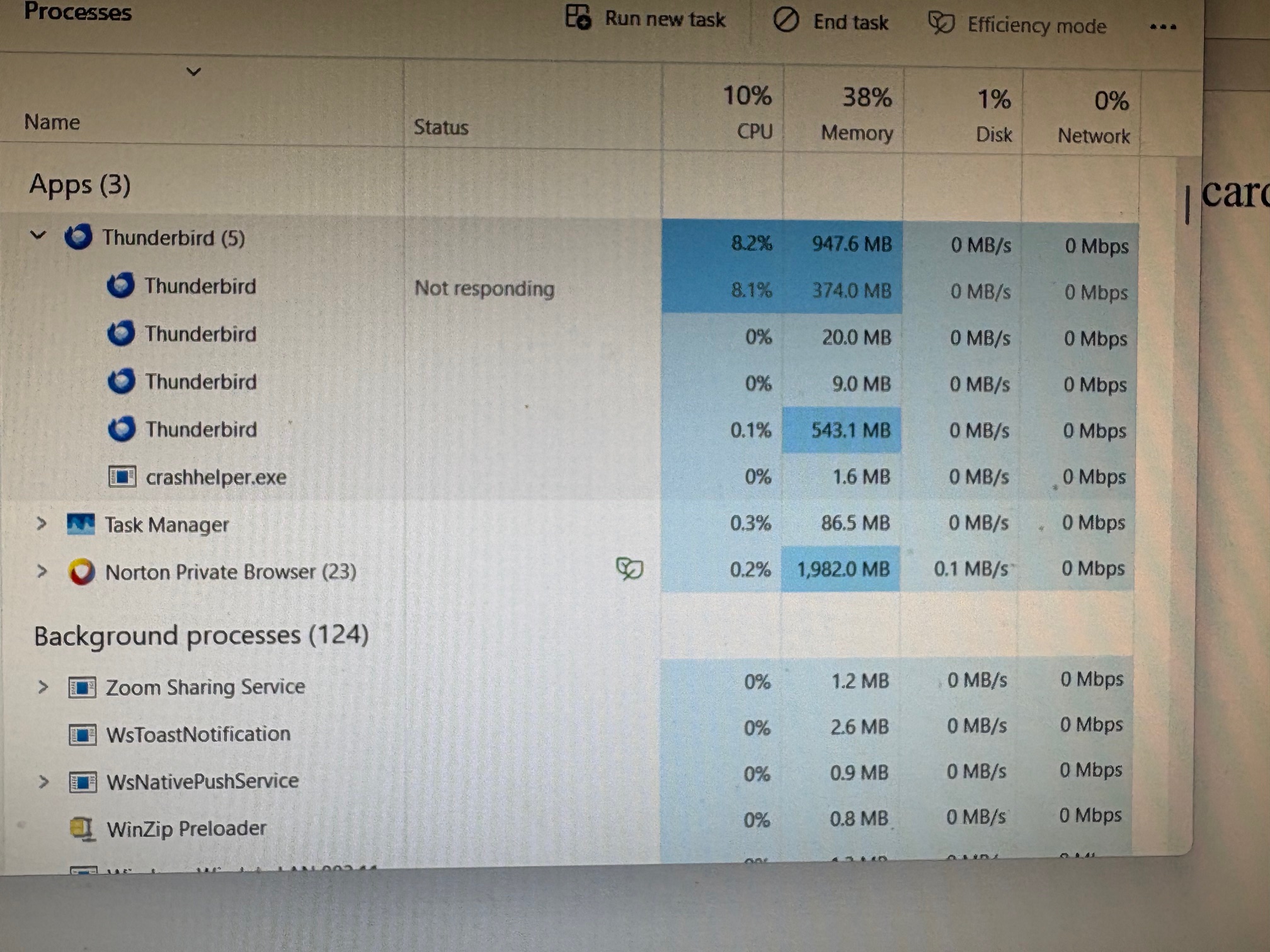
Try #3 in the article: run Windows in safe mode to test for the possible, and likely, interference of Norton.

Odabrano rješenje
Good call Rick. I sometimes forget about that choice, which isn't tested in Thunderbird's Troubleshoot Mode.