


identity.fxaccounts.enabled=false is grayed out, can't login into my account to sync the bookmarks, etc

Hello, I did a lot of search and followed all these advises: https://support.mozilla.org/en-US/questions/1229615 https://winaero.com/remove-your-browser-is-being-managed-by-your-organization-from-firefox/
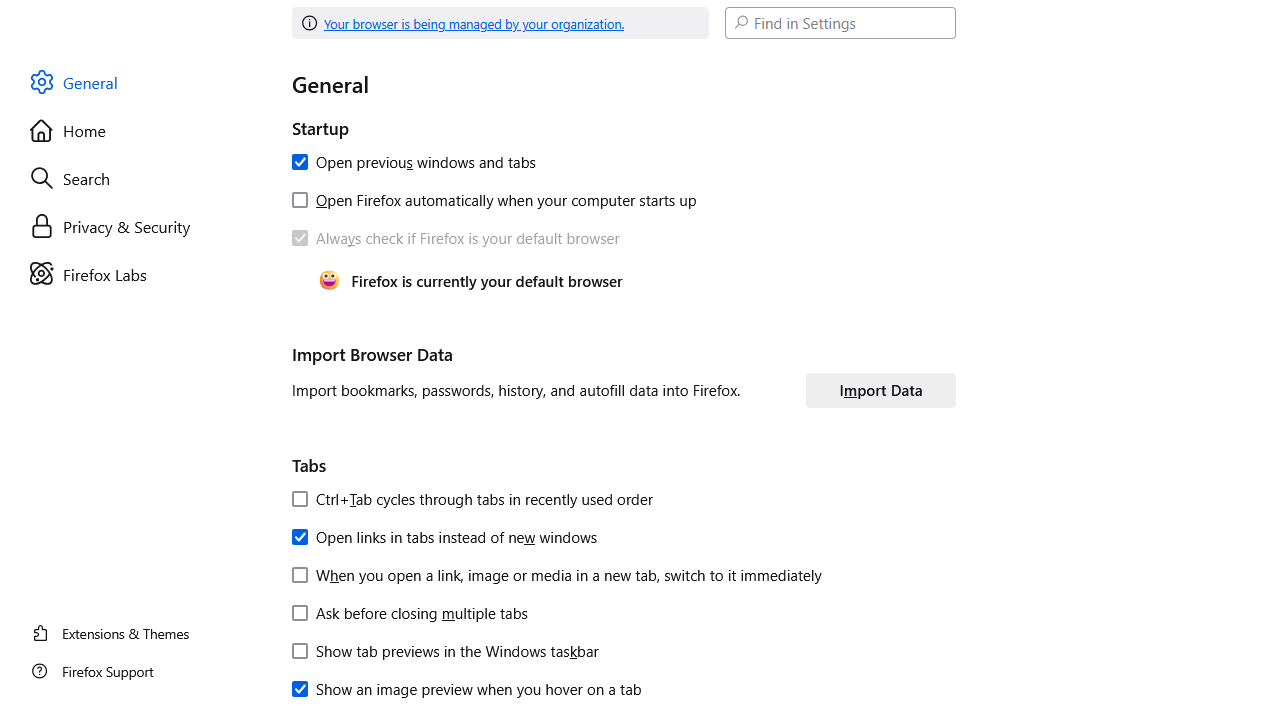
1. I have not entry "DisableFirefoxAccounts" in "HKEY_CURRENT_USER\Software\Policies\Mozilla\Firefox". 2. I have no policies.json file in firefox directory. 3. I have a message "Your browser is being managed by your organization." in "Settings" (about:preferences). 4. In "about:policies" I have DisableFirefoxAccounts=TRUE. 5. in "about:config" identity.fxaccounts.enabled=false and grayed out.
Please help me to turn on the sync of bookmarks. All these listed issues obviously have something to do with it.

Izabrano rješenje
I found the solution. I followed these instructions. There was something wrong with my Windows policy. https://answers.microsoft.com/en-us/windows/forum/all/some-settings-are-managed-by-your-organization-in/77a0aac2-c977-489e-869f-00755d0b7dc9
But it would be good to display more information about why sync is disabled or why login is disabled. It's simply not there. I spent about 5 hours looking for solution.
Pročitajte ovaj odgovor sa objašnjenjem 👍 0All Replies (2)
Interesting, I have a same message "Your browser is being managed by your organization" for Microsoft Edge too. Looks like it has something to do with version of windows, which I just installed, it's a light version of windows 11. I don't have antivirus installed yet. I am administrator on the computer. But when I wanted to install antivirus, it refused to get installed, stating that I am not administrator and like I have to change some kind of policy. I did run it "as administrator" and program did got installed. I tried to reinstall the Firefox specifically selecting in menu "as administrator" and the issue still persist.
Looks like some kind of windows setting is messing with it...
Izmjenjeno od strane Martink444 ABC
Odabrano rješenje
I found the solution. I followed these instructions. There was something wrong with my Windows policy. https://answers.microsoft.com/en-us/windows/forum/all/some-settings-are-managed-by-your-organization-in/77a0aac2-c977-489e-869f-00755d0b7dc9
But it would be good to display more information about why sync is disabled or why login is disabled. It's simply not there. I spent about 5 hours looking for solution.
Izmjenjeno od strane Martink444 ABC