


Gmail (IMAP) Folders have disappeared

Today I Received an email from Thunderbird -- "Get the most out of Thunderbird 115." I reviewed some of my settings per the email (e.g. - folder view options). Now the only folders listed in my folder pane for my Gmail IMAP account are inbox and trash. All others (e.g. - sent, drafts, junk, allmail, etc.) no longer show. How do I restore these subfolders?
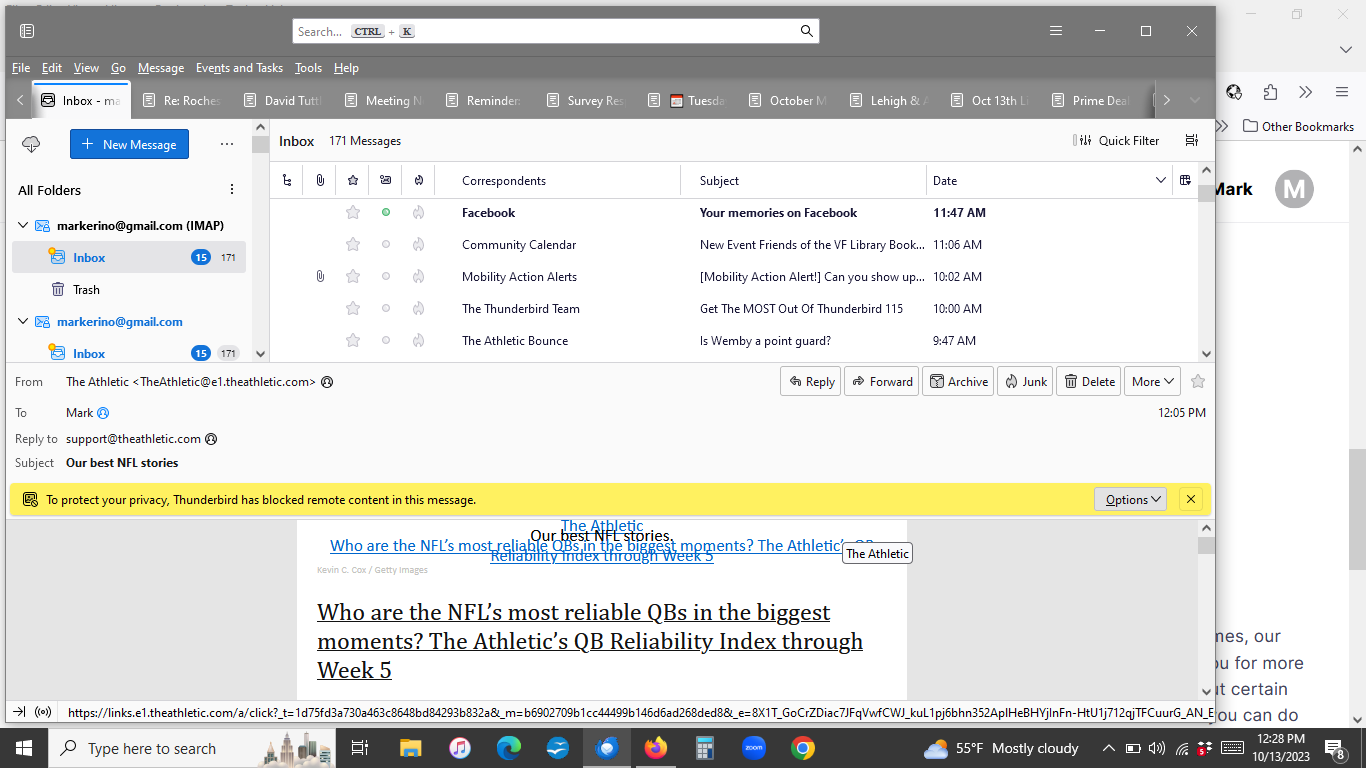
All Replies (4)
My initial suggestion would be to rightclick the account name on main pane, and click 'subscribe' to see if the folders are listed.
Followed instruction. clicked on "subscribe." Only folders listed are still just Inbox and Trash.
I wonder whether I can delete this account and then set up new account for gmail IMAP? Would doing that serve to import all the folders from the underlying gmail account???
Thanks.
Well, the problem shouldn't exist, but since your account is IMAP, it shouldn't hurt to remove the account and set it up again,
Try this: Help/Troubleshooting Info, Profile Folder, Open Folder, close TB, delete folderTree.json, restart TB. Do the subscribed folders appear?