


Changing Firefox application fonts

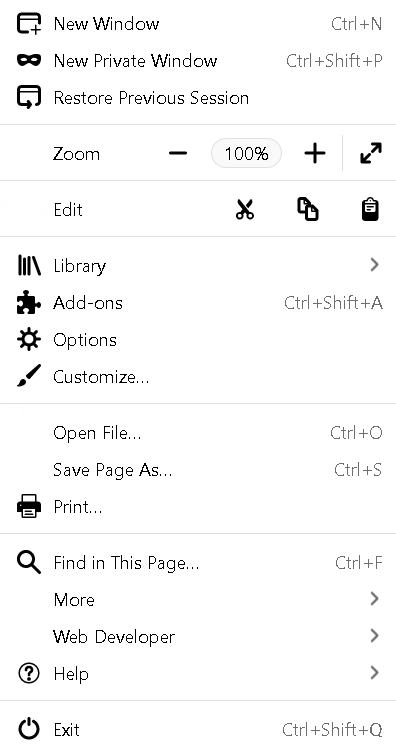
The fonts for all Firefox application areas (bookmarks toolbar, the three lines menu, bookmarks menu, etc) are in a small thin font that I can hardly read. I have changed this setting with no success in the Firefox options screen. What can I do to solve this issue?
The fonts for all Firefox application areas (bookmarks toolbar, the three lines menu, bookmarks menu, etc) are in a small thin font that I can hardly read. I have changed this setting with no success in the Firefox options screen. What can I do to solve this issue?
Izabrano rješenje
I solved my problem: Windows>Control Panel>Fonts>Adjust Clear Type Fonts Select: Adjust Clear Type Text>Follow onscreen process Fonts changed
Pročitajte ovaj odgovor sa objašnjenjem 👍 0All Replies (1)
Odabrano rješenje
I solved my problem: Windows>Control Panel>Fonts>Adjust Clear Type Fonts Select: Adjust Clear Type Text>Follow onscreen process Fonts changed