


How do I change default translation language for a page.

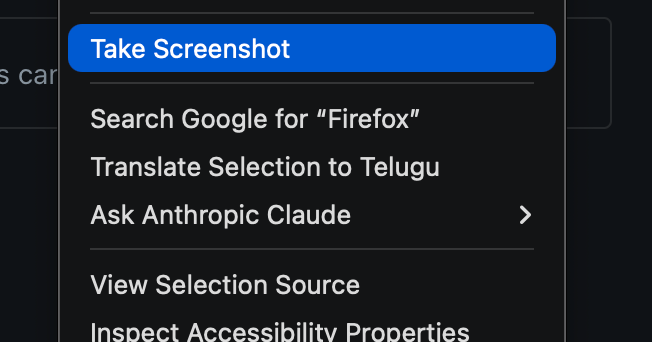
Right now when I right-click to translate a word or a full page, it automatically picks one of my country’s regional languages as the default. I only want translations to go to English, but I can’t find any setting in Firefox to change that. How do I make English the default (and only) translation language?
Всички отговори (4)
This seems to have started after the recent AI update, but I’m not sure when it actually began since I only started using this translation feature recently
Hi Hari,
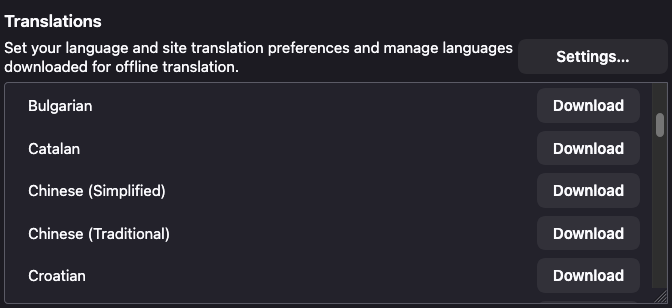
You can configure that from the Translations Settings page. You can go to about:preferences -> General -> Translations -> click on Settings
Please check out Firefox Translations to learn more about this feature.
Hello,
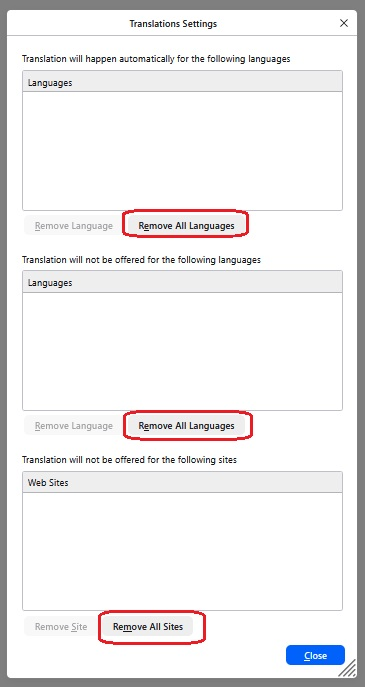
My chosen language is English, with French second and US English third. I want to set French as my translation language but when I select 'Translation Settings' I am presented with a menu that only allows Removal of languages. How do I Add a language ? In this case French.
Best wishes
Hi pyor66,
Let me adress your question in the other thread you posted.