


Firefox always open a new advertising tab when I start

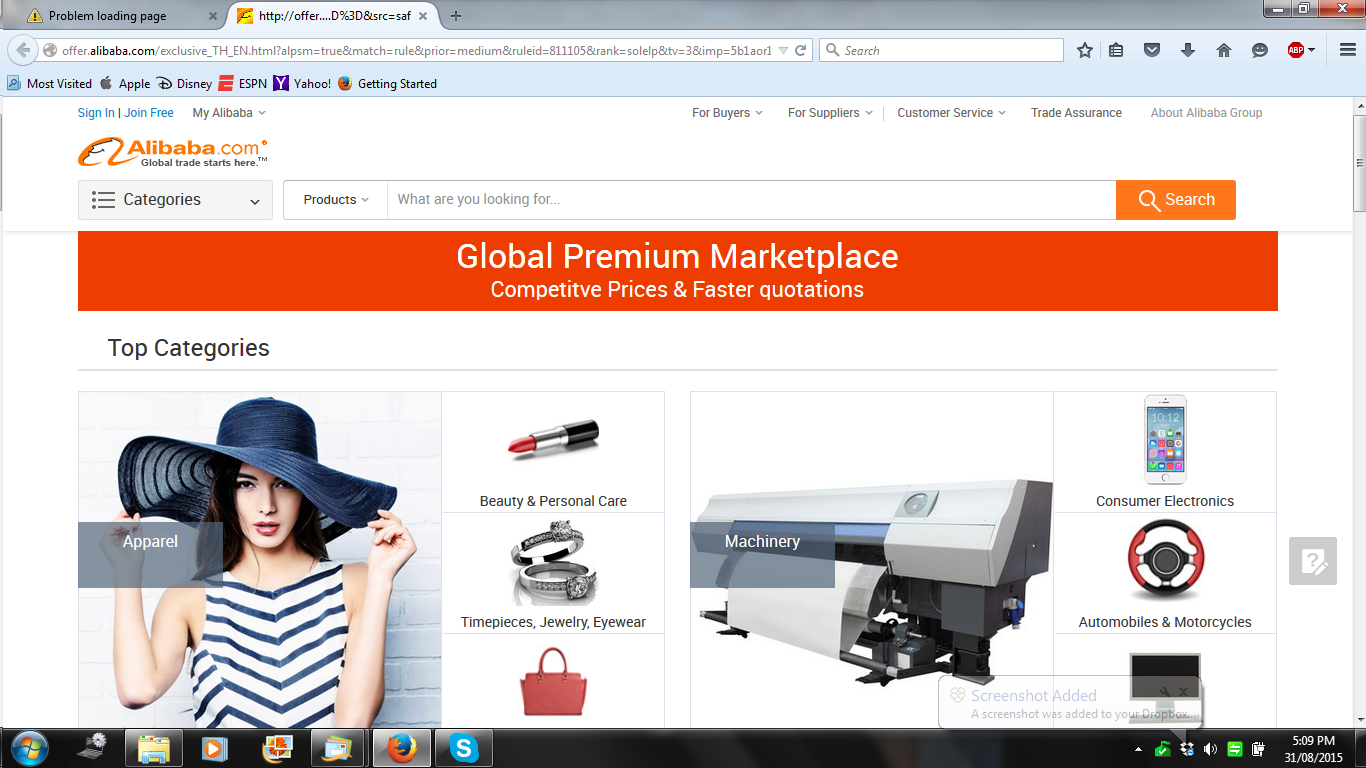
I open the Home Page and immediately Firefox open this AD page (see screenshot), this happen quite often I tried to refresh Firefox and run an AD cleaner and I have also installed the ABP add on. The "Alibaba Page" and "Aliexpress" are always there. Thanks
Всички отговори (2)

Hi, you can try these free programs to scan for malware, which work with your existing antivirus software:
- Microsoft Safety Scanner
- MalwareBytes' Anti-Malware
- Anti-Rootkit Utility - TDSSKiller
- AdwCleaner (for more info, see this alternate AdwCleaner download page)
- Hitman Pro
- ESET Online Scanner
Microsoft Security Essentials is a good permanent antivirus for Windows 7/Vista/XP if you don't already have one. Windows 8 has antivirus built-in already.
Further information can be found in the Troubleshoot Firefox issues caused by malware article.
Note that not all programs will detect all malware, so you may need to run several or all of them.
After removal you may need to reset your home page etc., which you can do by running SearchReset.
Did this fix your problems? Please report back to us!

Since that is a "normal" ad, AdBlock does not know to block it.
Right click in a blank area on the page. Select AdBlock Plus Pop-up Addon