


Lost setups and extensiions after update to version 19.0.2

Hi, After update to version 19.0.2 I lost every definitions (open page, delete cookies after closing the browser, etc.). And every extensions were gone. I see a folder with Old Data Firefox, with my extensions and a lot of other stuff.. How can I import this old data to Firefox? Thanks, Carlos

الحل المُختار
Type about:addons in the URL Right top you can see the setting icon, click that and choose install Add-on from file , now choose the extension folder from the "old profile data" and install it.
its in .xpi format
All Replies (5)
You Reseted your Firefox.
Make use of this link to restore your bookmarks, passwords and etc...
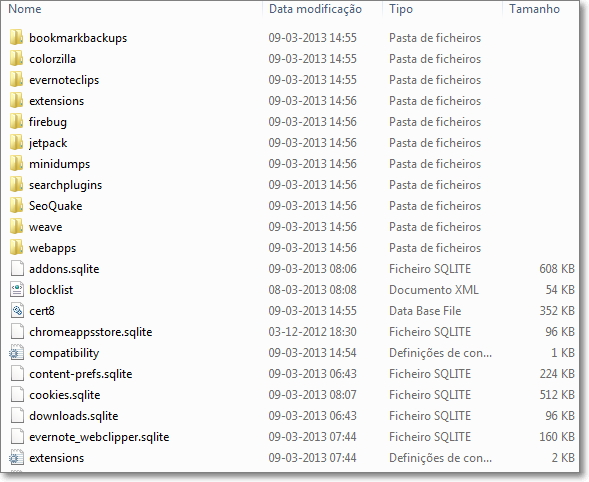
Thanks iamjayakumars. I didn't loose my bookmarks. Only extensions and other preferences. The system generated a folder with the content wich you can see in the image attached.
الحل المُختار
Type about:addons in the URL Right top you can see the setting icon, click that and choose install Add-on from file , now choose the extension folder from the "old profile data" and install it.
its in .xpi format
Thanks for your advices. It helped a lot. Unfortunately I missed two add-ons but the most of them are working fine!