


New "About Firefox" settings page is absolutely useless

Not a question.
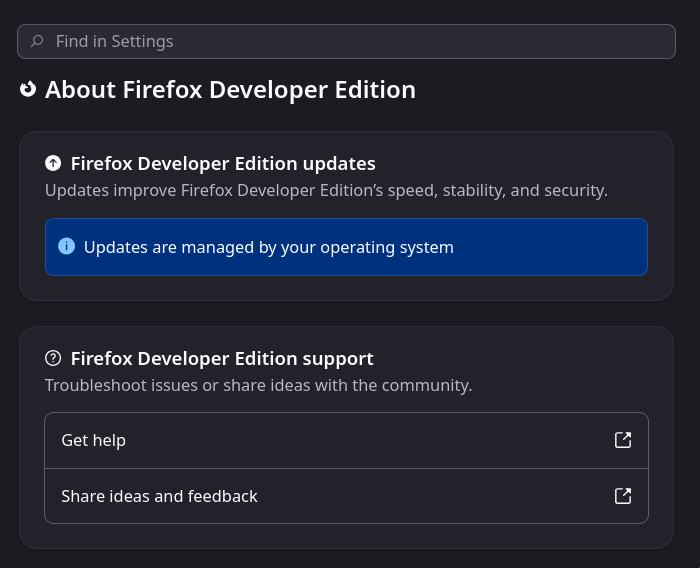
I needed to file a bug report so I went into settings to figure out what version I was on, only to be met with this useless view (see attached).
"About Firefox" contains no information whatsoever about Firefox. Who made this choice, and why? How is "let's show nothing at all on this page" a decision a product has made?
All Replies (6)
Hello
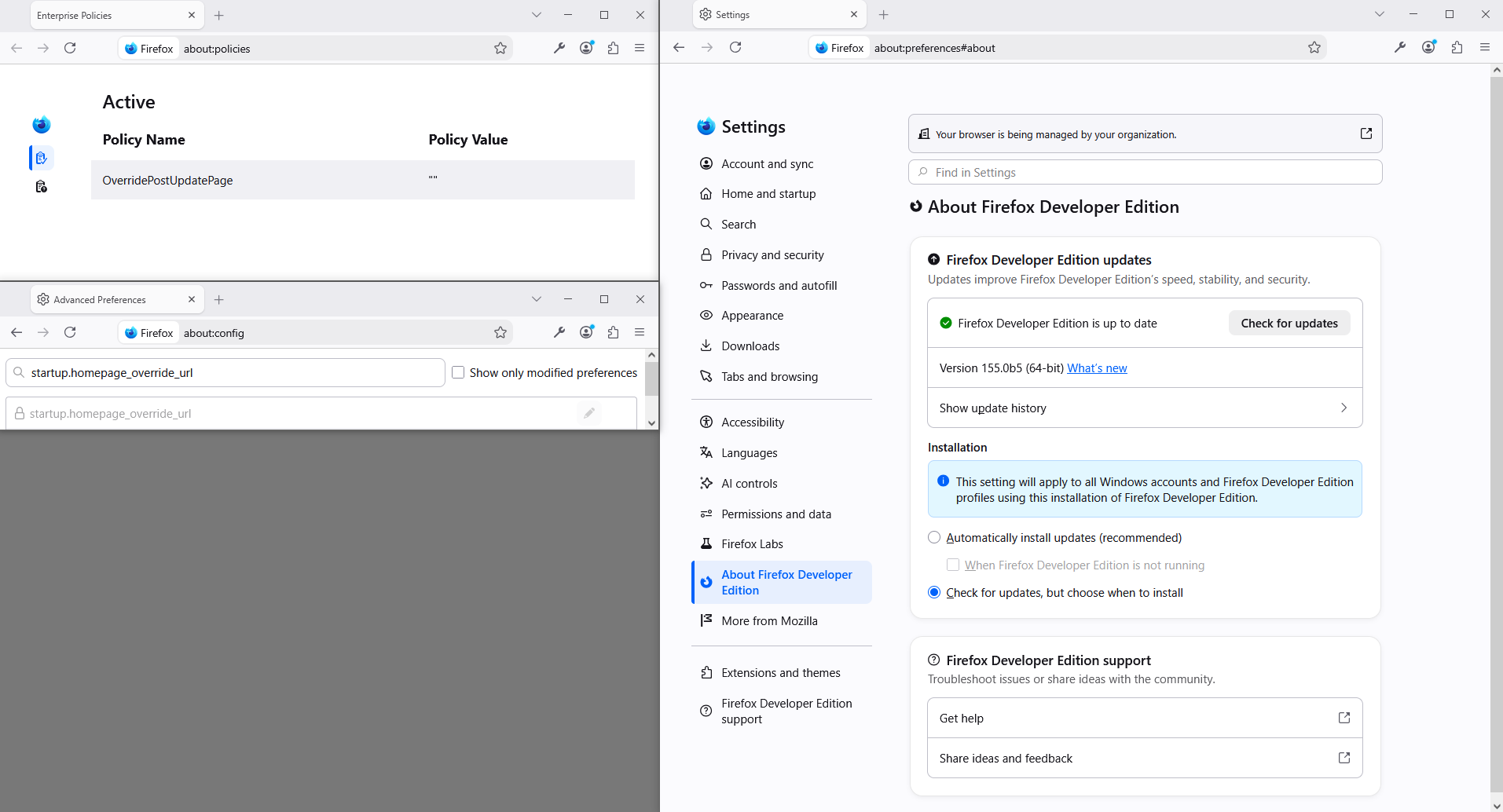
As for me Your browser is being managed by your organization, it's normal, this a personal test in progress. https://support.mozilla.org/en-US/questions/1599421#answer-1842280 https://whattrainisitnow.com/calendar, i'm waiting the whatsnew tab Firefox 155 release. https://firefox-admin-docs.mozilla.org/reference/policies/overridepostupdatepage/
Modified by Agent virtuel
No, I have no organization. This is simply what you get when you install the browser on Linux.
I should still be able to get the full suite of information about what version my package manager installed.
Modified by Thun Fremlinc
I guess you are not using the official tarball builds of Developer Edition of Firefox from Mozilla.
Developer Edition is the same as Beta channel builds but with additional developer features.
Modified by James
I'm using the official package from the Arch repo: https://archlinux.org/packages/extra/x86_64/firefox-developer-edition/
The tarball is packaged and versioned w/out alternation. This is just the new experience on Linux, which is obviously really bad.
This parenthesis
Install Firefox on Linux https://support.mozilla.org/en-US/kb/install-firefox-linux
As for me, System Firefox installation (for advanced users) that's my installation.
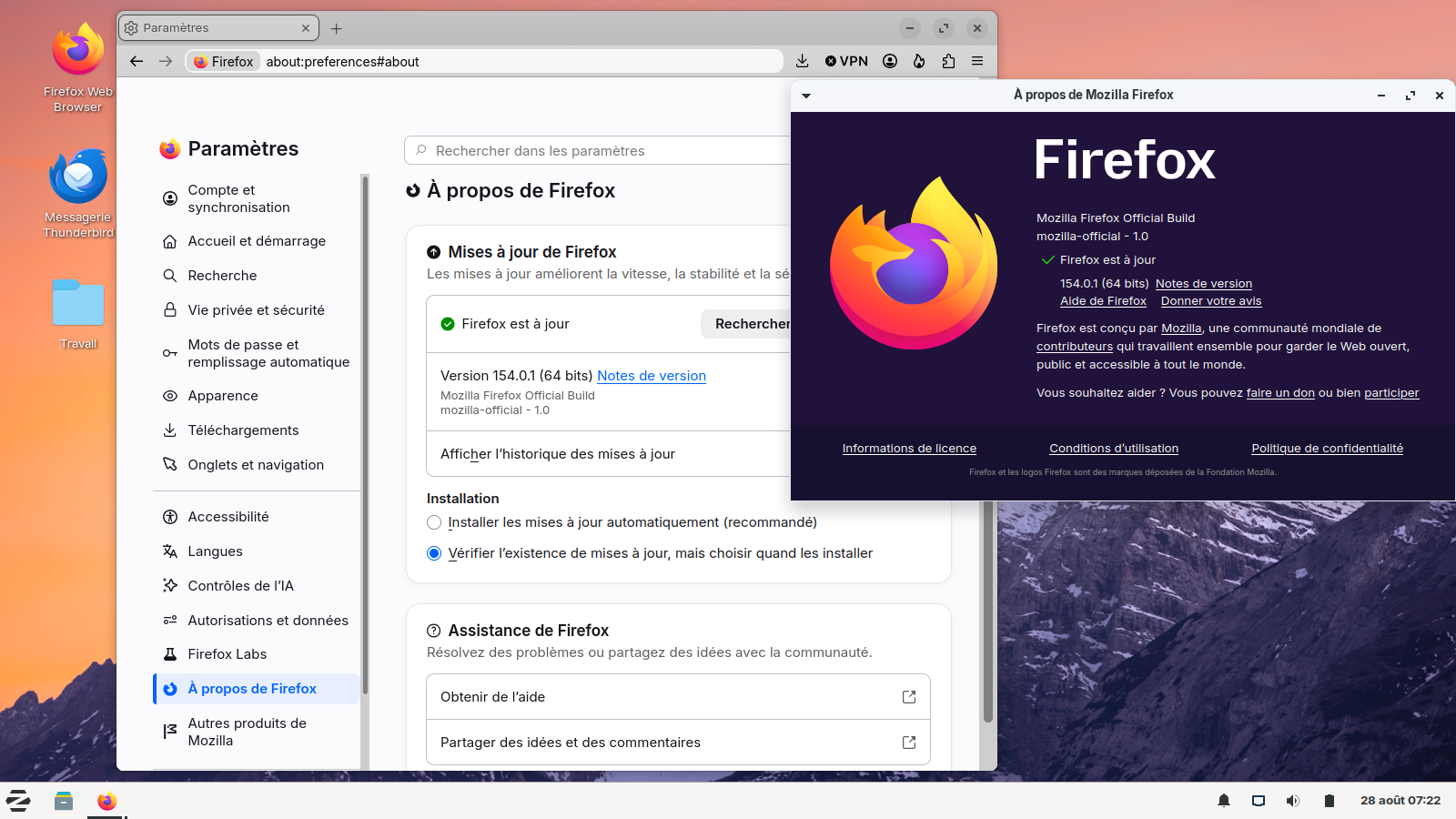
You should be looking into Help -> About Firefox, not into Settings.