


Is there a way to get a log of all about:config changes I made before switching to a new PC?

Good evening. This might be a tough one and not sure if it is even possible. I have had Firefox on my Dell Desktop for about 6 years. Over that time I have made many tweaks via about:config to get it working and looking as great as can be. I did just purchase a new HP desktop and downloaded and synced Firefox. I was also able to set up the new PC next to the old one to make sure each settings menu is exact. But the appearance is off on so many levels. I have no idea how many tweaks I have made over the years but have no idea exactly where to start. I did not know if there was any way on the older PC with those tweaks made to get a log of some sort of what I changed on that Firefox.
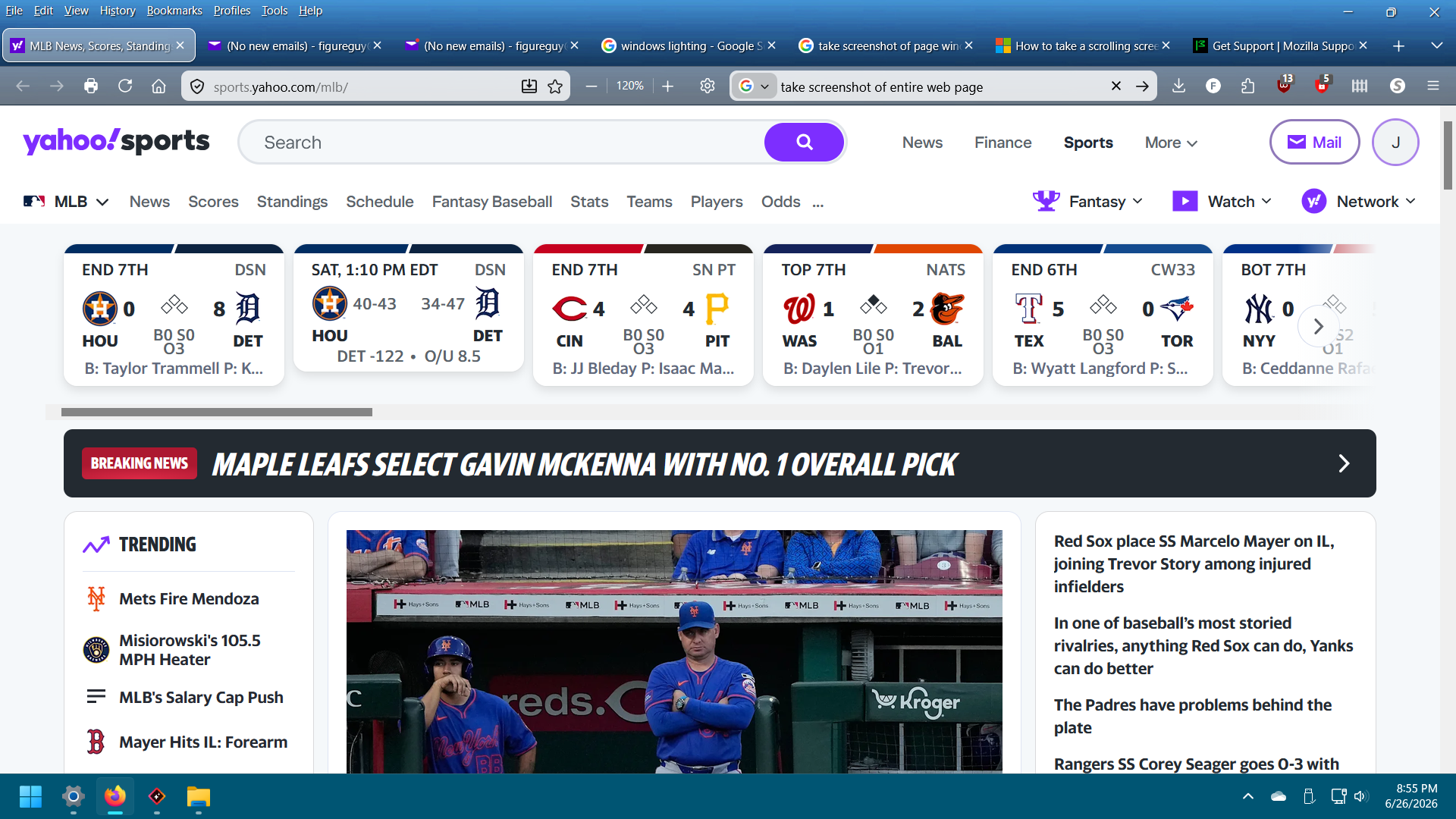
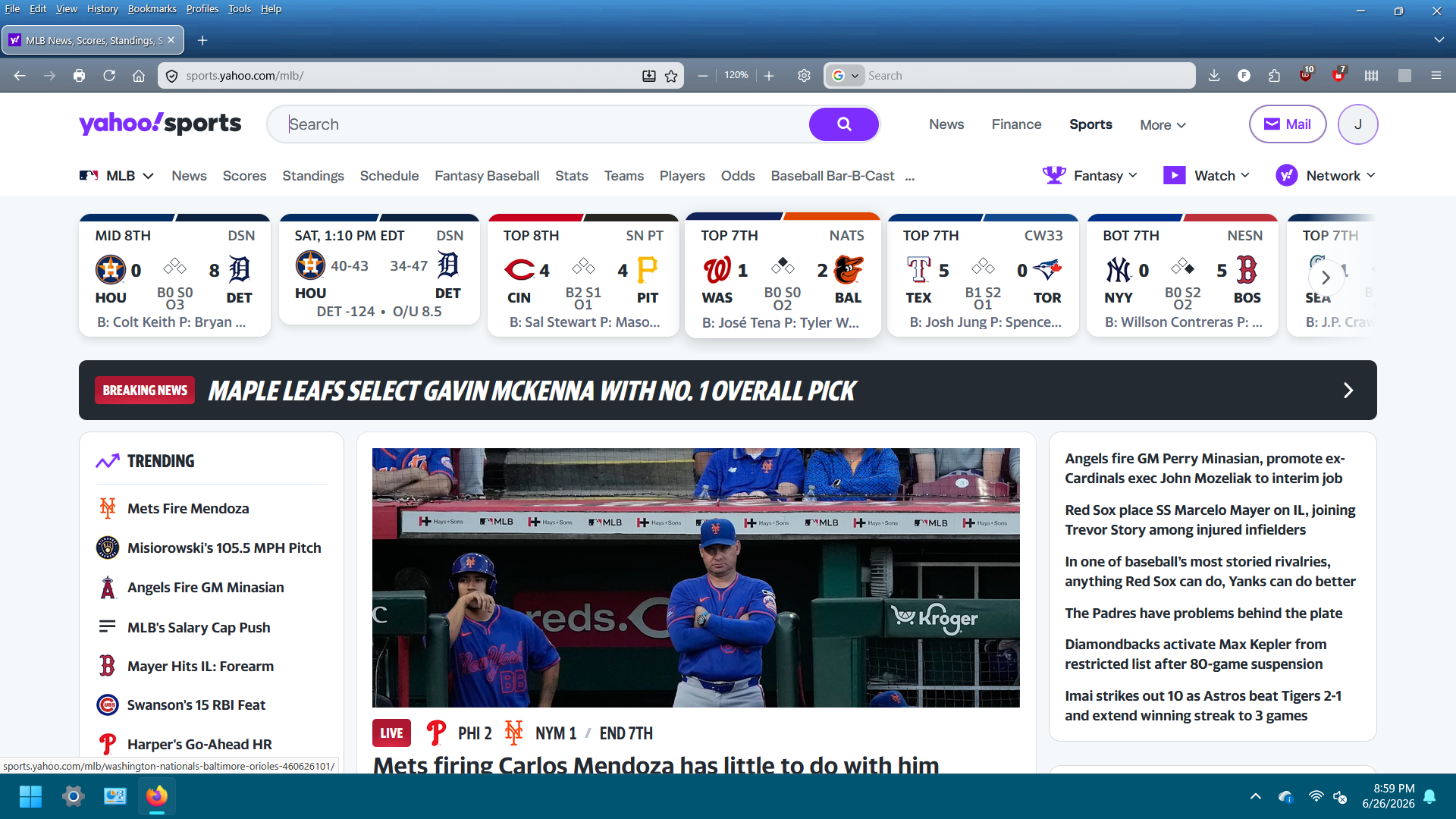
Even with the settings menu exact in both versions I cannot figure out what changes I had made. It's not many but enough. I know it is crazy but here is 2 screenshots. The one on the right, the smaller one in general is from the old PC and how I want it to look. I have tried tweaking zoom and text on the new PC and it has been a disaster, hence looking here.
Thanks in advance.

الحل المُختار
OK, open about:config and enable the filter to show only modified preferences, then copy/screenshot the important ones. For a more complete backup, close Firefox and copy the profile folder first; the file prefs.js contains most modified preferences.
All Replies (5)
Yes, you can. Please refer to this thread: https://support.mozilla.org/en-US/questions/1589623?utm_campaign=questions-reply&utm_source=notification&utm_medium=email#answer-1828293
If you are using Sync, you should not worry too much. Your settings can be synced to your new PC. https://support.mozilla.org/en-US/kb/how-do-i-set-sync-my-computer
Thank you for responding so quickly and with links.
I did use Sync but the settings in the about:config were not synced. That's why I showed the differences in the two pictures.
I still have access to the old computer so I am going to go through the modifed preferences if I have to one by one until they match up.
الحل المُختار
OK, open about:config and enable the filter to show only modified preferences, then copy/screenshot the important ones. For a more complete backup, close Firefox and copy the profile folder first; the file prefs.js contains most modified preferences.
I went to Firefox on the old computer and found the modified preferences. Then I just saved them as a screenshot and printed it out. My wife and I went through the preferences on the new computer changing them to the values the old computer's Firefox had. A little tedious but it went faster than I thought. I have tried copying and replacing profiles but I honestly have not got the hang of it. I created different profiles and I tried replacing the prefs.js in the profile I synced on the new PC. I just never got it to work right and I honestly have no idea why. As both PCs were hooked up via a splitter to my HDMI on my monitor I just went to a couple of pages and switched back and forth with the consistent settings. Looks pretty much spot on. Thank you for suggesting the modified preferences as it did help and thank you for taking the time to respond to me so quickly and consistently.
Thank you.
Glad to know you made it. Congratulations and enjoy freedom.