


Windows 10 reached EOS (end of support) on October 14, 2025. If you are on Windows 10, see this article.

ابحث في الدعم

Avoid support scams. We will never ask you to call or text a phone number or share personal information. Please report suspicious activity using the “Report Abuse” option.

Learn More

need help with the following error message: "Outgoing server (SMTP) mail.thorneplumbing.com has timed out. Try again."

  • 1 (رد واحد)
  • 1 has this problem
  • 36 views
  • آخر ردّ كتبه Lin
  • Open

Receive the following error message whenever I attempt to reply to or forward an e-mail

"Send Message Error. Sending of the message failed. The message could not be sent because the connection to the Outdoing server (SMTP) mail.thorneplumbing.com timed out. Try again"

This has been going on for some time now, but does not happen when I use Thunderbird on my i-phone. Just on a PC. Please advise.

Thank you!
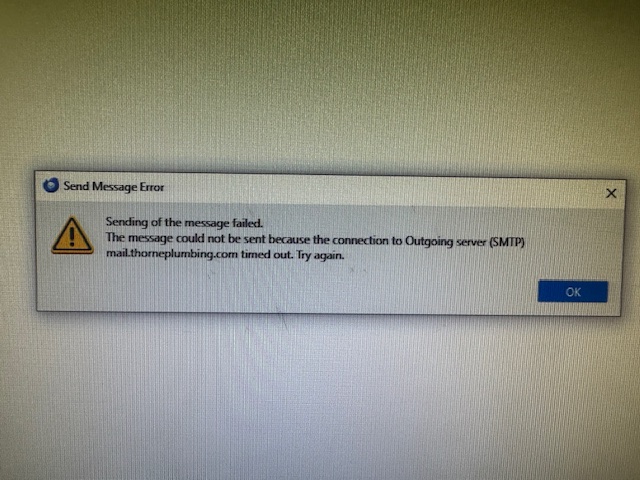
Receive the following error message whenever I attempt to reply to or forward an e-mail "Send Message Error. Sending of the message failed. The message could not be sent because the connection to the Outdoing server (SMTP) mail.thorneplumbing.com timed out. Try again" This has been going on for some time now, but does not happen when I use Thunderbird on my i-phone. Just on a PC. Please advise. Thank you!
Attached screenshots

All Replies (1)

This usually means a misconfiguration of your outgoing (SMTP) mail server settings. You should first confirm the correct settings with your email provider. Pay particular attention to the server port, security type, and authentication method.

Do you see any difference if you compare the SMTP settings on your phone with those in Thunderbird desktop?

Modified by Lin

اطرح سؤالا

You must log in to your account to reply to posts. Please start a new question, if you do not have an account yet.