


Join us to show up for other Firefox users 🦊. Earn fun badges and Mozilla swag vouchers! Find out more: https://mzl.la/askafox150

Windows 10 reached EOS (end of support) on October 14, 2025. If you are on Windows 10, see this article.

ابحث في الدعم

Avoid support scams. We will never ask you to call or text a phone number or share personal information. Please report suspicious activity using the “Report Abuse” option.

Learn More

Microsoft Q&A displays unreadably small text which I can't correct other than repeatedly zooming. Do not have same problem win=th Safari.

  • 1 (رد واحد)
  • 0 have this problem
  • 49 views
  • آخر ردّ كتبه cor-el
  • Open

Recently the MS Q&A site displays outrageously small text. FF is fully updated as is Sequoia. I don't have the same problem when accessing the same site in Safari. I have tries various setting combinations in FF Preferences for Zoom & Font [including Advanced] but nothing provides a remedy. I really don't want to stop using FF but this is unbearable... I spend much time in Q&A supporting MS product. The image on the left ia how FF displays the page, the image on the right is from Safari.
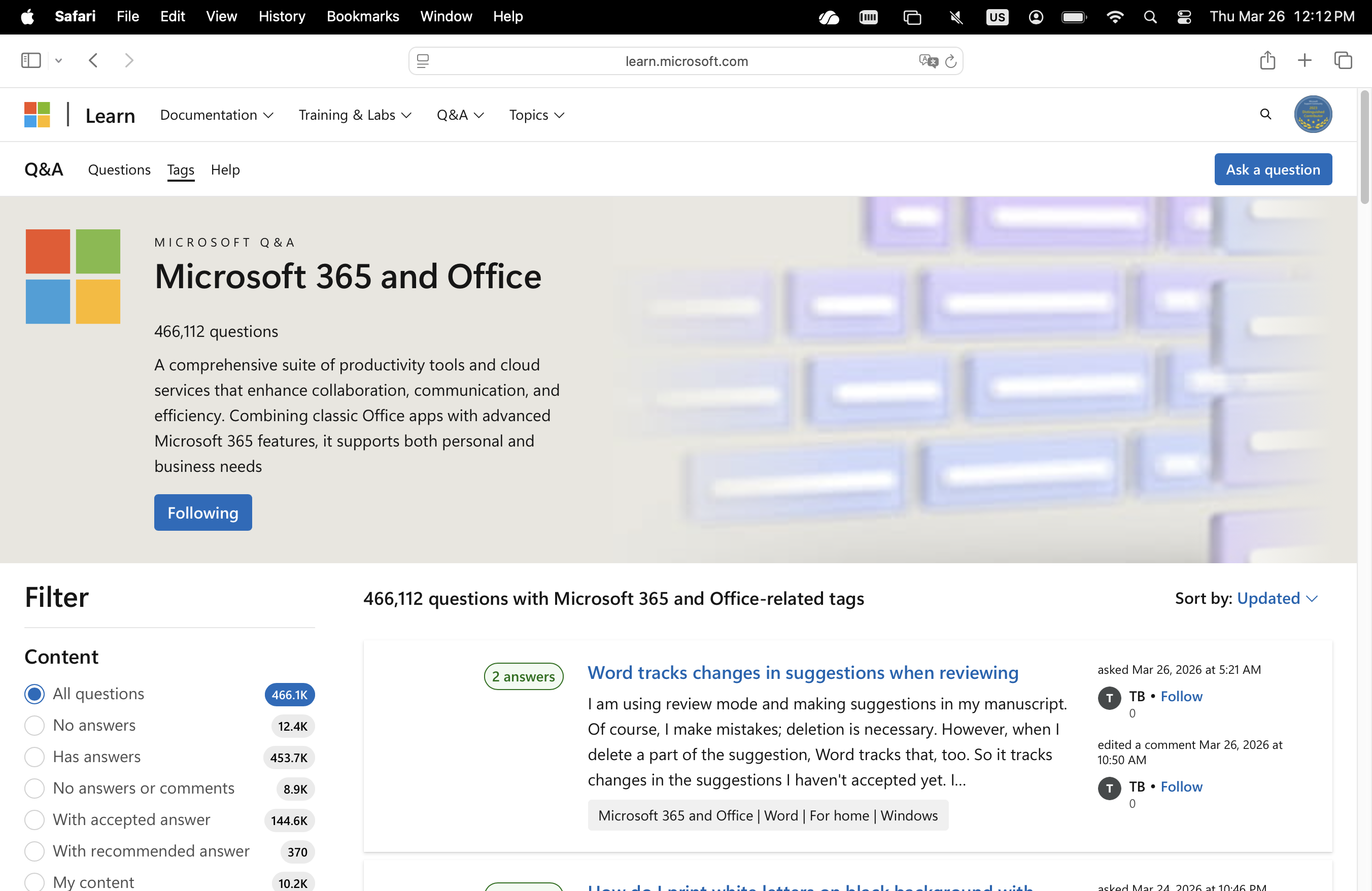
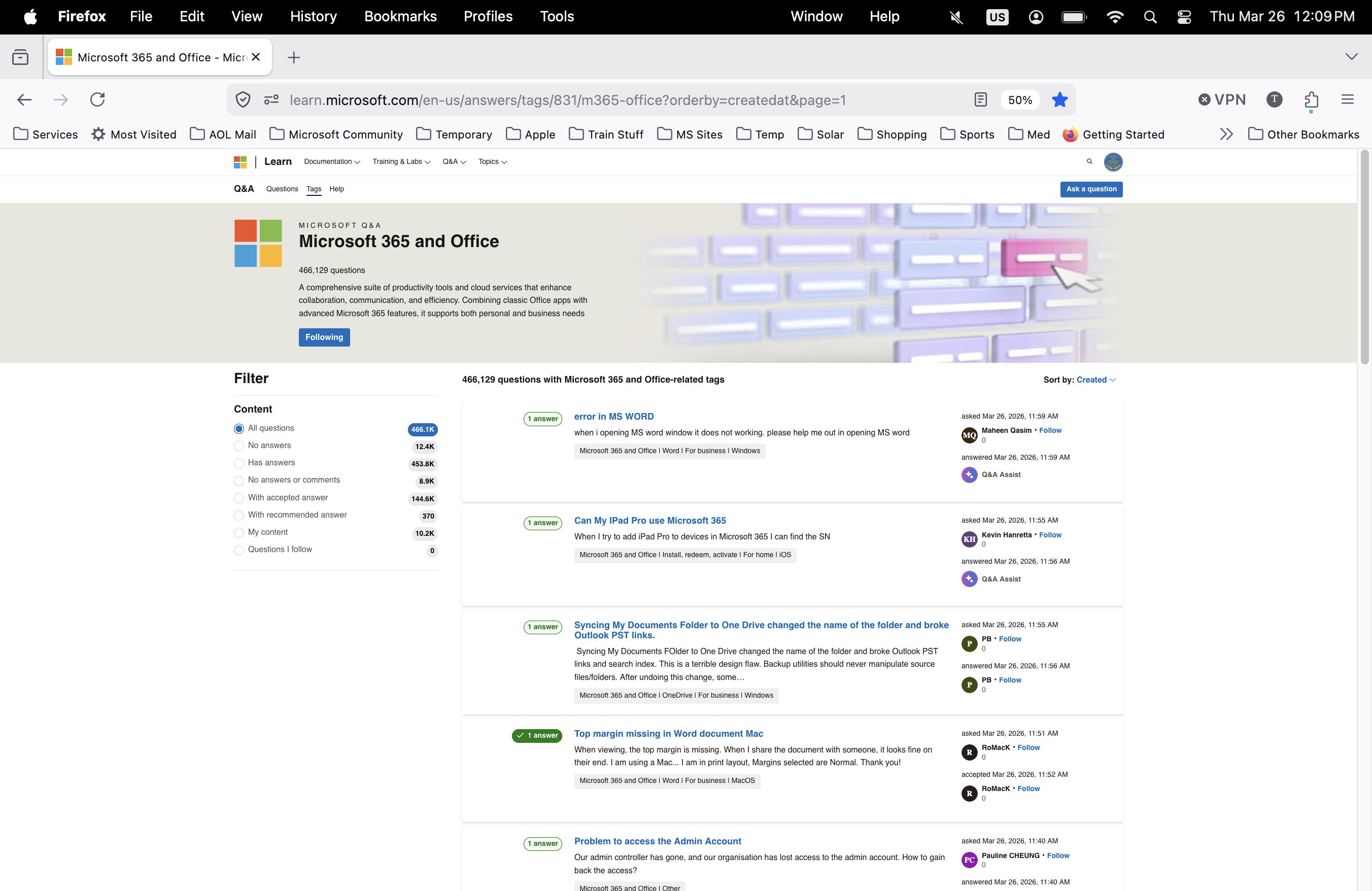
Recently the MS Q&A site displays outrageously small text. FF is fully updated as is Sequoia. I don't have the same problem when accessing the same site in Safari. I have tries various setting combinations in FF Preferences for Zoom & Font [including Advanced] but nothing provides a remedy. I really don't want to stop using FF but this is unbearable... I spend much time in Q&A supporting MS product. The image on the left ia how FF displays the page, the image on the right is from Safari.
Attached screenshots

All Replies (1)

From what you wrote above, it looks more the opposite: Left Safari and right Firefox. That right screenshot shows that the page is zoomed out to 50% what makes it look small. You can click the 50% icon in the location/address bar to reset the page zoom.

You may have accidentally zoomed webpage(s). Reset the page zoom on pages that cause problems.

  • View -> Zoom -> Reset (Ctrl+0/Command+0 (zero))
اطرح سؤالا

You must log in to your account to reply to posts. Please start a new question, if you do not have an account yet.