


Drop Down Menu On Certain Websites Won't Work

I recently ported from chrome to firefox about 3 days ago and was tryin to access the dropdown menus on this website https://www2.gov.bc.ca/gov/content/governments/government-id/bc-services-card/your-card/get-a-card
I realized it wasn't working so I turned off my adblocker (ublock origin), refreshed the site and still not working.
Also attempted to use troubleshoot mode and still does not work.
Cleared cache + cookies and used troubleshoot mode and nothing working still.
I lastly checked the website was working by opening the same link on chrome after all that and it works perfectly fine over there. Any ideas what could possibly be the issue?? I basically have a fresh install of firefox with no changed settings besides anything that might of been copied over from Chrome when firefox automatically asks you to migrate your stuff over, and used the troubleshoot mode + clearing cookies and cache
الحل المُختار
I was referring to these drop down menus, but for some unknown reason it has started to work again. Not sure what the problem was and the only thing that has changed is I restarted my PC.
Read this answer in context 👍 0All Replies (3)
How about posting screenshots showing the issue so we don't have to guess what you're talking about. Is this the menu option? see screenshot If so, it doesn't work for me in Firefox and Chrome.
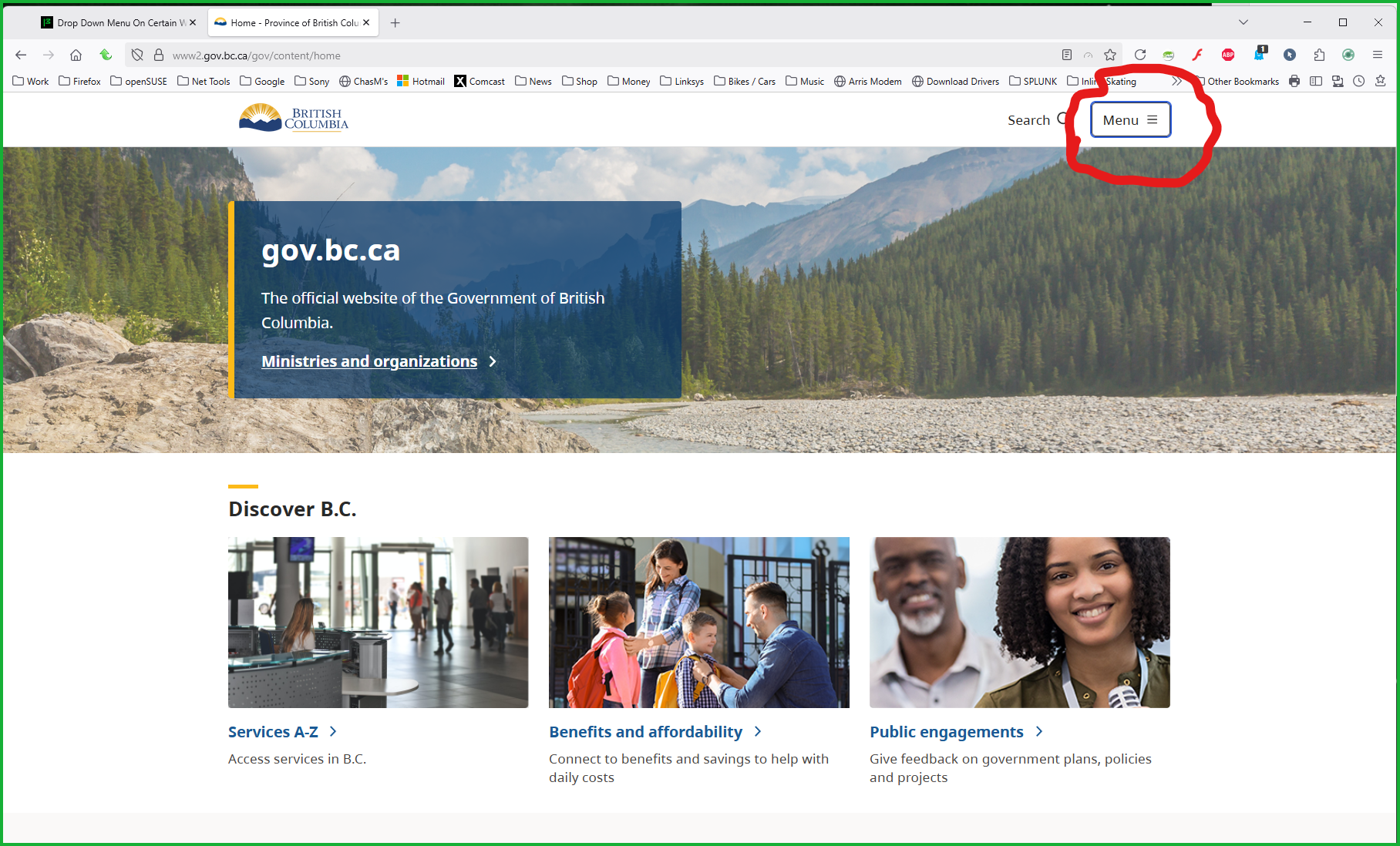
Modified by jonzn4SUSE
الحل المُختار
I was referring to these drop down menus, but for some unknown reason it has started to work again. Not sure what the problem was and the only thing that has changed is I restarted my PC.
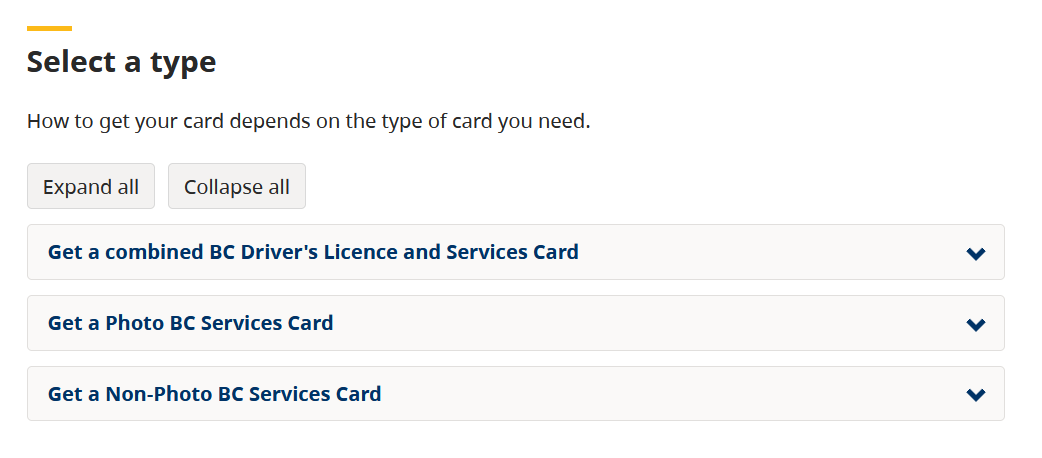

I have the exact same problem, also on a government-related website, on two fields on the page. See snip.
