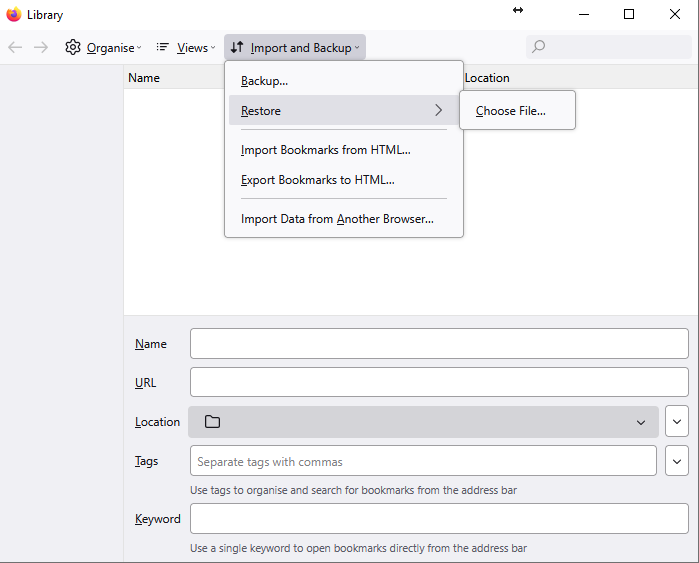
I have lost all my bookmarks on an update.

When I open the Manage Bookmarks --> Import Bookmarks --> Browse I have no listed backups, even though I can see them in File Manager \AppData\Roaming\Mozilla\Firefox\Profiles\c4i4a2zg.default\bookmarkbackups folder. I have copied the JSON file from my laptop which has not lost them but cannot select a folder/file location to import them, same for doing it via a HTML file.
I am stuck, thinking I may have to uninstall and then reinstall Firefox and then sync again.
When I open the Manage Bookmarks --> Import Bookmarks --> Browse I have no listed backups, even though I can see them in File Manager \AppData\Roaming\Mozilla\Firefox\Profiles\c4i4a2zg.default\bookmarkbackups folder.
I have copied the JSON file from my laptop which has not lost them but cannot select a folder/file location to import them, same for doing it via a HTML file.
I am stuck, thinking I may have to uninstall and then reinstall Firefox and then sync again.
All Replies (1)
Unable to add the screenshot so posted it here.