


Where to set message composition line spacing in 128.6.0

I've searched in 'Settings' and on-line and cannot find how to set the line spacing in composing a message to single line. There are lots of answers but they all talk about the 'Composition' section in settings, which sounds logical, but it does not appear in Nebula Any help would be most appreciated Regards Greg
I've searched in 'Settings' and on-line and cannot find how to set the line spacing in composing a message to single line. There are lots of answers but they all talk about the 'Composition' section in settings, which sounds logical, but it does not appear in Nebula
Any help would be most appreciated
Regards
Greg
الحل المُختار
Hi sfhowes, that does the trick! I never would have thought of trying that. Thanks for your help Regards Greg
Read this answer in context 👍 0All Replies (2)
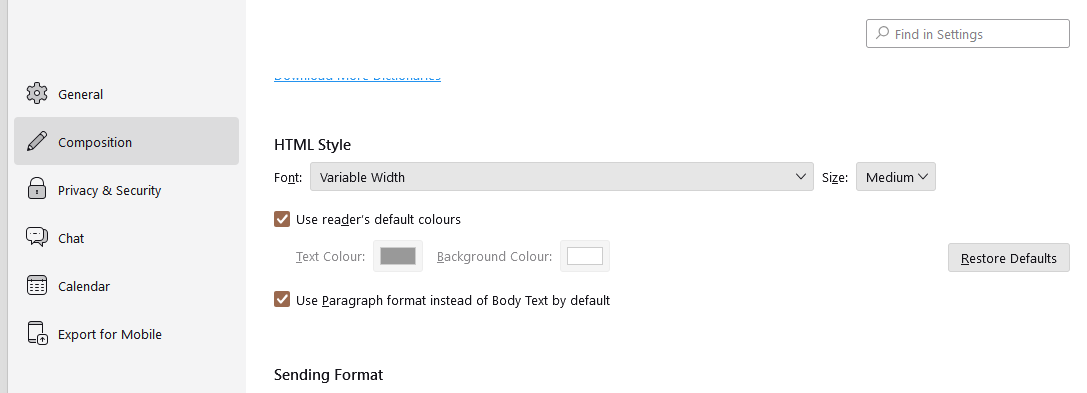
Line spacing is single-line by default, but the spacing between paragraphs is double-line if 'Use Paragraph format...' is checked in Settings/Composition/HTML Style (see picture).
الحل المُختار
Hi sfhowes, that does the trick! I never would have thought of trying that. Thanks for your help Regards Greg