


I keep getting "he certificate is not trusted because the issuer certificate is unknown."

I tried deleting the cert8 file, but still the same thing, I only get this message on sites such as internet banking and paypal. I don't have this issue on chrome.
All Replies (7)
hello frostysummer8, first please make sure that the date, time & timezone are set correctly on your system. if this doesn't solve the issue (or it is already set properly), a possible solution depends on different factors:
- what is the error code shown under technical details on the error page?
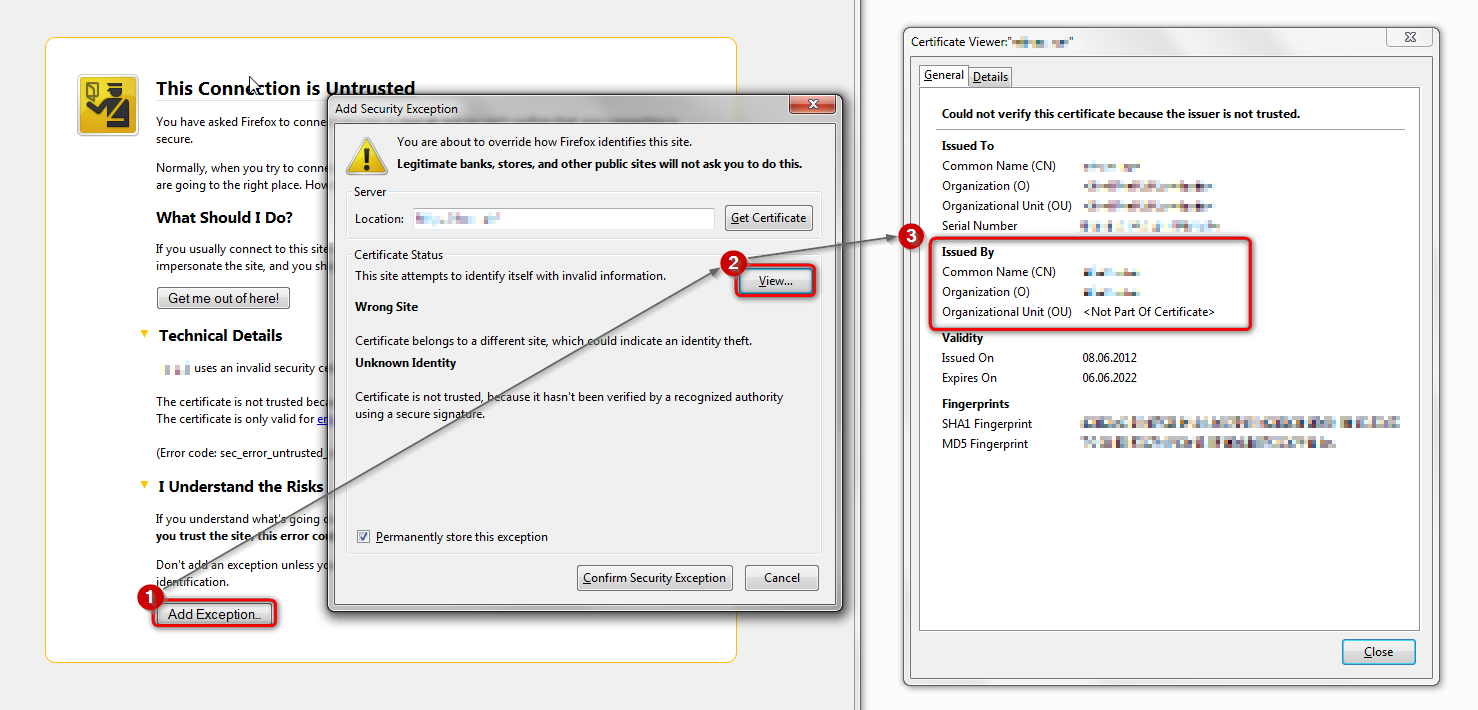
in case the error code equals sec_error_unknown_issuer, please attempt to add an exception on the bottom of the error page (don't add it for real though) & inspect the certificate (see the screenshot attached for instructions):
- which issuer information does the certificate contain?
thank you!
Yes my time and date are all correct, it's something to do with Kaspersky?
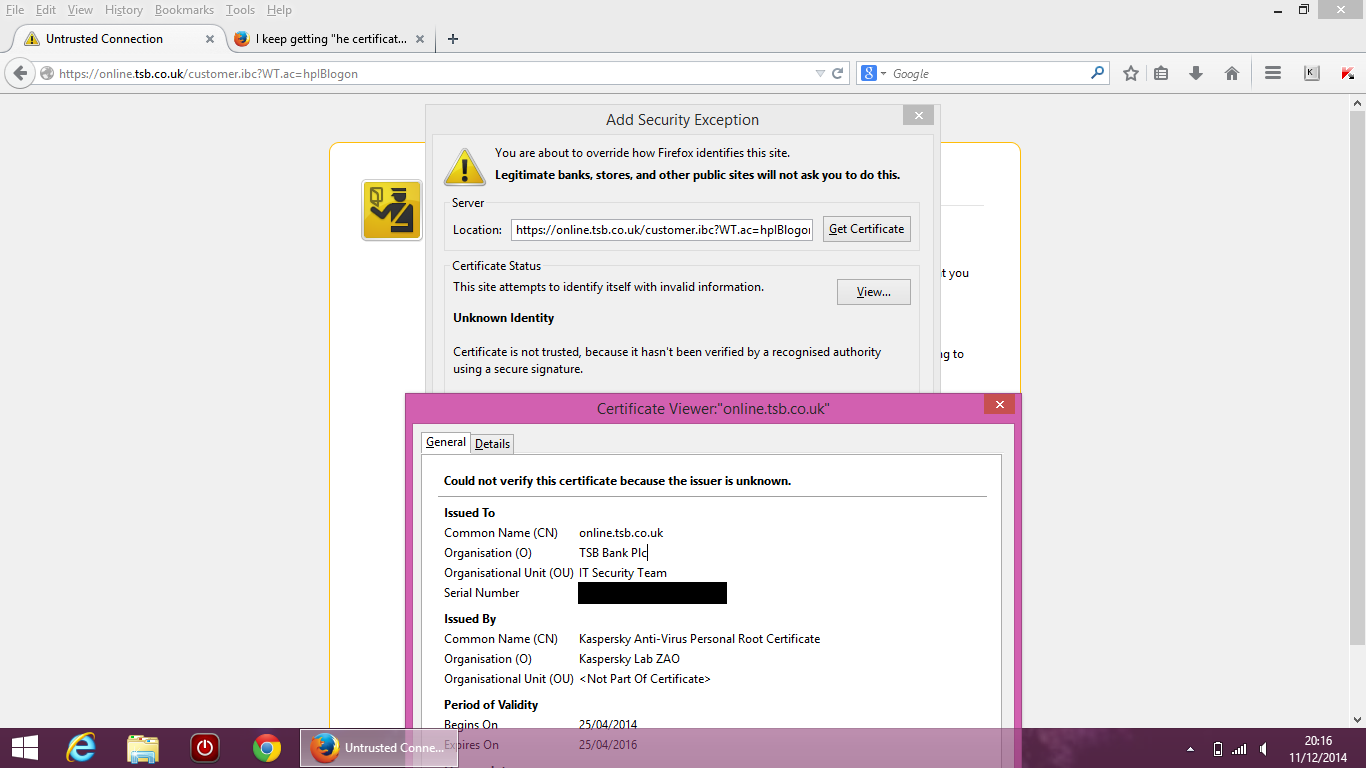
The certificate is not trusted because the issuer certificate is unknown.
(Error code: sec_error_unknown_issuer)
Modified by frostysummer8
I was able to log into my paypal a few mins ago, then i tried to log into my internet banking, untrusted connection, then i tried to go back onto paypal and now its saying untrusted connection again.
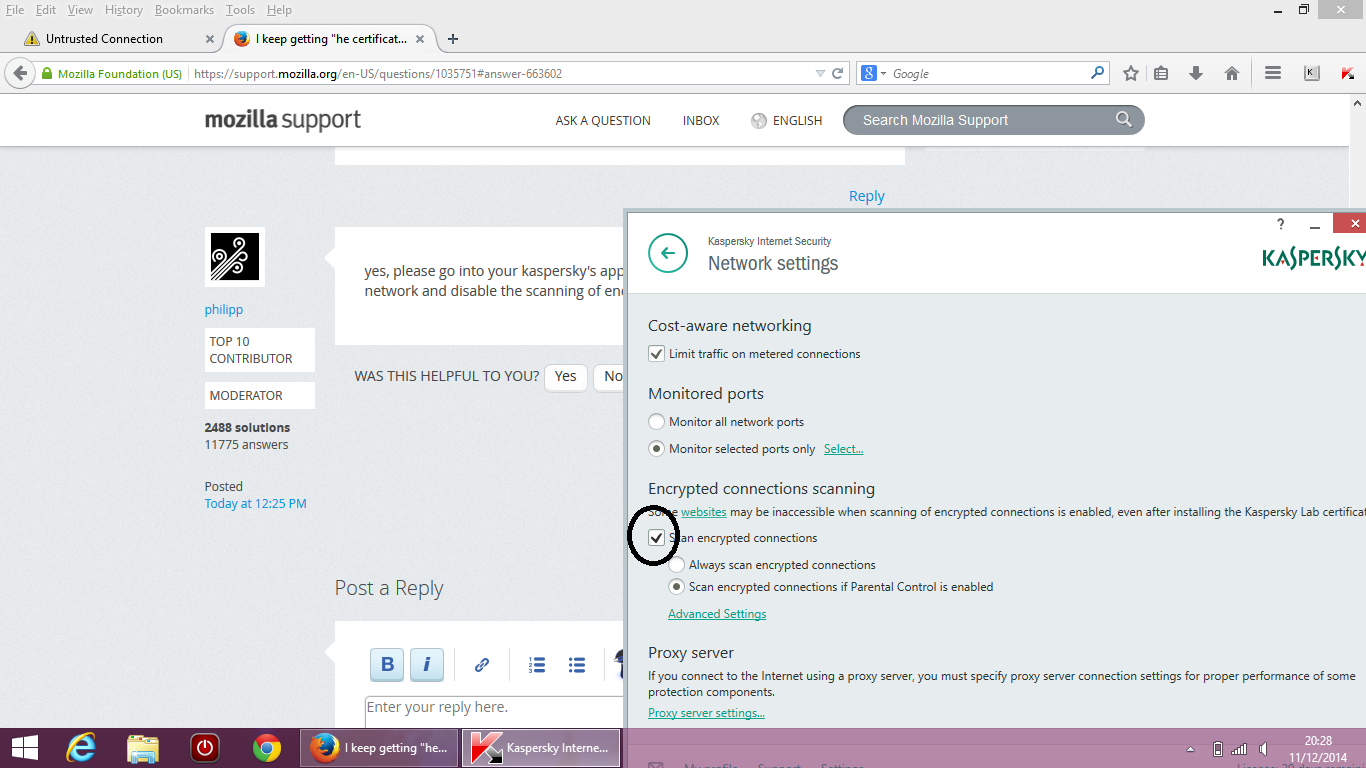
yes, please go into your kaspersky's application settings > additional > network and disable the scanning of encrypted HTTPS connections.
You mean the thing i've circled here? Is it safe to do that? Sorry I'm not that good with computers and all.
I tried unchecking the box, still getting the same thing.
Modified by frostysummer8
yes exactly, that's the box to untick - it might take a reboot of your PC to fully take effect.
in my view it's debatable if this option provides any improvement to security - in fact it has been shown that exactly this option made all your otherwise perfectly secure connections vulnerable to the so called POODLE attack (link to german newspaper article: http://www.heise.de/security/meldung/Kaspersky-Schutzsoftware-senkt-Siche...).
what happens here on a technical level is a kind of a man-in-the-middle "attack" by kaspersky to get into the content of all your encrypted connections - since they don't seem to have implemented their root certificate into firefox properly this is getting called out by the browser whenever you visit a secure https site - one other avenue to fix this might be a reinstall of your kaspersky security suite...
Modified by philipp
If the certificate is issued by your Kaspersky security software then you have two options:
- disable scanning secure connections in Kaspersky
- install the Kaspersky root certificate and when prompted set the trust bit to use the certificate to "Trust this CA to identify websites"
http://support.kaspersky.com/us/9093#block1