


Windows 10 reached EOS (end of support) on October 14, 2025. For more information, see this article.

Search Support

Avoid support scams. We will never ask you to call or text a phone number or share personal information. Please report suspicious activity using the “Report Abuse” option.

Learn More

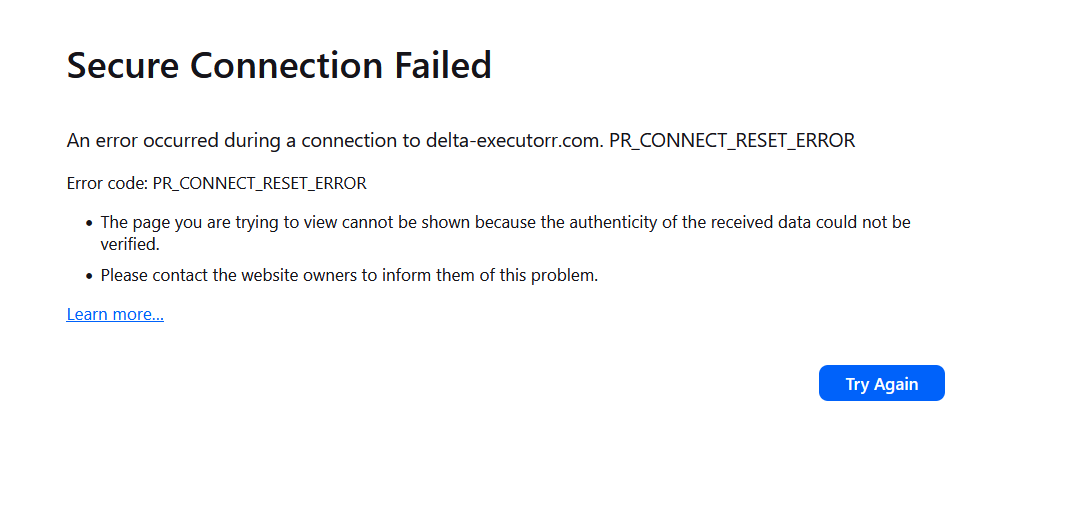
Secure Connection Failed An error occurred during a connection to delta-executorr.com PR_CONNECT_RESET_ERROR

  • Geen antwoorde nie
  • 0 hierdie probleem
more options

I am trying to access certain HTTPS website and some of them show PR_CONNECT_RESET_ERROR in Firefox. This error is not present in Edge or Chrome. Any ideas on what could be the problem?

An error occurred during a connection to delta-executorr.com. PR_CONNECT_RESET_ERROR

Error code: PR_CONNECT_RESET_ERROR The page you are trying to view cannot be shown because the authenticity of the received data could not be verified. Please contact the website owners to inform them of this problem.

Here's what I've tried (none of these works):

   DNS over HTTPS turned off
   Uninstall all add-ons
   Reinstall Firefox
   Create new profile and set it as default
   Delete/rename certs.db in the Firefox profiles folder. 

I'm tired fixing errors which become more complex and solutions are written for people who have the time an knowledge to waste fixing these constant issues in FIREFOX, Time to change browser.

I don't know if this is relevant but one of the website that does not work is https://delta-executorr.com/
I am trying to access certain HTTPS website and some of them show PR_CONNECT_RESET_ERROR in Firefox. This error is not present in Edge or Chrome. Any ideas on what could be the problem? An error occurred during a connection to delta-executorr.com. PR_CONNECT_RESET_ERROR Error code: PR_CONNECT_RESET_ERROR The page you are trying to view cannot be shown because the authenticity of the received data could not be verified. Please contact the website owners to inform them of this problem. Here's what I've tried (none of these works): DNS over HTTPS turned off Uninstall all add-ons Reinstall Firefox Create new profile and set it as default Delete/rename certs.db in the Firefox profiles folder. I'm tired fixing errors which become more complex and solutions are written for people who have the time an knowledge to waste fixing these constant issues in FIREFOX, Time to change browser. I don't know if this is relevant but one of the website that does not work is [https://delta-executorr.com/ https://delta-executorr.com/]
Aangehegde skermkiekies

You must log in to your account to reply to posts. Please start a new question, if you do not have an account yet.