Where are the “privacy settings” for extension native messaging ?

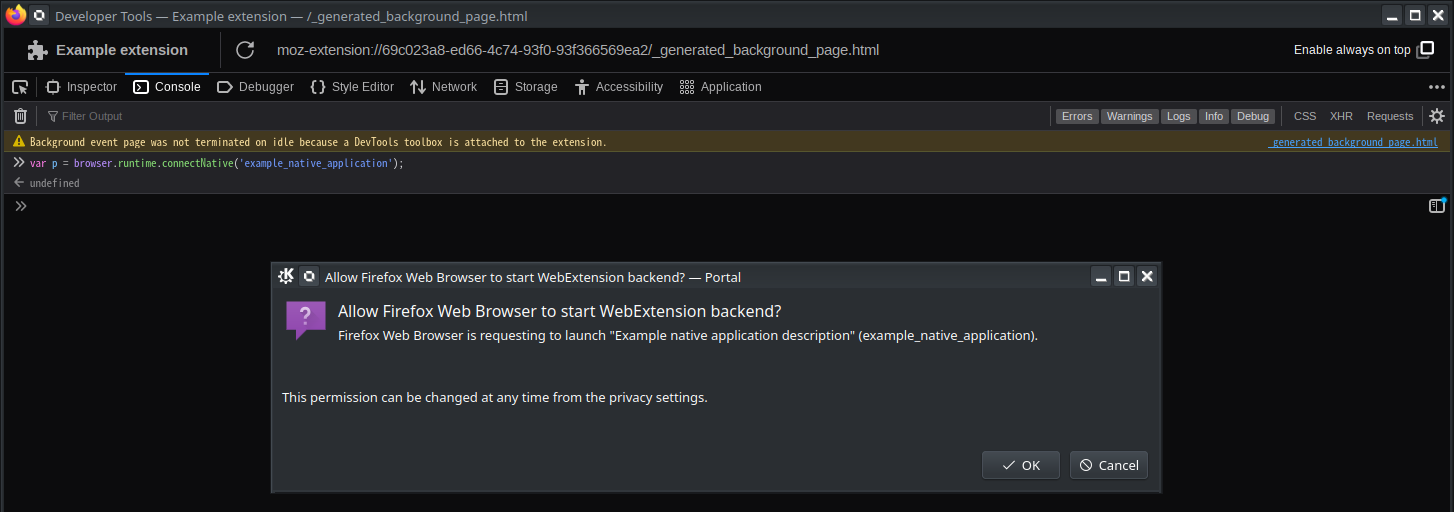
Whenever a Firefox extension connects to a particular native application for the first time, a dialog opens that looks like the attached.
I've pressed "cancel" on this prompt.
Where are the "privacy settings" I can use to revert this ? Nothing in the "Privacy & Security" section looks like it, and there's nothing in the "about:extensions" sections either.
Whenever a Firefox extension connects to a particular native application for the first time, a dialog opens that looks like the attached.
I've pressed "cancel" on this prompt.
Where are the "privacy settings" I can use to revert this ? Nothing in the "Privacy & Security" section looks like it, and there's nothing in the "about:extensions" sections either.