


How to Remove Thumbnail view when opening a new tab page

I would like to remove the thumbnail view when opening a new tab. I use Firefox on my home and work computers. Unfortunately, when using my work computer, the thumbnail view from websites I access from my home computer comes up. I would like to remove or disable this feature on my work computer. How do I accomplish this?
被選擇的解決方法
hello, please refer to the following help article in order to switch the new tab page off: Customize your Firefox New Tab page
從原來的回覆中察看解決方案 👍 7所有回覆 (7)
選擇的解決方法
hello, please refer to the following help article in order to switch the new tab page off: Customize your Firefox New Tab page
I have created a screenshot tutorial which should be easy for anyone to follow in less than a minute.
Enjoy!
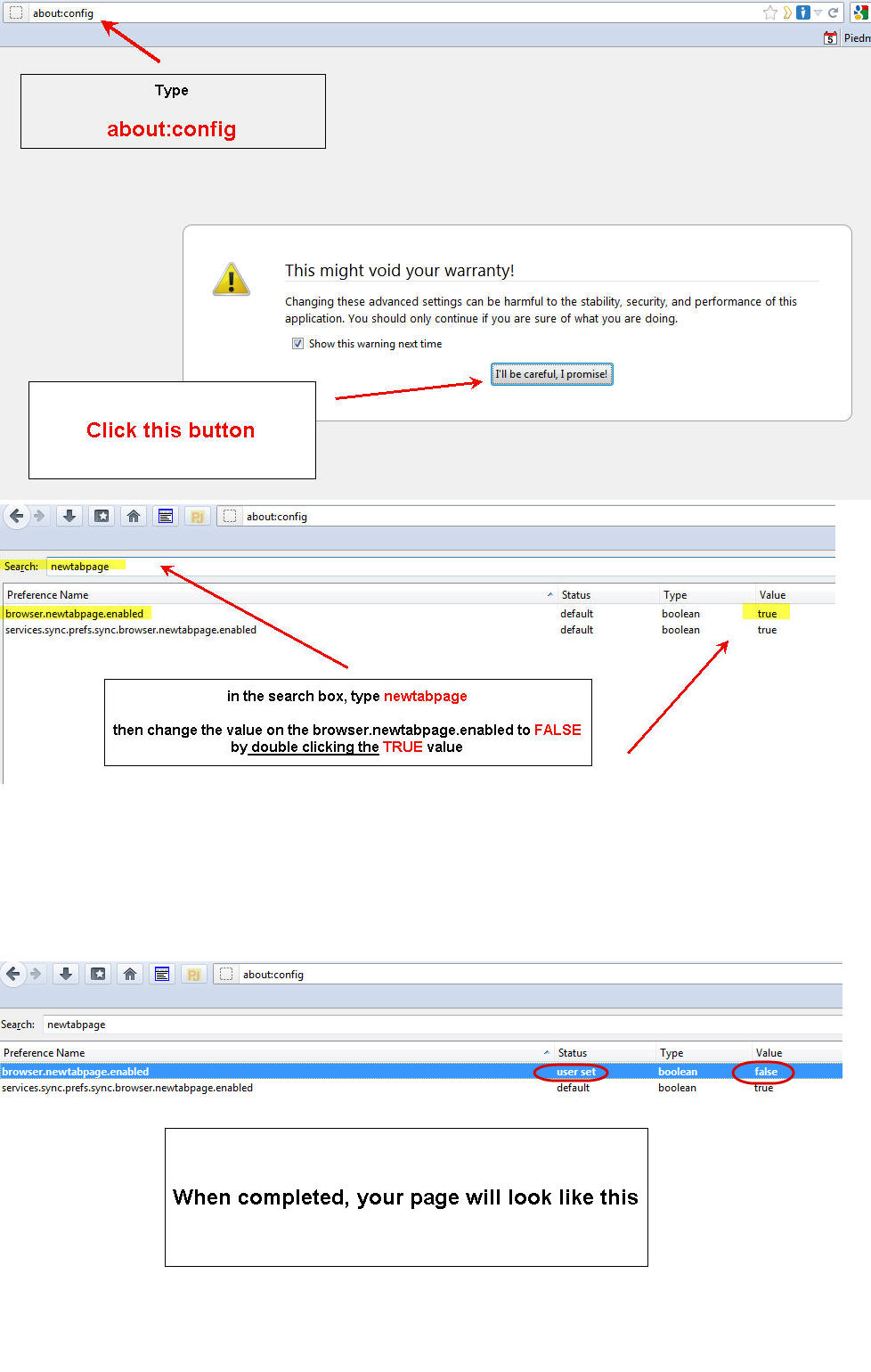
@madperson..... your reply has nothing to do with the person's question. Please read it again.
If you toggle the browser.newtabpage.enabled pref then that has the same effect as clicking the grid icon in the top right corner on the about:newtab page.
You still have the about:newtab page in a new tab in this case, only the content gets suppressed and you can enable it again via that grid icon.
It is better to set the browser.newtab.url to about:blank as stated in the above mentioned KB article.
由 cor-el 於 修改

Trevoc, the work you did on that screenshot is definitely appreciated. Thanks. But you don't need to use about:config, and the answer is actually in the article madperson linked to. :)
It's in the second last section, called "How do I turn the new tab page off?"
Just click on the grid icon in the top-right corner of the newtab page.
Chris, I appreciate your correcting me, and that makes you the second person who does so. I've already added another screenshot showing how easy it is to make such a correction. I had a hard time finding my answer in the page linked to from here because there are other instructions there as well. So, my uploaded screenshot is intended to make finding this answer quicker to the next person struggling with finding the answer.
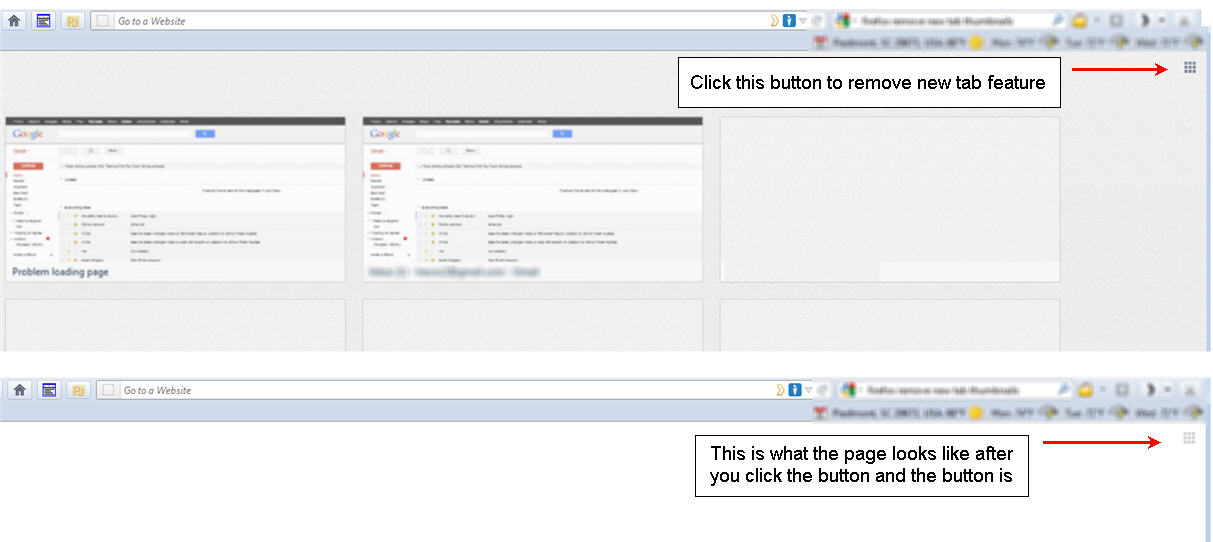
Thank you so much Trevoc - that was driving me insane and I could not find a simple answer anywhere! :)