


Open
How to stop ??? in messages

Since updating to the latest versions of TB I keep seeing ??? in messages. When I search in Firefox it says to change message encoding using an option under the view menu. But I can't find such an option.
Can someone please tell me how to fix this?
Thanks.
Since updating to the latest versions of TB I keep seeing ??? in messages. When I search in Firefox it says to change message encoding using an option under the view menu. But I can't find such an option.
Can someone please tell me how to fix this?
Thanks.
所有回覆 (3)
Check you have the following set up:
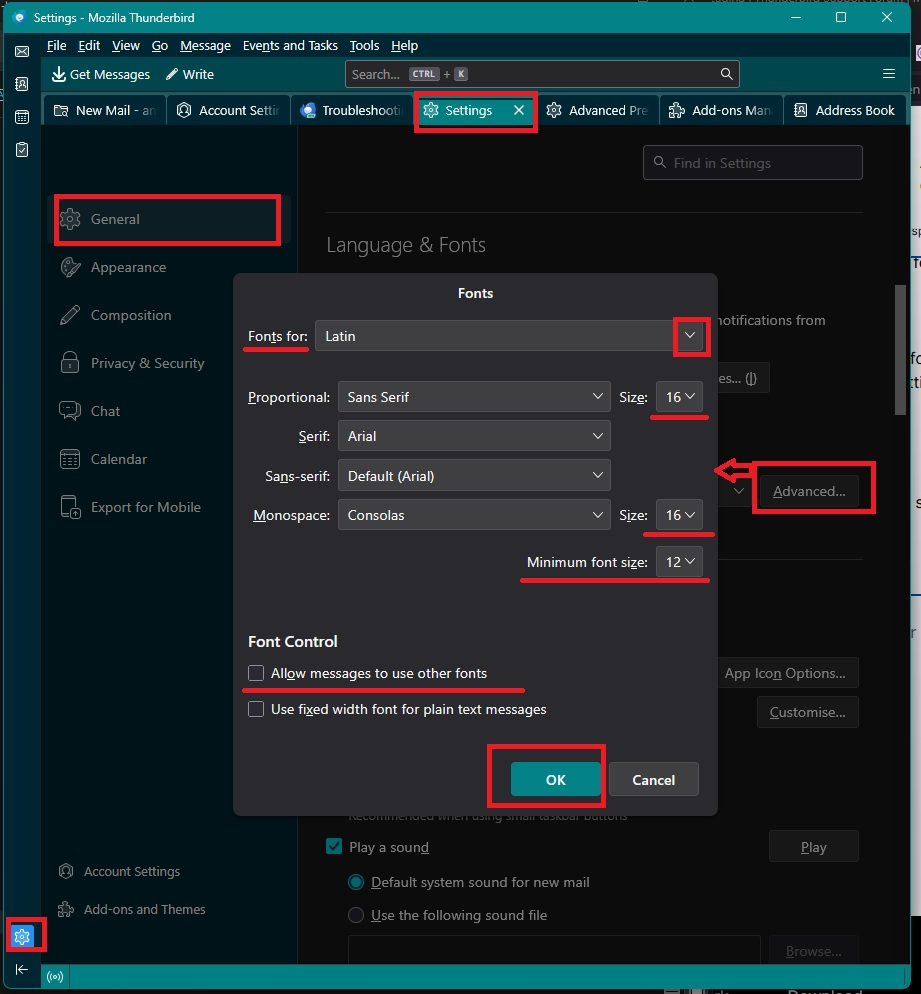
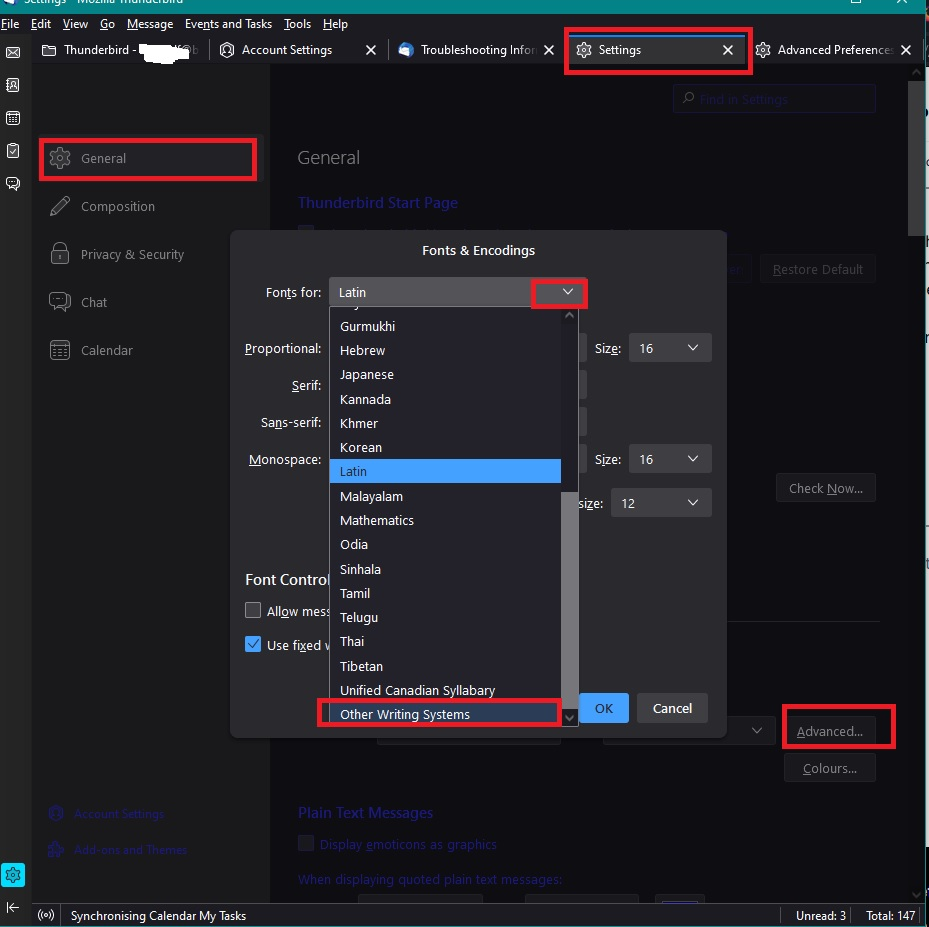
Settings > General 'Languages & Fonts' click on 'Advanced' button 'Fonts for' You need to set up both 'Latin' and 'Other writing Systems' to use identical settings.
Example images below.
Please confirm you have set up both 'Latin' and 'Other Writing Systems'
Thanks but I'm totally confused. I don't have an advanced button.
In version 158 it has changed to "Customize Fonts..."