


certificate revoked by avast's mail shield regarding inbound.att.net

Email being stopped by avast (inbound. att.net ) mailshield. Certificate revoked not expired and can not be updated. Location: other people directory. Thank you David. [redacted] @hotmail.com
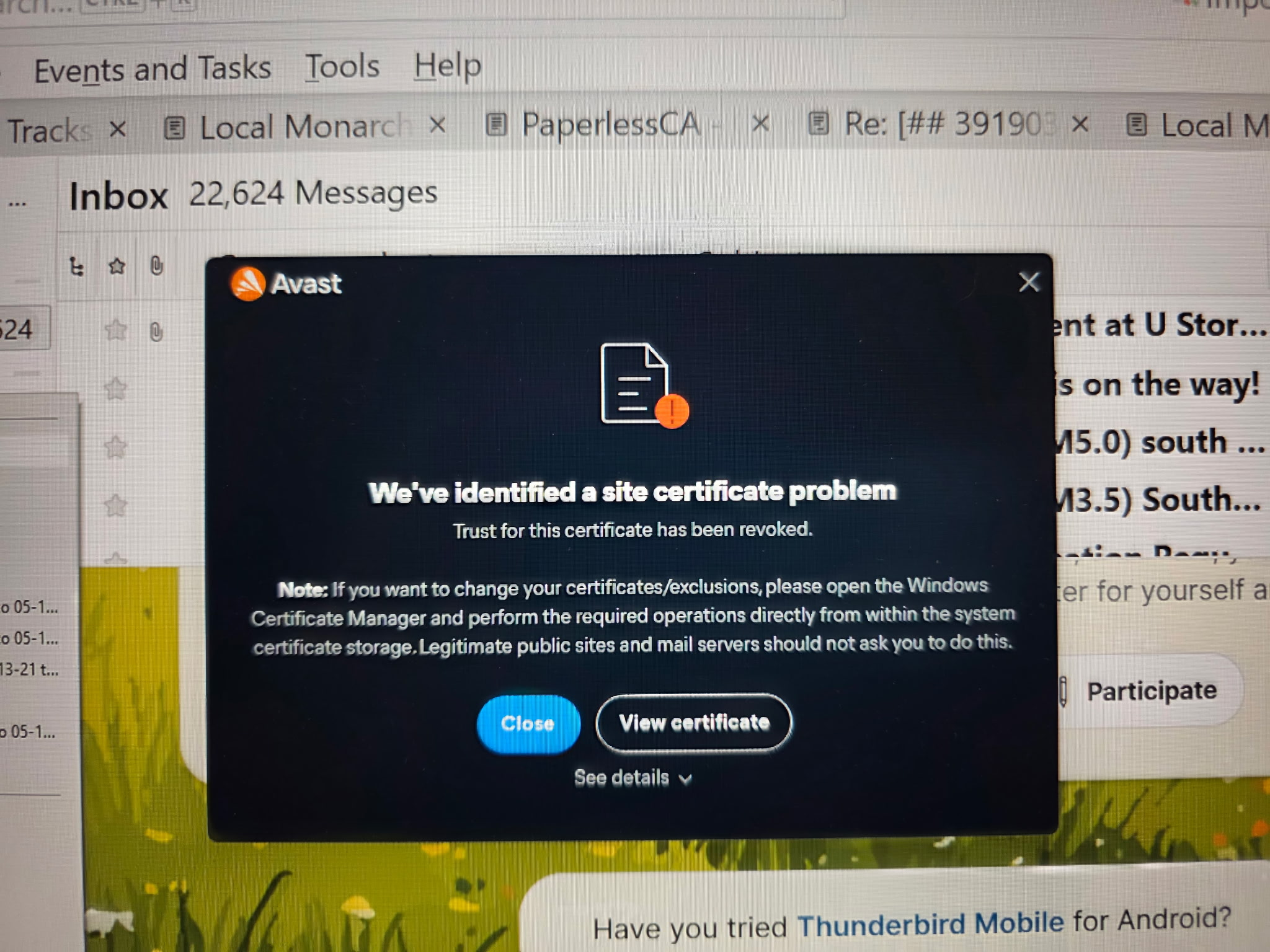
由 James 於 修改
所有回覆 (2)
This is an issue with the Anti-Virus and it's not the first time Avast has presented these issues. Look on their support forum and it's got plenty of complaints for that particular problem. Other Anti-Virus products also display same problem such as AVG.
It's likely they are aware of it and may fix it, but in the meantime, switch off the Mail Shield.
Avast Support does advise you try this: uninstall the Anti-Virus, restart computer and then install Avast again to see if it fixes the issue.
Firewall may be controlled by Avast Access Firewall Make sure the Thunderbird program is set up as an allowed program.
Other advise is to not let Avast have access to the Thunderbird profile folder. In Avast set up an exclusion to not scan anything in the Thunderbird profile folder. If you do allow it to scan then I would advise you do not allow Avast to auto fix anything in Thunderbird. They must ask first so you can stop it. Anti-Virus products do not understand that one mbox file may contain hundreds of emails. So if allowed to 'fix', you may find you lose everything in that folder.