Open
Thunderbird fails to start after update on Ubuntu
Hello Thunderbird Support Team,
I recently updated Thunderbird on my Ubuntu system. After the update, Thunderbird no longer starts normally.
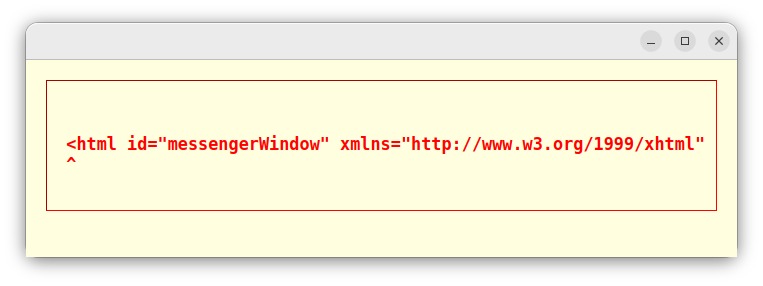
When I try to launch Thunderbird, a window appears showing the following error:
There is also a caret (^) shown below the beginning of the line, as visible in the attached screenshot.
Before the update, Thunderbird was working normally. The problem started immediately after the update.
System information:
OS: Ubuntu 26.04.1 Thunderbird: 157.0.1-1
Could you please help me identify the cause of this issue and provide a solution?
I would also appreciate any recommended diagnostic commands or logs that I should provide to help troubleshoot the problem.
Thank you.
Best regards, Mohsen Rezaee
Hello Thunderbird Support Team,
I recently updated Thunderbird on my Ubuntu system. After the update, Thunderbird no longer starts normally.
When I try to launch Thunderbird, a window appears showing the following error:
<html id="messengerWindow" xmlns="http://www.w3.org/1999/xhtml"
There is also a caret (^) shown below the beginning of the line, as visible in the attached screenshot.
Before the update, Thunderbird was working normally. The problem started immediately after the update.
System information:
OS: Ubuntu 26.04.1
Thunderbird: 157.0.1-1
Could you please help me identify the cause of this issue and provide a solution?
I would also appreciate any recommended diagnostic commands or logs that I should provide to help troubleshoot the problem.
Thank you.
Best regards,
Mohsen Rezaee