


is anyone else upset that firefox no longer actually deletes all cookies even though they say they do?

you have to delete over 5 times to get history and cookies to clear. Selecting "everything" never removes everything :( Used to be the best for privacy now its seemingly deceptive..

所有回覆 (4)
Can you elaborate a bit more, or upload before/after screen shots? Are you saying that you're unable to purge "Cookies and site data" to "0 bytes"? Have you tried checking via the settings site data pane to see which domains from the list apparently stuck around?
sure. first a screenshot of what it says after i have browsed for awhile (with strict browsing selected even) then after deleting browsing data once, then after deleting twice, then after deleting the THIRD TIME!!! and its super deceptive because if you choose to delete browsing data for lets say the last hour or the last two hour options, or since 12 am, it will say zero cookies left but then you go to 'delete everything' and find there's all kinds of cookies still there and they stay no matter how many times you click 'delete browsing data'.

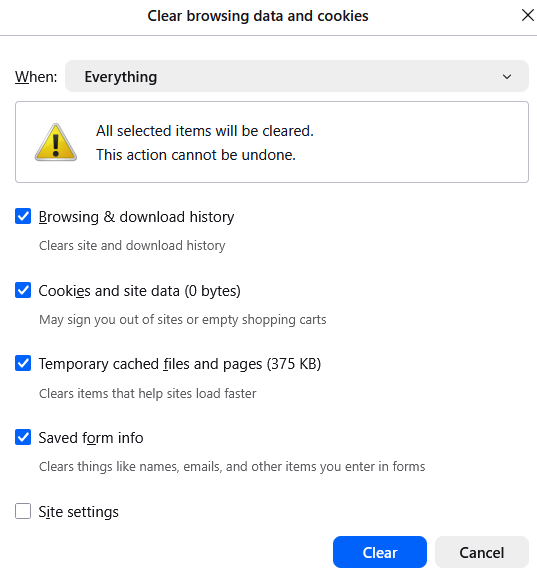

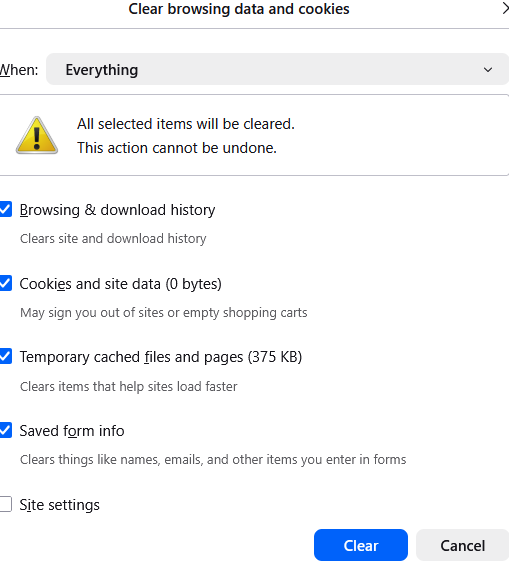
it happens even when i select delete site settings preferences

but then you go to 'delete everything' and find there's all kinds of cookies still there and they stay no matter how many times you click 'delete browsing data'.
You say the cookies are there but none of your screenshots show any cookies ...