Solved
remove ONLINEINTERNETSPEEDTEST

Can't see how to delete the evil remove ONLINEINTERNETSPEEDTEST
Can't see how to delete the evil remove ONLINEINTERNETSPEEDTEST
所有回覆 (1)

選擇的解決方法
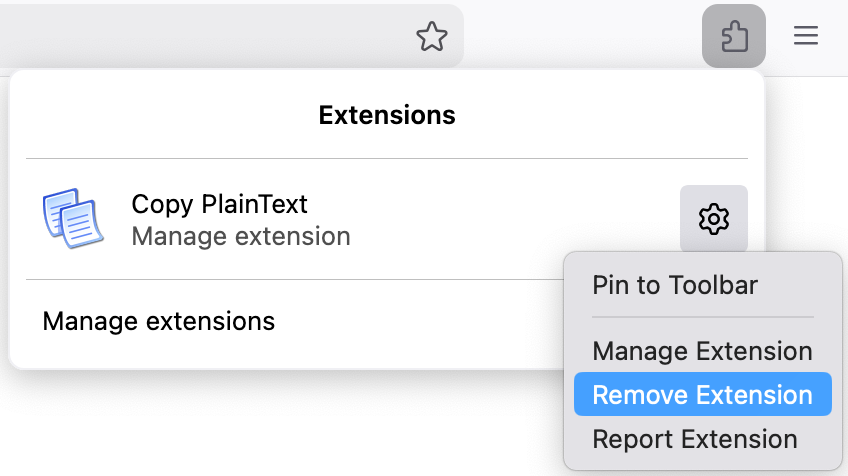
1. Go to your extensions list (click on the puzzle icon in the toolbar) 2. Click on the settings icon of the extension you want to delete 3. Click on Remove Extension
Here is a screenshot with an example extension that shows where I click: