


Force TLS Version Not Working

Hi
I have a problem with Thunderbird which might be a bit niche but here goes...
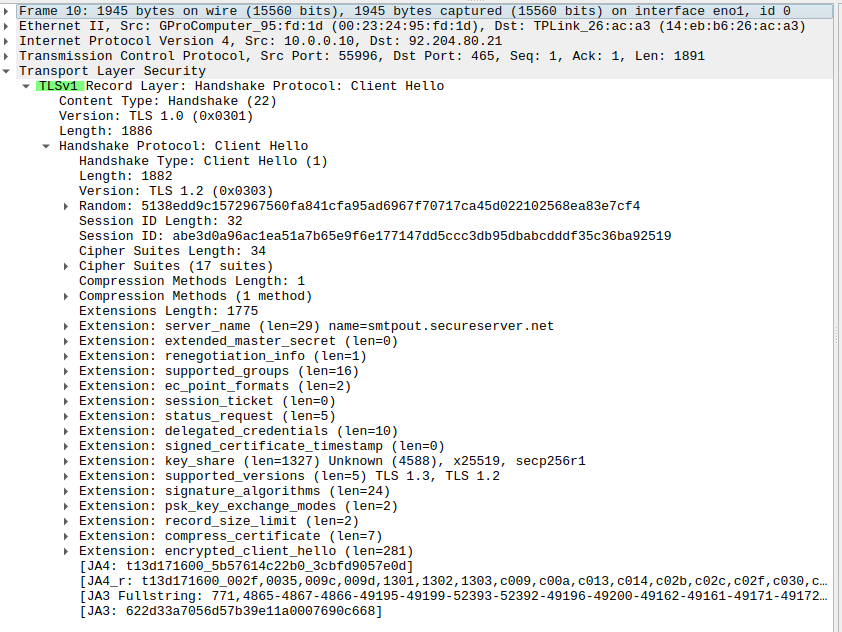
The first attempt at sending an email fails as TLS Record Layer v1 is used, the mail server sees this and hard resets the connection so sending halts. See attached Wireshark trace screenshot "Failed".
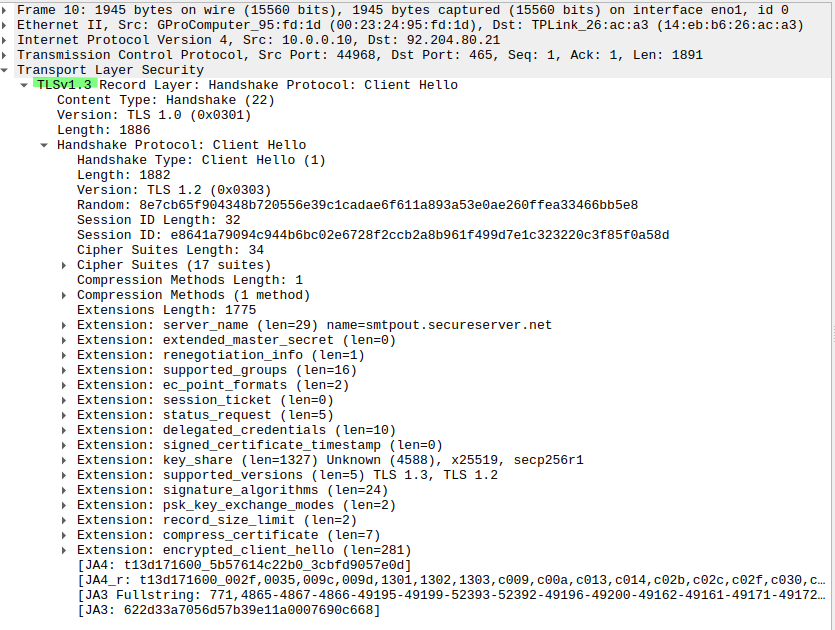
If I retry the send again Thunderbird uses TLS Record Layer v1.3 and the email goes out ok. See attached Wireshark trace screenshot "Success".
If I send another message immediately no problem but if I wait 20-30 minutes the above cycle happens again.
I have set the minimum TLS version in the config to 1.3 (option 4) and restarted Thunderbird but this has not changed anything.
Any ideas how I can fix this? It's a pain because automated replies don't work.

選擇的解決方法
SiMoto said
It's been doing it for a while but I've only recently had the time to do a lot of troubleshooting. It happens all the time and is easy to replicate if you want more troubleshooting data.
May be best to file a bug report at https://bugzilla.mozilla.org/enter_bug.cgi/.
所有回覆 (6)
Does that also happen if you start TB in Troubleshoot mode?
It's the same in Troubleshoot Mode.
I don't use any add-ons, my TB install is completely standard.
Another point I should add is that I'm seeing this behavior on more than one machine, the other one is a Raspberry Pi which also has a default TB set-up.
SiMoto said
It's the same in Troubleshoot Mode. I don't use any add-ons, my TB install is completely standard. Another point I should add is that I'm seeing this behavior on more than one machine, the other one is a Raspberry Pi which also has a default TB set-up.
Did this just start, and is it happening all the time?
It's been doing it for a while but I've only recently had the time to do a lot of troubleshooting.
It happens all the time and is easy to replicate if you want more troubleshooting data.
選擇的解決方法
SiMoto said
It's been doing it for a while but I've only recently had the time to do a lot of troubleshooting. It happens all the time and is easy to replicate if you want more troubleshooting data.
May be best to file a bug report at https://bugzilla.mozilla.org/enter_bug.cgi/.
Thanks Ed. Defect raised https://bugzilla.mozilla.org/show_bug.cgi?id=2050353