已解決
Cannot load videos. Error code 1300798 Please fix

Cannot load and play any video link. Error code 1300798 Session ID: a59f37fc-c229-4b38-af11-9662a5dd0129
Please fix problem.
Cannot load and play any video link.
Error code 1300798 Session ID: a59f37fc-c229-4b38-af11-9662a5dd0129
Please fix problem.
所有回覆 (1)
選擇的解決方法
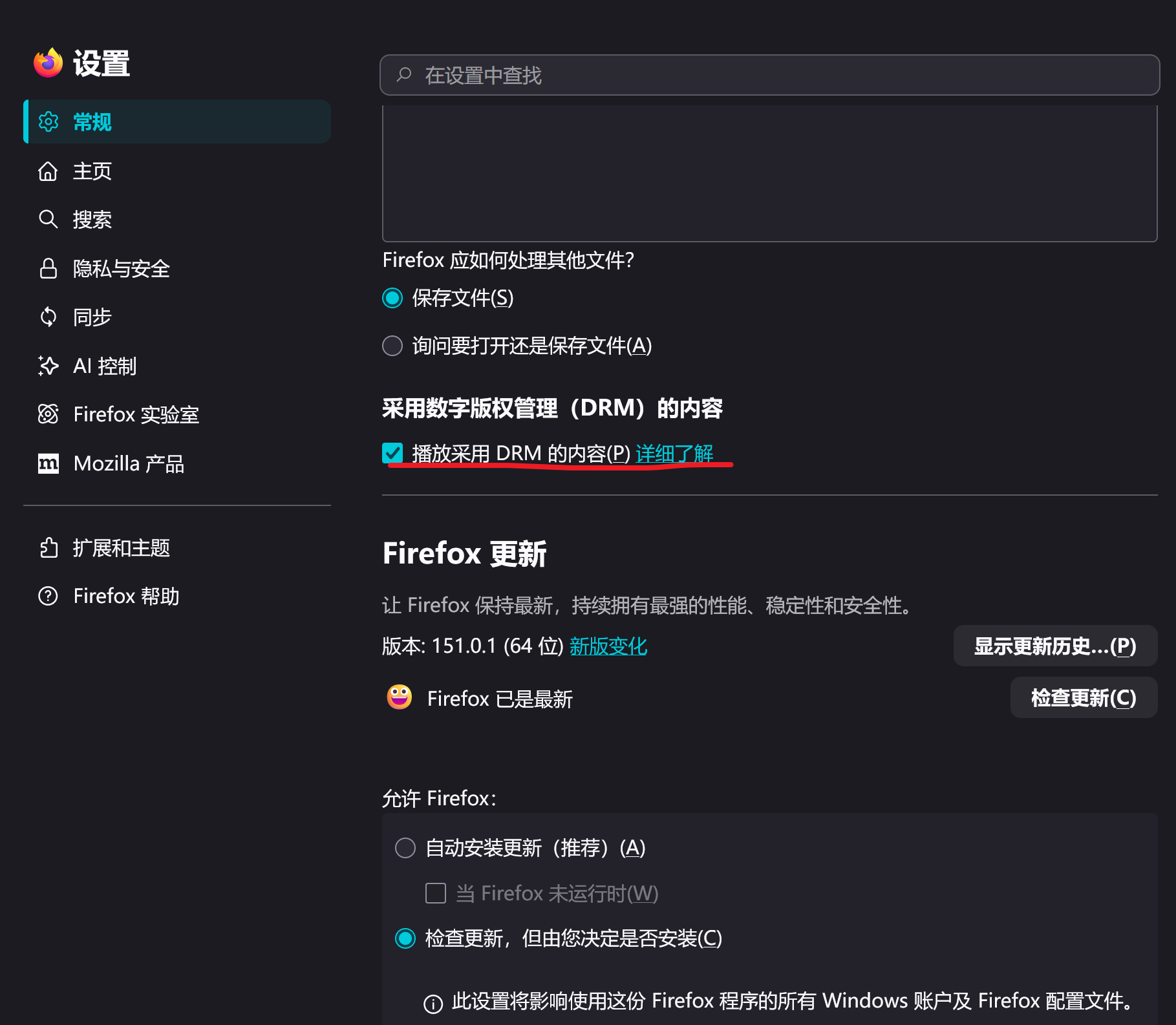
Hello! It seems that this error code is defined by a website itself. There are several possible reasons why videos cannot be played: 1. DRM not enabled Please check "Play DRM content" in "Settings - General - Content with DRM" 2. Cookie/cache issues You can try clearing cookies and cache from this website, or try opening a privacy window 3. Plugin interception If you have installed a plugin like 'uBlock Origin', please try adding that website to the whitelist of this plugin. I hope these can help you solve your problem!