Pop-out window from security.microsoft.com does not work in Firefox (works in all other browsers)

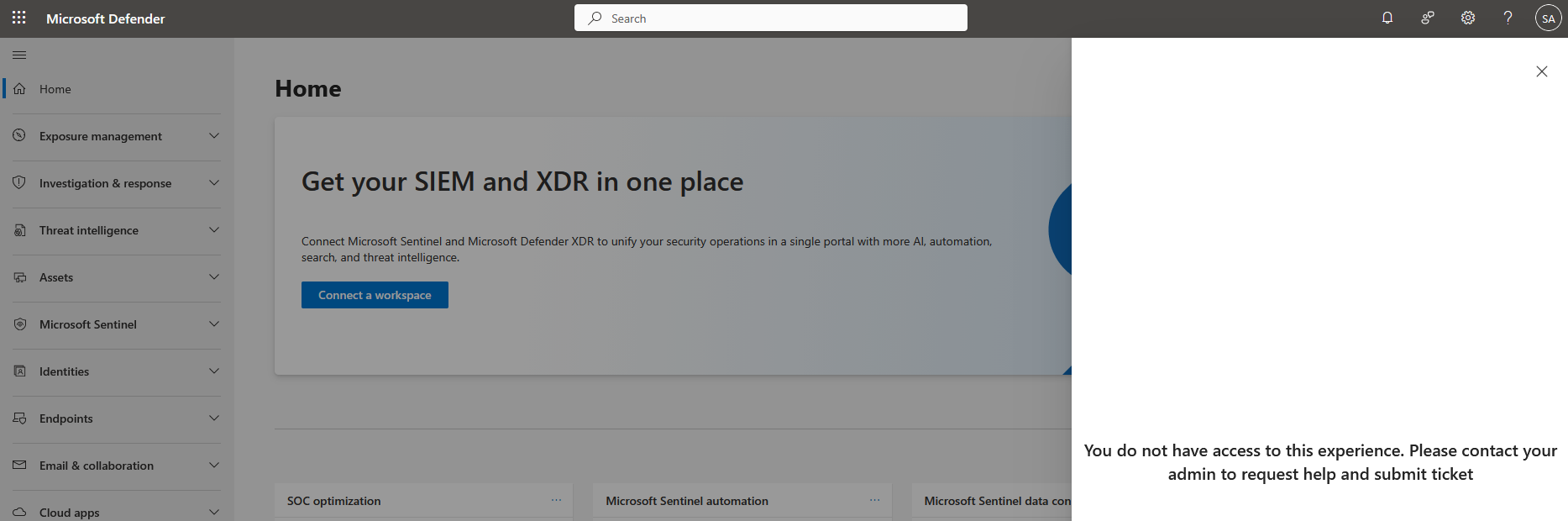
I use the Microsoft Defender Security portal (security.microsoft.com) in the Firefox browser. In this portal, if you click on the "?" in the top right of the page, a flyout window opens and you should see support options on how to get help from Microsoft. On Firefox, I get an error that says "You do not have access to this experience. Please contact your admin to request help and submit a ticket". Microsoft has told me this issue is not a Microsoft issue since this only happens on Firefox and not any other browser. I am seeking help from any Firefox experts to figure out why I am getting this error in Firefox and how I can resolve this issue. I am running version 147.0.1 (64 bit) of Firefox.
I use the Microsoft Defender Security portal (security.microsoft.com) in the Firefox browser. In this portal, if you click on the "?" in the top right of the page, a flyout window opens and you should see support options on how to get help from Microsoft. On Firefox, I get an error that says "You do not have access to this experience. Please contact your admin to request help and submit a ticket". Microsoft has told me this issue is not a Microsoft issue since this only happens on Firefox and not any other browser. I am seeking help from any Firefox experts to figure out why I am getting this error in Firefox and how I can resolve this issue. I am running version 147.0.1 (64 bit) of Firefox.