Refreshed Firefox accidentally

I accidentally refreshed Firefox when I was having problems and didn't realize Refresh meant wiping everything clean. I found another thread about this, but it's 8 years old and things have changed. How do I use the "Old Firefox" folder on my desktop to restore all my bookmarks, history, etc.?
被選擇的解決方法
Sounds good. Mark it as resolved and I would recommend you have your data on more than 1 device or start backing up your data.
從原來的回覆中察看解決方案 👍 0所有回覆 (4)

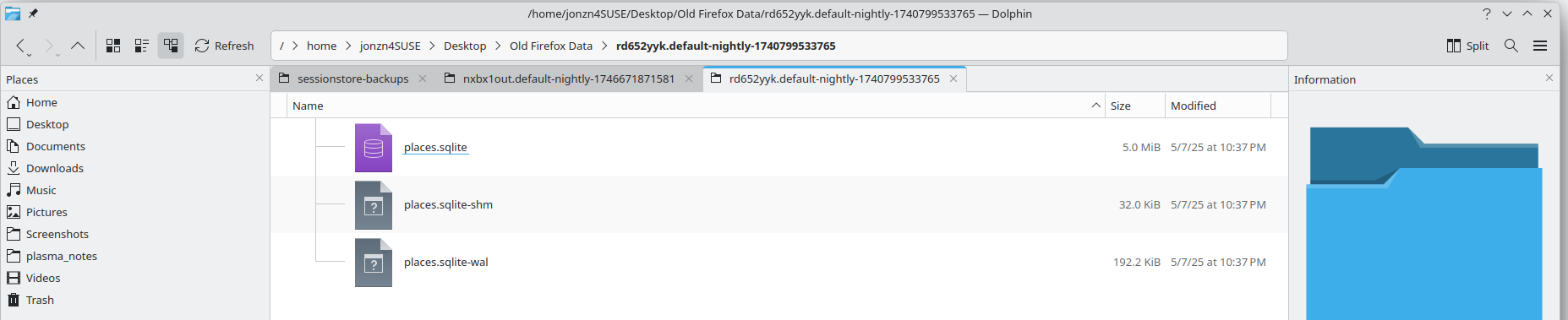
I did a refresh a few months ago and looking in the folder, I see bookmarks! see screenshot You should see something similar.
由 jonzn4SUSE 於 修改
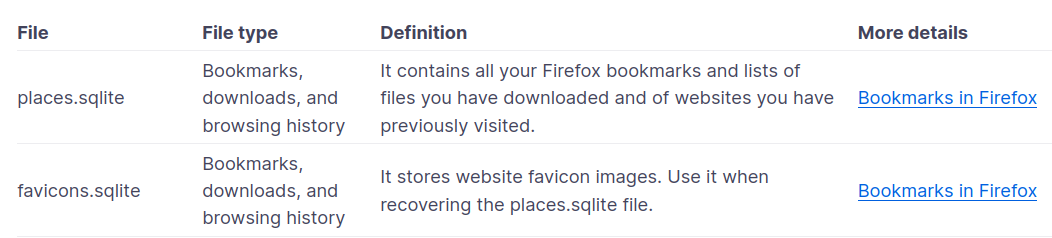
About your important data and their files https://support.mozilla.org/en-US/kb/about-your-important-data-and-their-files
Thanks everyone for your help. The problem is solved. Strangely, Firefox saved everything in a folder but didn't reset my browser, as I discovered when I made a new profile--and quickly switched back. It changed some of my settings, but my data was still in the old profile and all I had to do was review and reset my settings.
選擇的解決方法
Sounds good. Mark it as resolved and I would recommend you have your data on more than 1 device or start backing up your data.