


Firefox previous data retrieval

Firefox did an automatic update today. But now all of my saved bookmarks, saved passwords and items are gone in the new version. How can I retrieve them or return to my previous version of firefox?
被選擇的解決方法
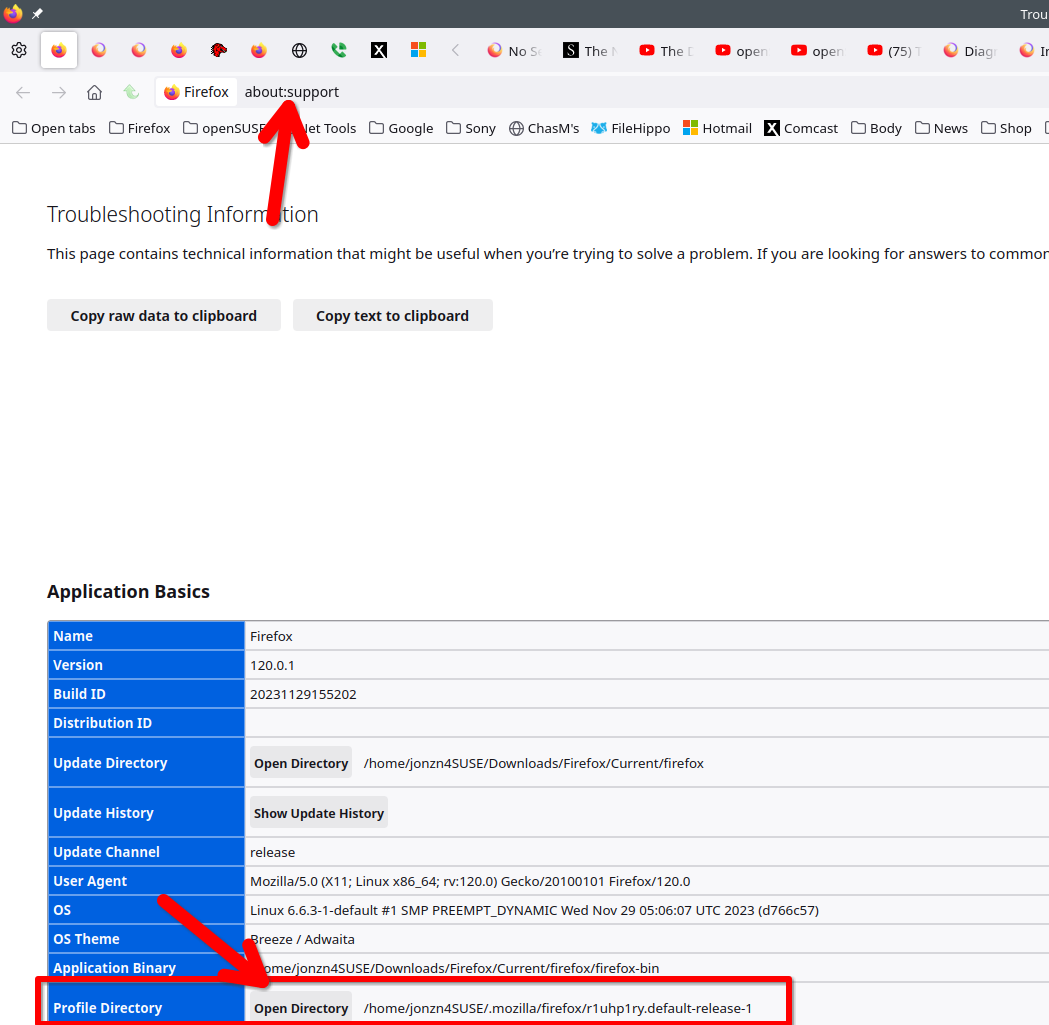
It sounds like Firefox created a new profile. In the browser go to about:support, open your profile folder, and then go up 1 folder to see if there's more than 1. Also check the date time stamp on the folders. If there is another profile, you can also just go to about:profiles in browser and switch to that profile. This seems to be a popular issue in the forum.
從原來的回覆中察看解決方案 👍 0所有回覆 (1)

選擇的解決方法
It sounds like Firefox created a new profile. In the browser go to about:support, open your profile folder, and then go up 1 folder to see if there's more than 1. Also check the date time stamp on the folders. If there is another profile, you can also just go to about:profiles in browser and switch to that profile. This seems to be a popular issue in the forum.
由 jonzn4SUSE 於 修改