


Anti-virus software saying it's a phishing attack

Hi,
I get a pop-up saying ww25.cloudflare-ipfs.io is a phishing site should I just block it or add it to the exceptions list. Also is it required for firefox to work properly
所有回覆 (5)

You get a pop up from who/where? Whose exception list? What makes you think firefox needs it for anything?
The Virus scanner AVG is the pop up and it says firefox made the request to that url
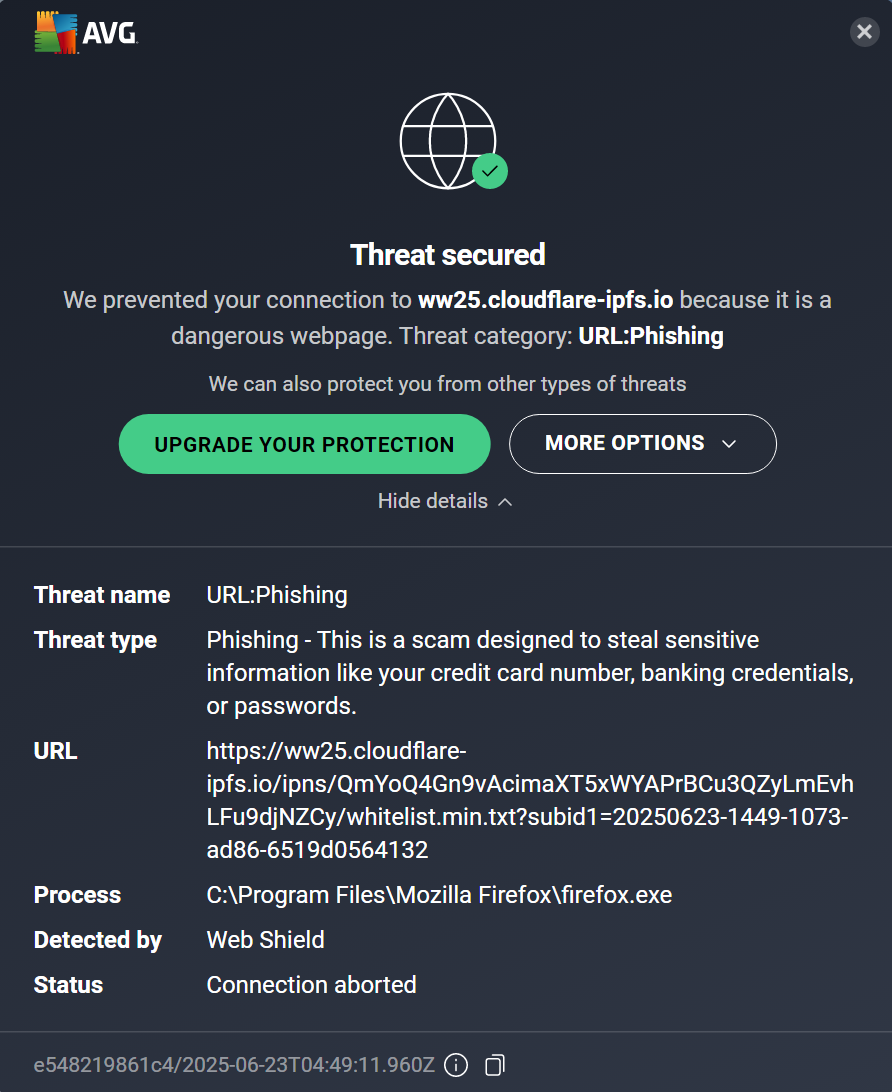
I would block it - why do you ask about exception lists? Who entered that link - firefox didn't, where did it come from? Another site, an email, or where? Firefox doesn't need it for anything, why do you think it does?
Just for background:
Web Shield checks all the requests sent from Firefox. These include requests by Firefox itself, for example, for new tab page stories, and also requests generated by web pages you load. Pages often have dozens of components, from files on their own servers to ads and tracking scripts that support their business. It doesn't look like Web Shield is showing you any related information about the URL to figure out why it was requested.
Unless you notice some kind of important breakage, I think it's fine to let Web Shield block things and not worry too much about it. However, if you notice a pattern related to a specific site or add-on, then it would be worth investigating further.
It looks like I'll have to do more testing to see what is causing the call to the URL. My thought now is one of the add-in's, I'll start with turning them all off and see what happens