


Windows 10 reached EOS (end of support) on October 14, 2025. For more information, see this article.

搜尋 Mozilla 技術支援網站

防止技術支援詐騙。我們絕對不會要求您撥打電話或發送簡訊,或是提供個人資訊。請用「回報濫用」功能回報可疑的行為。

了解更多

Chinese hanzi instead of Japanese kanji are rendered on websites

  • 1 回覆
  • 0 有這個問題
  • 199 次檢視
  • 最近回覆由 heunisch

更多選項

Hello,

I'm a bit out of ideas how I can get Firefox to display the correct characters. For reference: https://learnjapanese.moe/font/

Windows: I only have german and japanese locale installed, i even changed in intl.cpl the language to japanese. I have installed the japanese language pack / fonts and it's showing correctly in any windows editor.

Firefox: Second language set to japanese, disabled all addons, tried it on private mode to no success.

Any ideas how I get the characters to display?

Edit: I made it work by changing in about:config the font.cjk_pref_fallback_order-string to have ja as first.
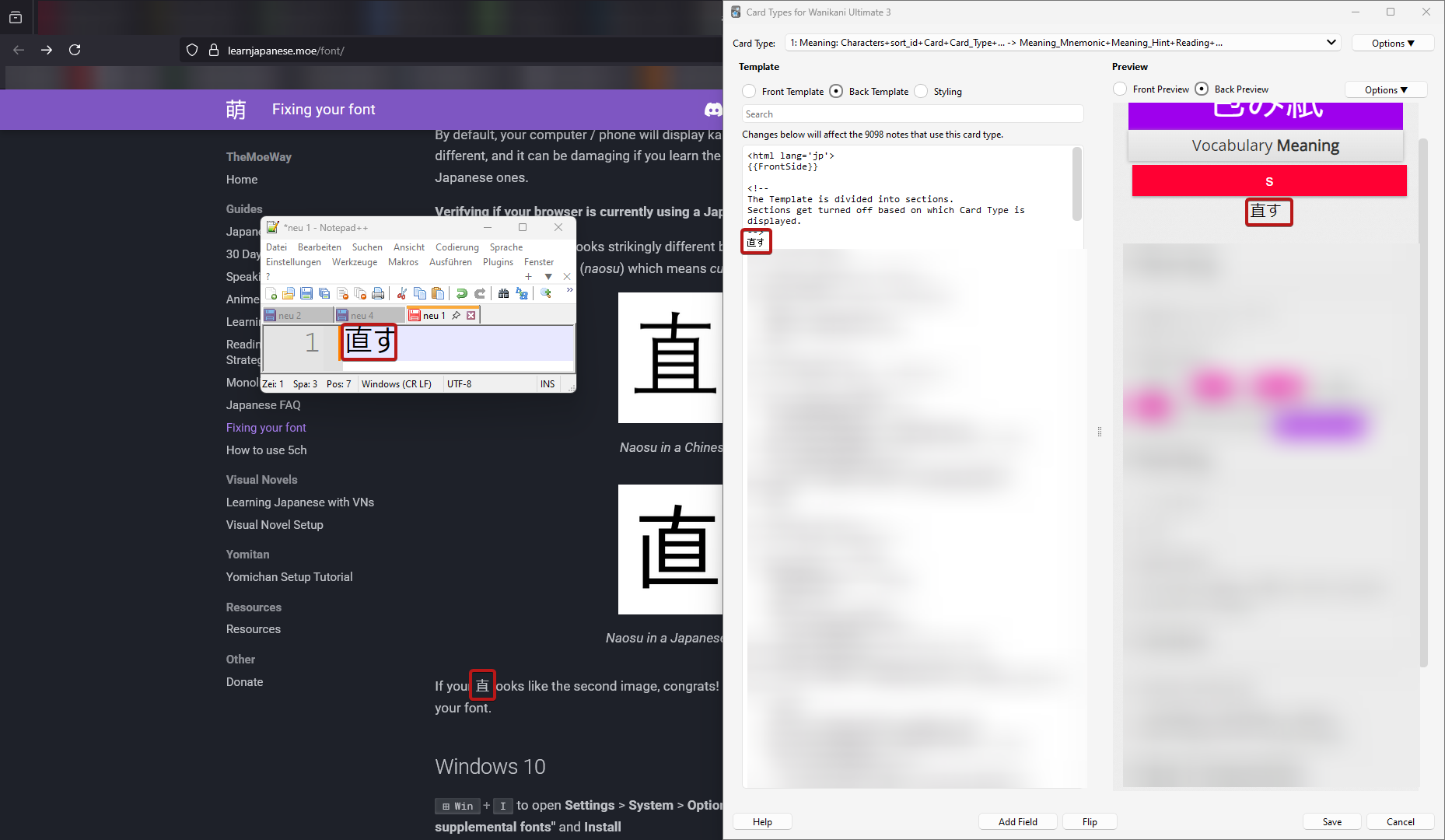
Hello, I'm a bit out of ideas how I can get Firefox to display the correct characters. For reference: [https://learnjapanese.moe/font/ https://learnjapanese.moe/font/] Windows: I only have german and japanese locale installed, i even changed in intl.cpl the language to japanese. I have installed the japanese language pack / fonts and it's showing correctly in any windows editor. Firefox: Second language set to japanese, disabled all addons, tried it on private mode to no success. Any ideas how I get the characters to display? Edit: I made it work by changing in about:config the font.cjk_pref_fallback_order-string to have ja as first.
附加的畫面擷圖

由 heunisch 於 修改

被選擇的解決方法

After some further testing: Switching firefox into safe mode fixes the problem, so I did an uninstall and removing anything left over with Revo uninstall. After the clean install, I promptly tried again without logging in, syncing or installing any plugin, but the problem persists in the same matter.

Actually, the resolution was already on the website, I just overlooked it: https://learnjapanese.moe/font/#firefox in about:config, font.cjk_pref_fallback_order had to be changed to have ja as first value.

從原來的回覆中察看解決方案 👍 1

所有回覆 (1)

更多選項

選擇的解決方法

After some further testing: Switching firefox into safe mode fixes the problem, so I did an uninstall and removing anything left over with Revo uninstall. After the clean install, I promptly tried again without logging in, syncing or installing any plugin, but the problem persists in the same matter.

Actually, the resolution was already on the website, I just overlooked it: https://learnjapanese.moe/font/#firefox in about:config, font.cjk_pref_fallback_order had to be changed to have ja as first value.

由 heunisch 於 修改