


Firefox Sync - Missing Option to Open All Synced Tabs on Desktop

Historically, I remember when you open the `sync` sidebar and right click on the tab grouping (i.e. Firefox on iPad), it opened a context menu where you had the option to `open all synced tabs`. This seems to be missing from the latest version of Firefox (138), but wanted to check in to see if I'm missing something or if I should downgrade my version of Firefox to get that functionality again.
被選擇的解決方法
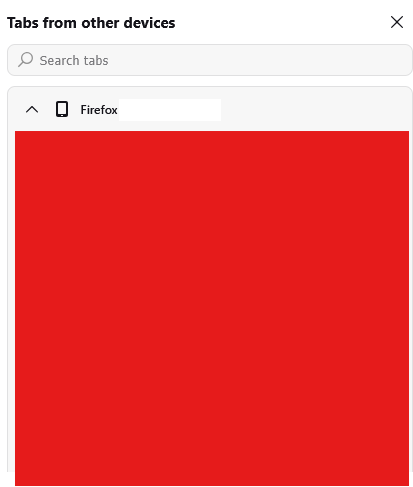
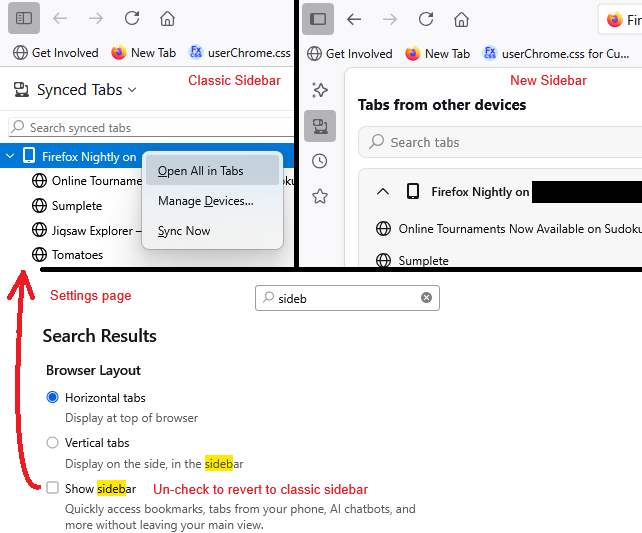
This is a limitation of the new sidebar design, the one with the "launcher" column on the left with various buttons that stays there when you close specific content (like closing Bookmarks or Synced Tabs). You can switch back to the classic design until this feature is added. Here's how:
- Open the Settings page
- In the tiny search box, slowly type sideb until Firefox brings the Browser Layout settings into view
- Un-check (Clear) the checkbox for "Show sidebar"
You may need to move or restore the Sidebars button on the toolbar after making this change.
Example screenshot attached.
從原來的回覆中察看解決方案 👍 9
所有回覆 (5)
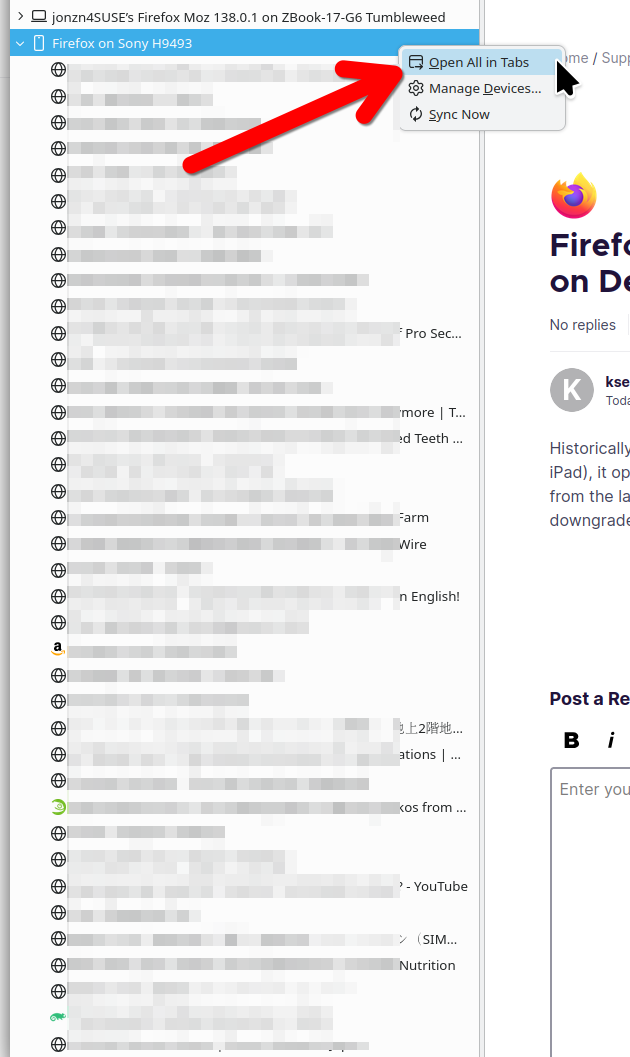
Is this what you're talking about? see screenshot It's always better to show examples of what you're looking at.
jonzn4SUSE said
Is this what you're talking about? see screenshot It's always better to show examples of what you're looking at.
Yep, that's the one. I thought I attached some screenshots but they're missing. Unlike your screenhsot, when I right click tabs from my phone, it doesn't open up that context menu. How did you get that to show up?
選擇的解決方法
This is a limitation of the new sidebar design, the one with the "launcher" column on the left with various buttons that stays there when you close specific content (like closing Bookmarks or Synced Tabs). You can switch back to the classic design until this feature is added. Here's how:
- Open the Settings page
- In the tiny search box, slowly type sideb until Firefox brings the Browser Layout settings into view
- Un-check (Clear) the checkbox for "Show sidebar"
You may need to move or restore the Sidebars button on the toolbar after making this change.
Example screenshot attached.
Fantastic! This solved my issue, and I hope they build it into the new redesigned sidebar. Thank you @jscher2000 and @ jonzn4SUSE.

jscher2000 - Support Volunteer said
This is a limitation of the new sidebar design, the one with the "launcher" column on the left with various buttons that stays there when you close specific content (like closing Bookmarks or Synced Tabs). You can switch back to the classic design until this feature is added. Here's how:You may need to move or restore the Sidebars button on the toolbar after making this change. Example screenshot attached.
- Open the Settings page
- In the tiny search box, slowly type sideb until Firefox brings the Browser Layout settings into view
- Un-check (Clear) the checkbox for "Show sidebar"
Gosh, I had almost given up. You sir are a hero. And your explanation understands how to present to non-technical people.
Thank you very much. Like others, I have "infinity" number of tabs open on my iOS device and managing / closing those will be much easier on the desktop.
Cheers