此討論串已被封存。
如果您有需要幫助,請新增一個新問題

封存
setting the Firefox Portable Home page

Dear Support,
would be most grateful for any answers to my question.
I have a copy of Firefox Portable, which I tend to use at local libraries.
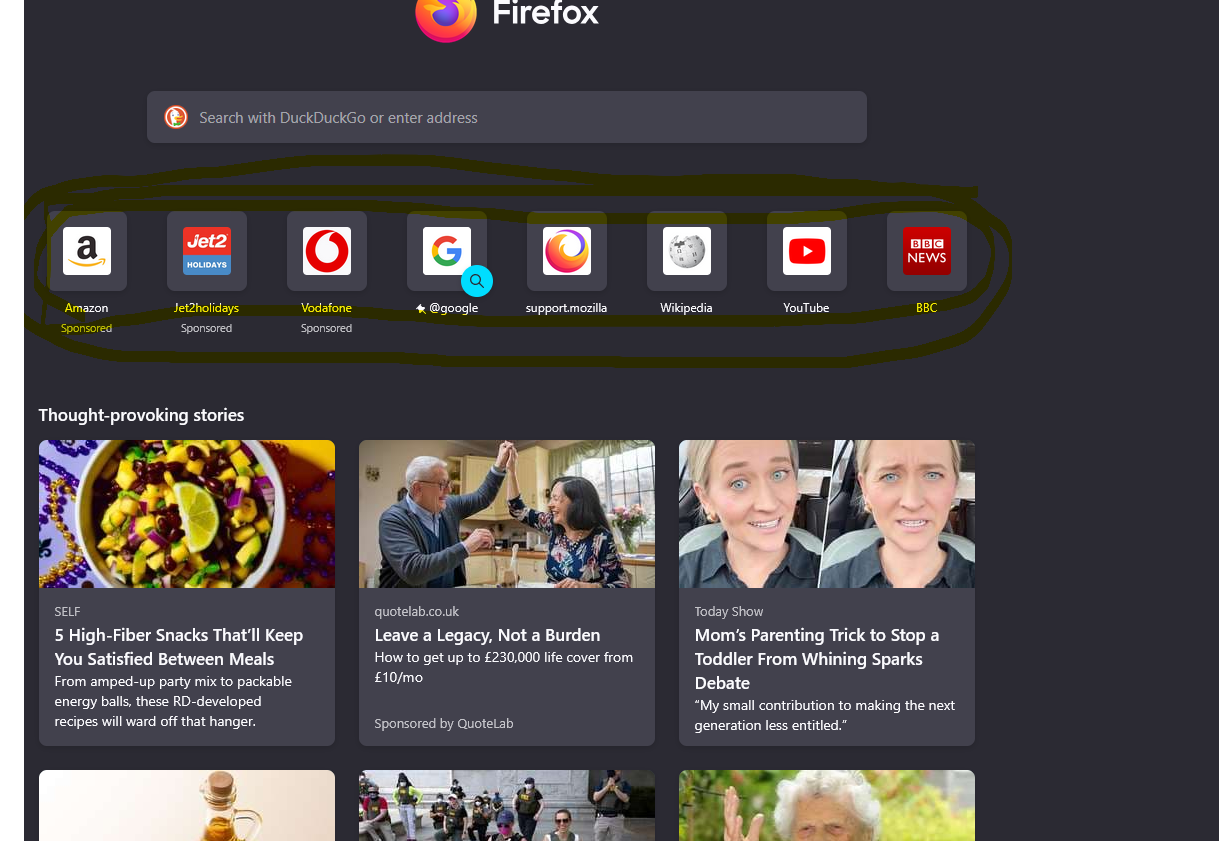
In the past, the home page of Firefox Portable would show 8 different icons. I could click on One of them, and would be taken straight to the site of that icon. I would be shown the icon for Language Shop, and could then click on it to get into it.
Now, the home page of Firefox Portable still shows 8 different icons, but there is not an icon for Language Shop.
How could I replace one of the icons with Language Shop, please?
I have also attached a screenshot of the home page as it is now, with the 8 icons highlighted,
Marek Wes.
Dear Support,
would be most grateful for any answers to my question.
I have a copy of Firefox Portable, which I tend to use at local libraries.
In the past, the home page of Firefox Portable would show 8 different icons. I could click on One of them, and would be taken straight to the site of that icon. I would be shown the icon for Language Shop, and could then click on it to get into it.
Now, the home page of Firefox Portable still shows 8 different icons, but there is not an icon for Language Shop.
How could I replace one of the icons with Language Shop, please?
I have also attached a screenshot of the home page as it is now, with the 8 icons highlighted,
Marek Wes.