

此討論串已被封存。
如果您有需要幫助,請新增一個新問題

Solved
封存
Using symbols + - in the search bar to do calculation make it disappear

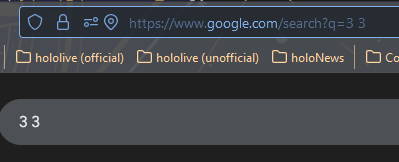
When I type in the search bar, for example, 3+3 (also tried 3 + 3), when I enter, it will give me this "3 3" and will just show results instead of the calculator.
It, however, still work normally if I were to write "3 plus 3"
When I type in the search bar, for example, 3+3 (also tried 3 + 3), when I enter, it will give me this "3 3" and will just show results instead of the calculator.
It, however, still work normally if I were to write "3 plus 3"

所有回覆 (3)
I have figured out the issues. It was one of the extentions
選擇的解決方法
This addons seem to be the main causes ClearURLs
To do calculations you can also enter about:config in the address bar and switch browser.urlbar.suggest.calculator to true.