

此討論串已被封存。
如果您有需要幫助,請新增一個新問題

已解決
封存
FF starts up with blank page when using Secure DNS

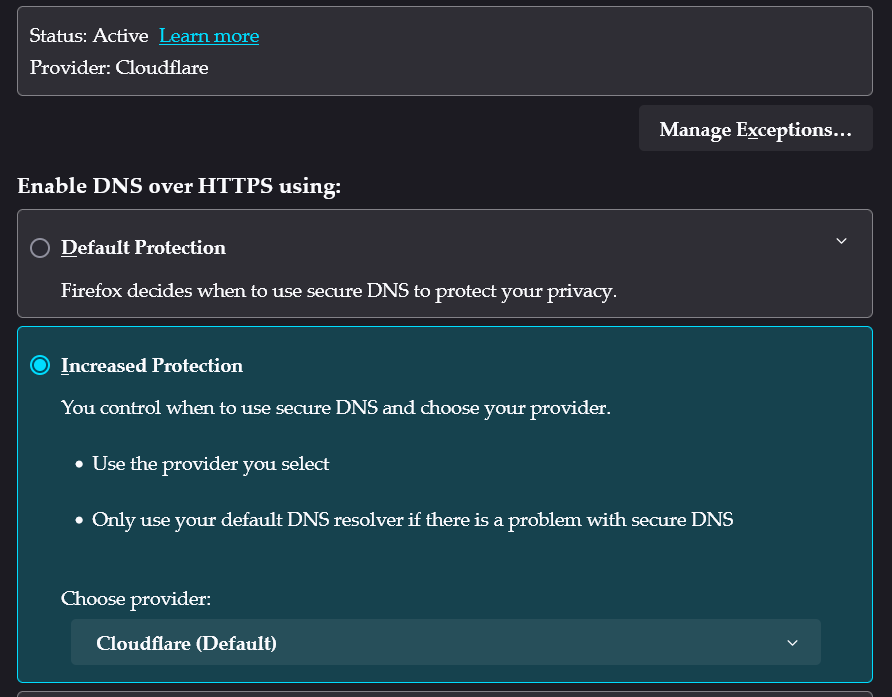
I am using VPN and have excluded FF using split tunnel, so I enabled Secure DNS in FF with Cloudflare. When I first launch FF, I get a blank page and nothing in the address bar. After that, I can open all webpages just fine. It's only that first page right when launching FF that doesn't work properly.
I am using VPN and have excluded FF using split tunnel, so I enabled Secure DNS in FF with Cloudflare. When I first launch FF, I get a blank page and nothing in the address bar. After that, I can open all webpages just fine. It's only that first page right when launching FF that doesn't work properly.
所有回覆 (1)
選擇的解決方法
Resolved after I disabled IPV6 in FF about:config
由 tzr916 於 修改