


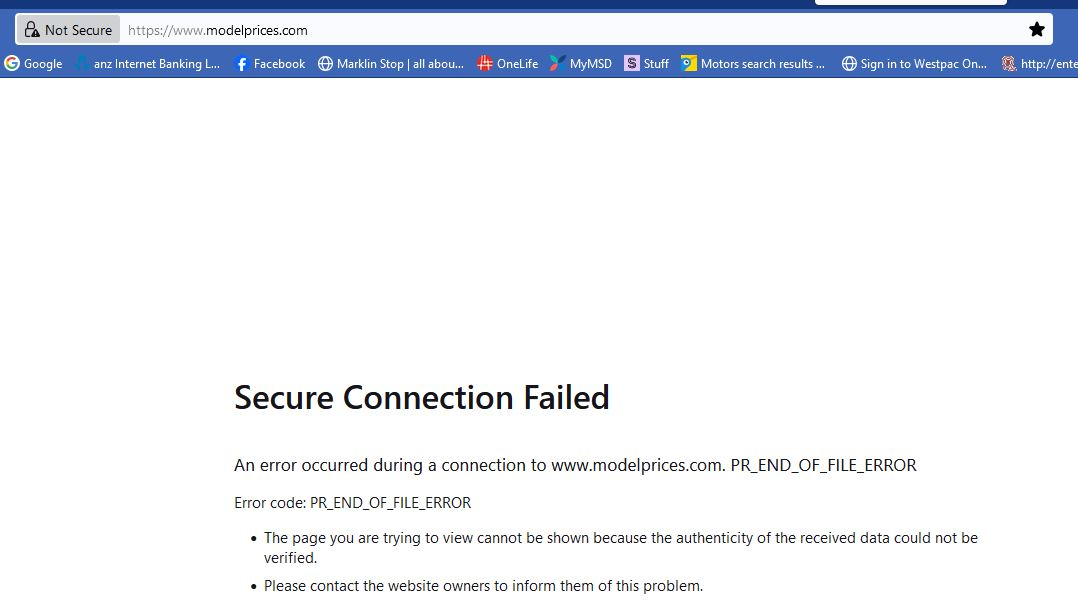
Mozilla now blocks a website that it previously allowed, has the padlock icon in bar showing as not secure

https//www.modelprices.com is a pricing database for models, trains cars etc. It does not require passwords. Yet Firefox in a recent update has now deemed it insecure and I cannot see how to fix this, despite clicking on the task bar padlock item and looking at the drop down items. This is most annoying. Can you please assist? Thank you.
https//www.modelprices.com is a pricing database for models, trains cars etc. It does not require passwords. Yet Firefox in a recent update has now deemed it insecure and I cannot see how to fix this, despite clicking on the task bar padlock item and looking at the drop down items. This is most annoying. Can you please assist? Thank you.
所有回覆 (2)

The message on the site error indicates where the problem is coming from.
I can't even get as far as the error message on either Firefox or Chrome. I'd suspect there's something amiss with the site itself, hopefully temporarily.