


How to remove setting from deleted extensions?
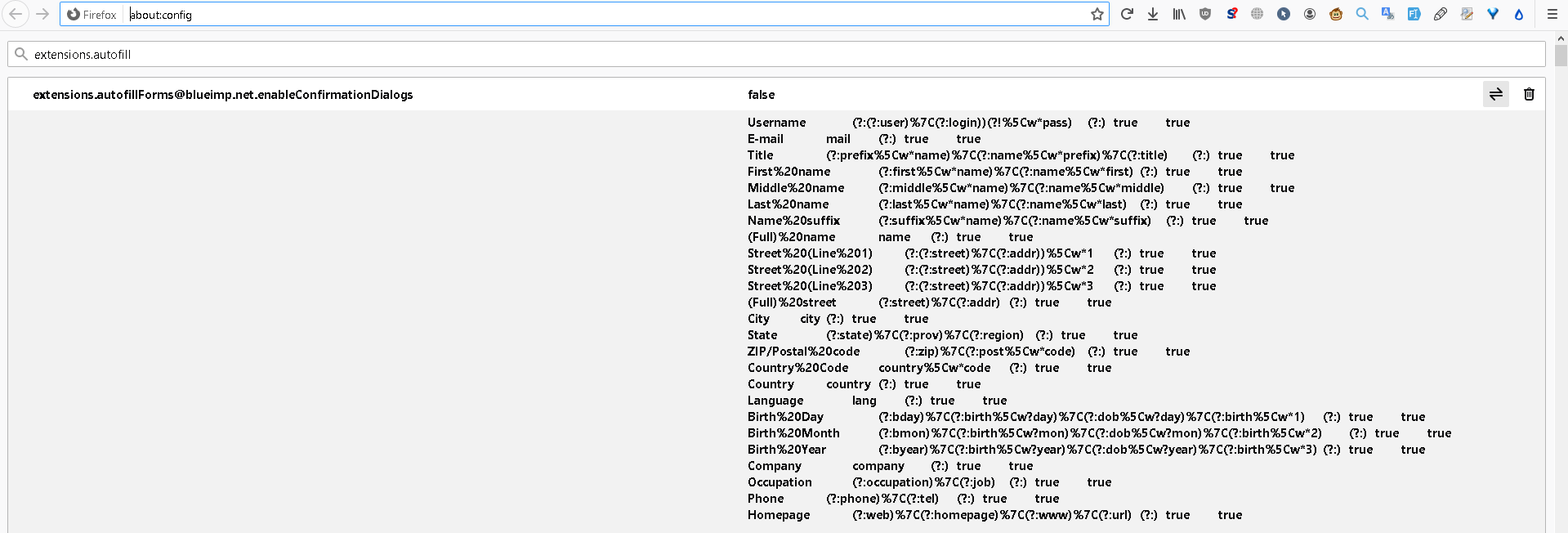
I used to have an extension. But after removing it I still see its setting in about:config. I don't want to clutter my Firefox's profile. Look at the screenshot.
1. Is it safe to remove all these setting manually? 2. How can I confirm that all the unnecessary data is removed? (including sqlite databases, etc...) 3. Isn't it a responsibility of an extension's developer to remove all the settings when a user removes it? 4. If I install hundreds of extensions and then I remove them, will they remain in my profile after deleting?
I used to have an extension.
But after removing it I still see its setting in about:config.
I don't want to clutter my Firefox's profile.
Look at the screenshot.
1. Is it safe to remove all these setting manually?
2. How can I confirm that all the unnecessary data is removed? (including sqlite databases, etc...)
3. Isn't it a responsibility of an extension's developer to remove all the settings when a user removes it?
4. If I install hundreds of extensions and then I remove them, will they remain in my profile after deleting?
所有回覆 (1)
hello Jeremy........
follow the steps
Disabling and removing extensions
- Click the menu button , click. Add-ons and select Extensions.
- Scroll through the list of extensions.
- Click. the blue toggle for the extension you wish to disable.
fore more information:
https://support.mozilla.org/en-US/kb/disable-or-remove-add-ons
thank you!
arman