


Thunderbird did not start with my Profile anymore, on Mac
Since a update this year, Thunderbird did not start anymore with my profile. If i start Thunderbird with the option Profilemanager, i can select my profile. If i start Thunderbird in normal mode, Thunderbird creats by each startup a new Profile!!!
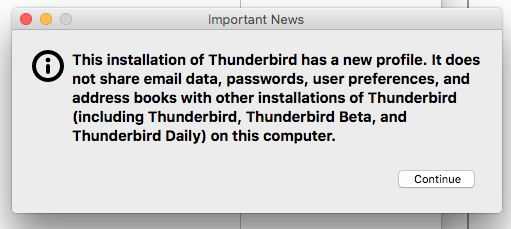
I get the message in the screenshot.
Thunderbird creates every start a new Profile!!!
Thunderbird Version 68.9.0 Build-ID 20200602112704 Update-Kanal release Mozilla/5.0 (Macintosh; Intel Mac OS X 10.13; rv:68.0) Gecko/20100101 Thunderbird/68.9.0 OperatingSystem Darwin 17.7.0
MacOS HighSierra 10.13.6 (17G13035)
Tahnk you for your help! BR Rainer
由 Wayne Mery 於 修改
所有回覆 (6)
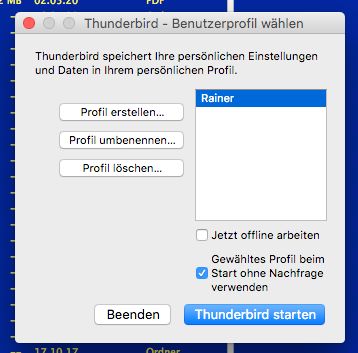
When you start with Profile Manager and select your working profile, is the box "Use the selected profile..." checked (see picture)?

If i start with the ProfileManager and i select my profile, all works fine! Without ProfileManager, every start, Thunderbird creates a new profile.
A reinstall of Thunderbird did not solve the problem!

You didn't answer the question.
Yes of course the checkbox is selected!
Then the Thunderbird start with the selected profile. After a restart, Thunderbird create a new default profile. Every start a new one.
With the Profile Manager i can delete this new profiles and can select my Profile.
Are you running TB from the downloaded dmg file or did you move the file to the Applications folder? Settings aren't preserved unless you do the latter.
I have regular installed Thunderbird on my MacBook Pro and use it since 10 years without problems! The problem occour since a update in the past but i don't know exactly the version. The update i make over the integrated update and i am on the release channel.
I never think about that a application can bes started in the openden *.dmg file ;-)