


firefox does not start under windows 8.1 as normal user

Hi,
I am runnig Firefox 62.0.3 64 bit under Windows 8.1. Out of a sudden, after booting the computer, FF did not start anymore in my normal user account but under administrator rights. Freshly installing FF did not solve the problem. What is goring wrong and why FF did not start anymore despite it worked before perfectly?
所有回覆 (8)
Hi
Try the following solution and i hope it will fix your problem: - Right click on Firefox shortcut (Usually on the desktop) - Select Properties - In the Shortcut tab, click Advanced - Clear the tick box labelled "Run as Administrator". - Click Ok.
I hope this helps .
Thanks for the tip. After having several times re-installed FF, which did not solve the problem, I tried to run FF with administrator rights. This works but the underlying problem is not solved since I would like to run FF for several reasons in my normal user account (for example: if I run FF as administrator, the downloads are done into the administratorr directory and the administrator then own the file).
Welcome :) Can you please check whether the "Run as Administrator" is unchecked on Firefox shortcut on your desktop as following
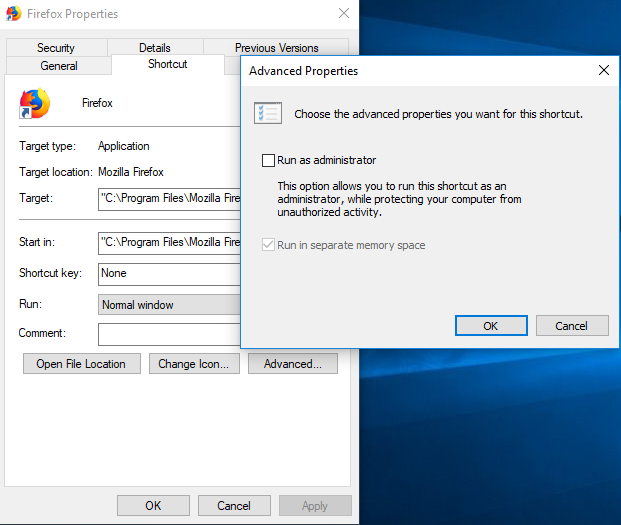
Hi Ruba,
Thanks for your reply. Yes, the box is unchecked. However, as I said before, the most annoying thing is that the FF worked well. Shutdown of the computer at the end of the day. Next day: normal booting of the machine, a click on FF and ... nothing happened.
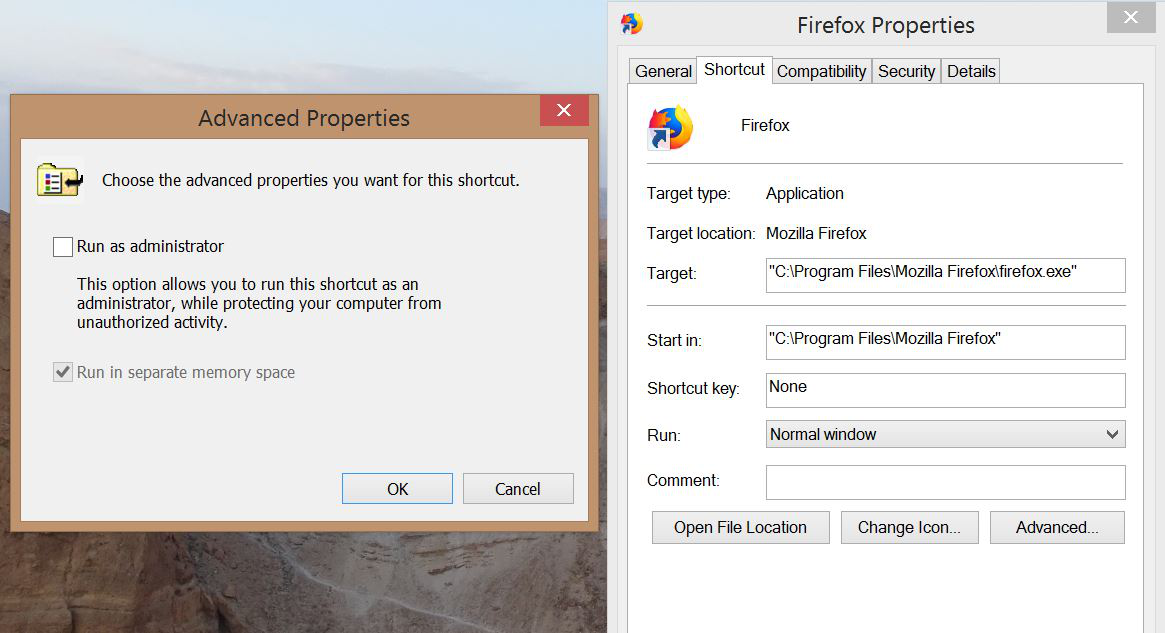
Try to uninstall Firefox and reinstall Firefox as a normal user.
You can find the full version of the current Firefox release (62.0.3) in all languages and all operating systems here:
- https://www.mozilla.org/en-US/firefox/all/
- https://www.mozilla.org/en-US/firefox/62.0.3/releasenotes/
Your personal data like bookmarks is stored in the Firefox profile folder, so you won't lose personal data when you reinstall or update Firefox, but make sure NOT to remove personal data when you uninstall Firefox as that will remove all Firefox profile folders and you lose your personal data.
Hi Cor-el, Thank you for the reply. Uninstall and reinstall was what I did several times - it did not solve my problem. Then I thought that the calamities are linked to my profiles - though I saved them into another directory and deleted them in D:\users\Camille\AppData\Roaming\Mozilla\Firefox\Profiles in order to reinstall FF from scratch - without success. Cheers
So when you started from scratch did that include deleting the Mozilla folder?
Hi WestEnd,
Yes, I did so- with the same success or rather no success. Since FF is running if I start it as admin, I guess that something in the environment has changed. Maybe due to a Microsoft-update. Maybe it is better to get rid of Windows 8.1 and install Windows 10 Cheers