


Is there a way to specify version to use in command line?

I have a website that is most compatible with a specific version of Firefox and I want to always open it in it's own instance with that version but I want all other shortcuts to open in the newest version. I have tried -new-instance but if either of them is open before the other it automatically opens as the version that was already open.
Ex. 1
1. Use old version shortcut with -new-instance and it opens the old version
2. Use new version shortcut with -new-instance and it opens in a new instance with old version
Ex. 2
1. Use new version shortcut with -new-instance and it opens with new version
2. Use old version shortcut with -new-instance and it opens with new version
由 Vrykodin 於 修改
所有回覆 (3)

You can install as many versions of Firefox that you want. However;
Switch to manual and place each version in its own folder.
The Last Firefox you install will be labeled as the default program.
FredMcD said
You can install as many versions of Firefox that you want. However; Switch to manual and place each version in its own folder. The Last Firefox you install will be labeled as the default program.
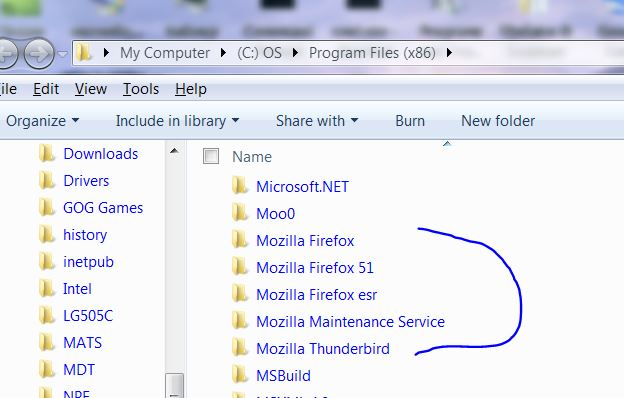
They are already installed in separate locations.
This is the batch file I use (one line); C:\PROGRA~2\MOZILL~4\firefox.exe -P FirefoxESR -no-remote -new-instance -new-window http://comicskingdom.com/conceptis-kakuro/today
Usage: C:\PROGRA~1\MOZILL~1\firefox.exe [ options ... ] [URL]
      where options include:
 -h or -help        Print this message.
 -v or -version     Print Firefox version.
 -P <profile>       Start with <profile>.
 -migration         Start with migration wizard.
 -ProfileManager    Start with ProfileManager.
 -no-remote         Do not accept or send remote commands; implies -new-instance.
 -new-instance      Open new instance, not a new window in running instance.
 -UILocale <locale> Start with <locale> resources as UI Locale.
 -safe-mode         Disables extensions and themes for this session.
 -console           Start Firefox with a debugging console.
 -jsconsole         Open the Error console.
 -browser           Open a browser window.
 -new-window  <url> Open <url> in a new window.
 -new-tab     <url> Open <url> in a new tab.
 -preferences       Open Options dialog.
 -search     <term> Search <term> with your default search engine.
 -setDefaultBrowser Set this app as the default browser.